

 Reply With Quote
http://loop-aes.sourceforge.net/loop...-v2.1c.tar.bz2
Try applying the patch in this tarball when compiling the kernel. This will add support for aes encrypted loop-back block-devices.


hi,
i've createtd a big problem
i've installed knoppix 3.4 on HD and compiled a kernel 2.6.6 and installed it. i've setup crypto loop's like this:
echo $PW losetup -e AES256 -p 0 /dev/loop0 /cf/xcf0
every thing used to work as expexted. as i wanted a persistend device for my usb stick i've installed "udev" by apt. this removed "mount-aes" from the system.
now i cant use my encrypted files any more. i had to change to "aes-256" but the loop is unsuable. i've tried to use the "original knoppix" losetup and mount from the CD. this only "works" when i use "AES256" but the i get:
ioctl: LOOP_SET_STATUS: The argument is invalid
as i'm really desperate i've setup an fresh system and installed a kernel 2.6.8 but with this setup i also can't use my encrypted files.
can any one help ? i need the data in the cryptoloops !!
TIA
frantek
http://loop-aes.sourceforge.net/loop...-v2.1c.tar.bz2
Try applying the patch in this tarball when compiling the kernel. This will add support for aes encrypted loop-back block-devices.
Can't you boot from CD (using the default 2.4 kernel), mount the drives where the crypto loops "live" and access them from there? Another person made a comment on kernel 2.6 and crypto at this link:
http://www.knoppix.net/forum/viewtop...403&highlight=
I am interested to try your method using the 2.4 kernel. I will add it to the tips and tricks thread.
I wonder if this is a KNOPPIX specific or kernel 2.6 specific problem.
~pau1
@kelmo
std. 2.6.8 has built in AES support - what is this patch doing ?
and keep in mind - every thing used to work till I've removed "mount-aes" while installiond "udev" algon with the std. mount and losetup.
i think i've tried the CD method mentioned by pau1knopp without success.
but i will try all this (again) and report.
cheers
frantek
@pau1knopp
I'ive bootetd from CD and tried to do a losetup. the result was that i can do a losetup but the data stay's unusable as if i've used a wrong password.
BTW: i use as a password a key generated by /dev/random with 2KB. so it contains any kind of data. not ony printable. i do some thing like this:
cat keyfile | losetup ... -p 0 ...
and again: it used to work like this.
cheers
frantek
 Posting Permissions

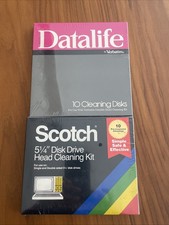
Vintage 5.25" Floppy Disk Drive Cleaning Kit Lot (1 Scotch 3M + 1 Verbatim) NOS
$49.00

Vintage HP Hewlett Packard 2112A 21MX 1000 M-Series 16-Bit Minicomputer
$419.99

Vintage Jetway J-620BF Socket 370 Celeron AT Motherboard SiS 620 Brand New
$75.00

Vintage ECS Micro-ATX Desktop Case | Beige/Dark Grey | *READ*
$80.00
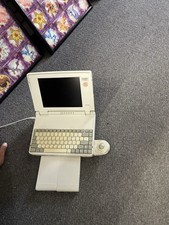
Vintage Toshiba Satellite Laptop T1910CS With Adapter, Mouse, Manual-Parts Only
$150.00

Vintage Mainframe Computer Disk Drive Pack Dyson SMD 5 Level Disks
$79.00
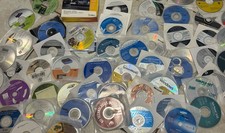
Mixed Lot Of Vintage Software And Drivers - Install Discs - CDs - 94 Pieces
$85.00
![Apple Macintosh Boot Disk System [1.0 - 8.0] 400/800k/1.4 Floppy for Vintage Mac picture](/store/img/g/EhEAAOSwg7ZnexmU/s-l225/Apple-Macintosh-Boot-Disk-System-1-0-8-0-400-800k-.jpg)
Apple Macintosh Boot Disk System [1.0 - 8.0] 400/800k/1.4 Floppy for Vintage Mac
$14.75

Vintage 1986 Goldenrod Research Corp CP/M Desktop Computer Syste w/Keyboard
$350.00

Vintage Toshiba Satellite 4090XDVD Intel Celeron 400Mhz Retro - Powers up Cards
$57.59