-
Rookie NTFS write question
Hello,
I am currently using Knoppix 3.4 released in may, I was wondering if NTFS writing can be done safely and without data loss in this version?. And if so, how would I go about enabling the write feature?. Basically I am using Knoppix to access and backup the contents of my Administrator folder on my Win Xp partition to a spare harddrive before I reformat.
Thanks in advance,
Ab
-
I have not been able to get the captive ntfs working on my machine and from the sounds of it neither has most of the people on this forum. However one thing that linux does do well is write to fat32. Why not format the second drive to fat32 and then copy the files over to it. reformat the primary hd and reinstall windows and then move them back over. Heck, all that can be done in windows. (I know, but where's the fun in that?) I promise you it will take you longer figuring out how to make captive ntfs work than the solution I just laid out.
-

Originally Posted by
robwelch100
I have not been able to get the captive ntfs working on my machine and from the sounds of it neither has most of the people on this forum. However one thing that linux does do well is write to fat32. Why not format the second drive to fat32 and then copy the files over to it. reformat the primary hd and reinstall windows and then move them back over. Heck, all that can be done in windows. (I know, but where's the fun in that?) I promise you it will take you longer figuring out how to make captive ntfs work than the solution I just laid out.
Both my drives have data on them and both are NTFS unfortunately. I am just trying to move data from my XP Pro partition to my XP Home partition using Knoppix. I would just use XP home to copy them, but the only way I know to access the Administrator protected documents of another OS is using Knoppix.
Thanks
Ab
-
-
Use knoppix to read the files, assuming you can at least read the ntfs disks. burn the files from the one hd onto cd and then boot up the windows you want and copy them to that hd.
I have seen posts here that state that captive ntfs works great but an overwhelming majority seem to be posts stating problems. Boot up knoppix run the captive ntfs configuration point it to the xp hd for the drivers and then finish the configuration, right click on the hd you want to write to and the change the read/write mode. just try and creat a new folder. If it won't let you then I would do what I suggested in the previous paragraph. Captive ntfs uses windows own drivers so there won't be any problem with it corrupting windows or making a file that is unreadable.
Either that or I'm wrong.
Similar Threads
-
By cpeter in forum MS Windows & New to Linux
Replies: 3
Last Post: 06-22-2005, 02:35 PM
-
By harry66 in forum General Support
Replies: 1
Last Post: 03-30-2005, 05:03 PM
-
By grexk in forum General Support
Replies: 3
Last Post: 02-17-2005, 02:10 AM
-
By David Ormsby-Gore in forum MS Windows & New to Linux
Replies: 4
Last Post: 07-08-2004, 09:45 AM
-
By terminator in forum General Support
Replies: 0
Last Post: 05-12-2004, 10:52 PM
 Posting Permissions
- You may not post new threads
- You may not post replies
- You may not post attachments
- You may not edit your posts
-
Forum Rules


16GB KIT (2x8GB) DDR3 Gamer Desktop RAM PC3 MIXED BRANDS VIPER VENGEANCE FURY
$10.00

Netac DDR4 32GB 16GB DDR4 3200MHz UDIMM C16 Desktop Internal Memory RAM Kit
$199.99

A-Tech 8GB DDR3 1600 PC3-12800 Laptop SODIMM 204-Pin Memory RAM PC3L DDR3L 1x 8G
$21.68

Major Brand 16GB (2x8GB) PC3-12800U DDR3-1600MHz DDR3-12800 DESKTOP RAM NON-ECC
$29.99

Samsung 32GB DDR4-2666V-2Rx4-RB2-12 RAM M393A4K40CB2-CTD6Q
$169.00

G.SKILL FLARE X5 64GB (2 x 32GB) 6000 MT/s DDR5 (AMD EXPO + INTEL XMP) *CL30*
$785.00
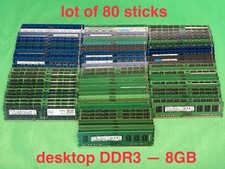
LOT OF 80 - Samsung SK Hynix Micron Crucial Etc DDR3 PC3 Various Desktop RAM
$780.00

Samsung 16GB LPCAMM2 PC5 7500 DDR5 LPDDR5X CAMM2 M561K1LC4DM0-CCTGM RAM Memory
$189.00
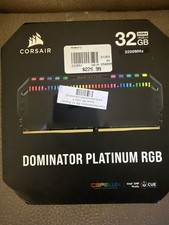
Corsair Dominator Platinum RGB 32GB (2x16GB) 3200MHz
$380.00

RAMAXEL Lenovo 32GB LPDDR5X CAMM2 7500MHz Laptop RAM | UNTESTED
$445.00



 Reply With Quote