-
Senior Member
registered user
I pretty much agree with rickenbacherus as far as his partitioning, but if you're getting a 20 to 30 GB drive then why not make a /home partition of 5 GB or so , then if you reinstall linux, knoppix or another distro, your home stuff will still be there (you may have to change ownership after a reinstall but everything saved will be there, including customizations). The other thing you may consider is a 5GB or so /store partition that would be formatted vfat (fat32), then you have a safe place to put stuff that you could get to from both linux and windows (note: you'll have to do some fixing to be able to write to the vfat partition as a user). I put mp3's, software downloads, iso's etc. on my shared vfat partition. You do not need a boot partition that is 100 MB (25 to 30 is huge), I have 3 or 4 kernels and grub on this computer and /boot takes up 5.6 MB, although what's 75 mb on a 20 or 30 GB drive, I wouldn't make /boot less than 25MB just in case.
Also put the drive where you want it and then install knoppix there, for safety put lilo on your root partition and make sure to make a boot floppy. If you install knoppix as hda (your first drive) and write a boot floppy etc. you won't be able to boot up as hdb (your second drive) untill you either manually edit your boot floppy configuration or boot into the system from a knoppix cd and fix your system from there.
I am a Chem instructor (labs and developmental) I haven't used ChemDraw in recent years, but once you get knoppix installed check out xdrawchem, it is ChemDraw file compatible and is in a deb package so it's easy to install:
apt-get install xdrawchem
it may not be as feature rich as ChemDraw.

I use my own personal linux computer in my office so I don't have to rely on sharing a computer, I use openoffice a lot as it has pretty good ms office compatibility.
HTH
rock
Similar Threads
-
By Vic in forum Hdd Install / Debian / Apt
Replies: 3
Last Post: 12-23-2004, 11:28 PM
-
By pete1968 in forum Hdd Install / Debian / Apt
Replies: 1
Last Post: 09-10-2004, 07:08 PM
-
By adventurepants in forum Hdd Install / Debian / Apt
Replies: 8
Last Post: 05-26-2004, 09:06 AM
-
By binarybum in forum Hdd Install / Debian / Apt
Replies: 0
Last Post: 02-13-2004, 12:12 AM
-
By bongski55 in forum Hdd Install / Debian / Apt
Replies: 5
Last Post: 07-26-2003, 09:07 AM
 Posting Permissions
- You may not post new threads
- You may not post replies
- You may not post attachments
- You may not edit your posts
-
Forum Rules


Gigabyte 4U AI Server 10x Nvidia GPU 2x Xeon Gold 6150 36 Core 2.7GHz DDR4 RAM
$1625.00

Dell EMC PowerEdge R440 Xeon silver 4215 2.5GHz 16 GB ram 2x 550W PSU No HDD
$275.00

867959-B21 HPE ProLiant DL360 G10 CTO Server W/ 2x 865414-B21 1x 840140-001
$245.00

Dell PowerEdge FX2s + 8x FC430 Blades 16x E5-2630v4 160 Cores Rails No PSU/RAM
$699.00

Dell PowerEdge C4130 1U AI GPU Server | 2x E5-2680 v3 | 32gb Ram | 2x 1600W
$409.99

Dell PowerEdge R730XD 28 Core Server 2X Xeon E5-2680 V4 H730 32GB RAM No HDD
$378.93

Dell Poweredge R730xd 12LFF 2*2660v4 4*1Gbe h730 2x 750W Server CTO
$308.00
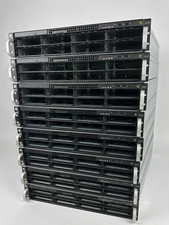
2U AI MINING SERVER 2x Xeon 36 cores 2.3Ghz DDR4 2x NVIDIA V100 GPU PCIe 2PS USA
$799.00
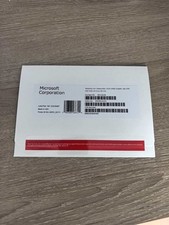
Windows Server 2025 datacenter 64bit 24 Core 50 cal DVD + PRODUCT LICENSE KEY.
$49.99

Dell Poweredge R630 2x Xeon E5-2680 v3 2.5ghz 24-Core | HBA330 | No RAM or HDD
$149.99



 Reply With Quote