-
Junior Member
registered user
All you need to worry about is the XF86Config-4 file. Don't worry about the other zipped file. The XF86Config-4 file is located in /etc/X11/. Open it and sroll down to the Screen section. In it, you will see several SubSections. Each one, the highest resolution will probably be 800X600. For example: Modes "800X600" "640X480". Then just add the resolution you want to each subsection. For example: Modes "1024x768" "800x600" "640x480". Make sure that you root when you do this. Then save it and restart the computer. The XF86Conig-4 file is read whenever a Desktop is started.
Similar Threads
-
By Tomal in forum Hardware & Booting
Replies: 2
Last Post: 05-27-2004, 12:54 AM
-
By anaEiD in forum General Support
Replies: 2
Last Post: 05-04-2004, 08:20 AM
-
By reecegeorge in forum General Support
Replies: 5
Last Post: 10-13-2003, 08:35 PM
-
By /Knoppix/Knewbie/ in forum General Support
Replies: 1
Last Post: 10-02-2003, 10:30 PM
-
By jamesgf in forum General Support
Replies: 7
Last Post: 03-26-2003, 02:47 AM
 Posting Permissions
- You may not post new threads
- You may not post replies
- You may not post attachments
- You may not edit your posts
-
Forum Rules


Netac DDR4 32GB 16GB DDR4 3200MHz UDIMM C16 Desktop Internal Memory RAM Kit
$99.99

A-Tech 8GB DDR3 1600 PC3-12800 Laptop SODIMM 204-Pin Memory RAM PC3L DDR3L 1x 8G
$21.68

Major Brand 16GB (2x8GB) PC3-12800U DDR3-1600MHz DDR3-12800 DESKTOP RAM NON-ECC
$29.99
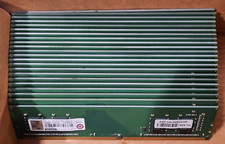
Lot of 88GB (22x4GB) ADVANTECH 1RX16 DDR4 PC4-2400U AQD-D4U4GN24-HP MEMORY RAM
$286.00
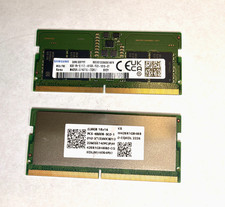
16 GB Kit Samsung 2 x 8GB DDR5 SO-DIMM PC5-4800 Non-ECC RAM M425R1GB4BB0-CQK0L
$175.00
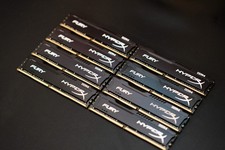
Kingston HyperX Fury 128GB DDR4-2933 CL17 Desktop Ram (8x 16GB), HX429C17FB/16
$589.00
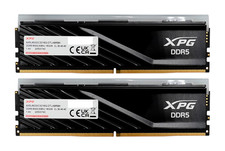
ADATA XPG Lancer Blade RGB 32GB (2x16GB) DDR5-6000 CL30 Desktop RAM Black
$429.94

DDR4 Laptop RAM 4GB 8GB 16GB 32GB 2400 2666 3200 Samsung Hynix
$66.00

NEW IN BOX - Corsair Vengeance RGB 32gb (2x16gb) DDR6200 CL36 CMH32GX5M2B6200C3
$550.00

LOT OF 4 Samsung 16GB DDR4-2666 ECC UDIMM 2Rx8 PC4-21300 M391A2K43BB1-CTDQ
$469.95



 Reply With Quote