
2.6 in Knoppix 3.4 had some problems:Originally Posted by drmarathe
sudo eject /dev/scd0 or /dev/hdX should work though.
cu
Fabian


2.6 in Knoppix 3.4 had some problems:
sudo eject /dev/scd0 or /dev/hdX should work though.
cu
Fabian
Hi,
this is really really cool.
Now we can copy to HD / RAM while running from CD, which basically also allows changing the applications that run from the CD! Changing is just limited by the number of cloop devices, which is sad :-/ due to a bug (?) in cloop ...
Thats it.Code:# copy to HD mount /mnt/hda6 rsync -avP /cdrom/KNOPPIX /mnt/hda6/ # load from HD losetup /dev/cloop1 /mnt/hda6/KNOPPIX/KNOPPIX mount /dev/cloop1 /KNOPPIX # remove CD umount -l /cdrom eject /dev/cdrom # fill in /cdrom again (optional) # either through --move or --bind mount --bind /mnt/hda6 /cdrom
Possibilities are of course again unlimited. This could create an ISO on the fly from the CD and then insert it, copy to NTFS partitions and whatever you have not even thought of.
I'm still working on a solution to put out the CD cleanly without risking cloop to not be able to read some blocks ... (when you can't change to another backing device)
Possibly you could just copy (e.g. videoplayer) whats necessary to ramdisk and then run from there ...
cu
Fabian
Fabien,
That worked. i.e.
#sudo eject /dev/scd0
It looks like I have to start the video/audio playing program beforehand and then eject the Knoppix CD, put a video/music Cd. Which is ok.
But I tried to remount the Knoppix CD
with
# mount /mnt/cdrom
or
#mount /dev/scd0
But the first gives an error saing no valid fstab entry. Doue he umount remove this entry or what? How can I remount the Knoppix CD after finishing playing a music/video CD.
Thanks
Just use:
cuCode:sudo mount /dev/scd0 /cdrom
Fabian
NOTE: All the instructions in this seem to be superceeded by my discovery of bootfrom, I'd done it and written it though so I'm posting them just in case they are useful to anyone!
Of course instead of copying tohd, if you already have the iso on your hd you can just loop mount that, even if the iso is sitting on NTFS!
Now of course I just have to remember to unmount it all again (but of course it is only mounted read onlyCode:knoppix@ttyp0[knoppix]$ sudo su - # replace /dev/hda2 with the device holding your iso root@ttyp0[~]# mount /mnt/hda2 root@ttyp0[~]# mkdir /locdrom # loopback mount the iso root@ttyp0[~]# mount -o loop /mnt/hda2/1bfree/2burn/knoppix_3.7_PC-Welt.iso /locdrom/ # setup and mount the cloop root@ttyp0[~]# losetup /dev/cloop1 /locdrom/KNOPPIX/KNOPPIX root@ttyp0[~]# mount -o ro /dev/cloop1 /KNOPPIX # now you can umount the cd and eject it root@ttyp0[~]# umount -l /cdrom root@ttyp0[~]# eject /dev/scd0 # (optional) fill the /cdrom back in so everything shoudl appear correct root@ttyp0[~]# mount --bind /locdrom/ /cdromSo it means any poor soul with a machine fully formatted to ntfs and only one cd/dvd drive can download knoppix to the ntfs drive from the devils OS (or if they get a cd can they use rawrite under xp to copy it across? or what other free tool would there be), burn it, boot it, swap in the on-ntfs iso and then eject the cd. Of course I now realise you could just as easily burn it (or stick a cd in the drive) and then copy out the KNOPPIX folder under windows and use fromhd, but where's the fun in that (and it means using double the disc space or deleting the iso)!
Perhaps knoppix-autoconfig should have an option like "fromhd=iso:/dev/hda2" ... wait, when did bootfrom arrive (it's in 3.6 anyway)
Perhaps this post will help someone else realise bootfrom is what they need! I just went and tried it and it boots off the cd, switches to the iso and releases the cd drive (so you can eject the cd), magic!
What about toram?
I can do this on some of my PCs which have about 1GB of RAM. However, most PCs I use won't be able to handle this.
Does anyone know if Damn Small Linux does toram? DSL is a lot like KNOPPIX as its a pared-down remaster that only takes a 50MB ISO! I have used it on occassion on the road to access my DEBIAN server at school so I can use all the apps I want. I never tried toram with DSL. I burn DSL on the 210MB 8cm CDRs, but it could even fit on one of those Business Card or Credit Card sized CDRs.
Just my 2 cents,
AJG
Yea, it has toram. Omly takes a few minutes too.
If it could support my computer I would buy a copy (A. to Help devoplement. B. Because I want one of those creditcard cds that I can't find anywhere.)
I know, the only place I've seen the Business Card CDRs is:
http://cgi.ebay.com/ws/eBayISAPI.dll...123929535&rd=1
Regards,
AJG
hmmm, i ordered some 50Mb Cd's this summer from
http://www.clasohlson.se/
perhaps you could get from there.
EDIT i found some 30Mb (Verbatim ) here
http://www.dataprince.se/webshop/sho...&article=43027
/EDIT
killer! thanks a lot for a tip. this "lazy" umount seems to discard "in use" thing.
P.S. the same situation here - hd crashed, and now it seems i could go well without it
 Posting Permissions


SFP TO RJ45 TRANSCEIVER SFP MODULE COPPER SFP OPTICAL PORT TO RJ45 ETHERNET PORT
$7.99

NEW Sealed Cisco SFP-10G-LR 10GBASE-LR SFP+ 1310nm 10km *US Shipping*
$24.00

Intel SPTSLP2SLCDE 100G-DR1 QSFP28 500m 1311nm Transceivers - Lot of 10 - New
$200.00
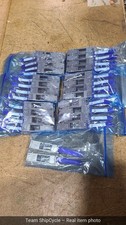
Lot of 50 HPE Mellanox 655874B21 Rev B2 40G QSFP to 10G SFP Adapter G2U
$224.95

Genuine Cisco SFP-10G-SR 0-2415-03 10 Gigabit Transceiver
$5.40

HP 560SFP+ 10GB 2-port PCIe NIC Ethernet ADAPTER 669279-001 w/ (2) 10GB SFP+
$16.99
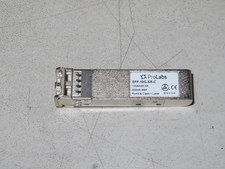
ProLabs SFP-10G-SR-C 10GBASE SR SFP+ MMF 850NM MMF RoHS Class 1 Laser
$15.00
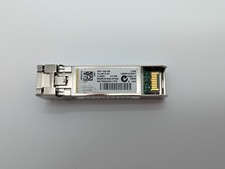
Lot of 4 Cisco SFP-10G-SR 10GBASE-SR SFP+ Optical Transceivers 10-2415-03
$20.00

Cisco QSFP-40G-SR-BD Module 10-2945-02 NEW CLAMSHELL
$45.50

Dell Intel X710-DA2 5N7Y5 Dual-Port 10GbE SFP+ PCIe 3.0 x8 Network Adapter
$27.50

 Reply With Quote