

 Reply With Quote
Now why in the world would you want to do that when you have the options of the tohd, fromhd and bootfrom cheatcodes???
jd


do this at the command line
$sudo umount -l /cdrom
$sudo eject /dev/cdrom
be careful to not open any new program
to open a new application that's not yet opened put the livecd back on the drive and do
$mount /dev/cdrom
jd
my hd is full and I have only one cd-rom drive
someone could do this in a hd-less computer, small is beautiful
Hi henrique
I like working with anad exploring the advantages of
using knoppix from the cd with no hard drive.
I like you idea. Now could you have two remasters that
are the same -- except make some programs are different?
If you could swap disks, without bothering the kernel
you could break the 700 limit for content. You would have
a 2 CD version of knoppix.
Each disk may have to have the same files -- but some
file could be place holder files, taking only a few bytes.
Of course you could not use a program on disk A
with a program on disk B, so logical coordination
would be needed.
Let me know when you have this working.
Best Wishes
paradocs
OK, cool.
henrique,
Interesting...
I know a lot of people have been asking about "releasing" the CD-ROM from a Knoppix Live CD boot, so, here comes the questions - If I see any other posts on this issue, I will be sure to "pass on" what the answers come down too...
( 1 ) I take it, that, if a person wants to play an Audio CD, in the only CD-ROM they have, which was used by Knoppix to boot off of, that the person would fire up the CD Player program, and then umount the /dev/cdrom device, insert there Audio CD, and then press "play" in the player program... ( will this work? )
( 2 ) If the above will work, then take a second example: the booted CD-ROM drive is a DVD drive, and the person wants to view a DVD from that same drive... Would they be able to load the DVD Player program, umount the /dev/cdrom device, insert the DVD disc, press "play"...
In both the examples above, when the person was done, they would, of course, remove the "playing" media from the device, re-insert the Knoppix Live CD, and re-mount /dev/cdrom...
Most of the questions being posted into the "General Forum", and, once in a while, in "The Lounge" -=- usually fall into the two issues above, and if this works, ( though I would have never thought to umount the cdrom in the first place ), it would help a lot of people out...
For some people, they don't want to put "anything" on there system, but want to "see" what Knoppix can do - not much, when the cdrom is dedicated to the booting of Knoppix, and this would allow them to "see" a lot more of the OS, working, and "in action", without having to install anything.
Ms. Cuddles
I tried doing this, and I was able to eject the knoppix cd and put in a blank cd, but how would I go about backing up data using K3B this way? I tried to burn a data cd (containing mp3's and some word documents) but it said it could not write the iso file this way. Is there any way of doing this? I don't have another cd rom drive, and my system is NFTS
thanks a lot
Andre
I do not tried to burn a backup data cd before but I always burn isos downloaded from the net using this tip. Try to make an iso before ejecting cd or experiment another burner as gcombust (only the main executable needed)Originally Posted by dreday202
I have yet to see a much more useful tip.
I have been searching for something like that for a _looong_ time ...
cu
Fabian
PS: That means we can do: tohd and changetohd _while_ running from CD.
Thank you. Thank you. Thank you !!!
I tried doing this on Notebook Toshiba using the 2.6 Kernal
First I had logged in as a Root shell and tried doing it. But it didn't work, so next I tried at the $ prompt.
So I guess the /cdrom was already unmounted.
But the eject didn't work
knoppix@ttyp2[knoppix]$ sudo umount -l /cdrom
umount: /cdrom: not mounted
knoppix@ttyp2[knoppix]$ sudo eject /dev/cdrom
eject: unable to find or open device for: `/dev/cdrom'
knoppix@ttyp2[knoppix]$ mount /dev/cdrom
mount: mount point /mnt/auto/cdrom does not exist
I am exactly in the situation mentioned. MY HD controller has crashed and have no HD, but would like to play audio and video cds under knoppix.
Please Help! Thanks
 Posting Permissions

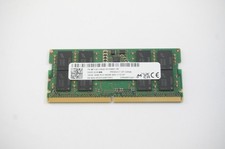
MTC8C1084S1SC56BD1 Micron 16GB DDR5 1Rx8 PC5-5600B 5600Mhz SO-DIMM Memory
$149.99

Netac DDR4 32GB 16GB DDR4 3200MHz UDIMM C16 Desktop Internal Memory RAM Kit
$99.99

16GB KIT (2x8GB) DDR3 Gamer Desktop RAM PC3 MIXED BRANDS VIPER VENGEANCE FURY
$10.00

A-Tech 8GB DDR3 1600 PC3-12800 Laptop SODIMM 204-Pin Memory RAM PC3L DDR3L 1x 8G
$21.68

Major Brand 16GB (2x8GB) PC3-12800U DDR3-1600MHz DDR3-12800 DESKTOP RAM NON-ECC
$29.99

DDR4 Laptop RAM 4GB 8GB 16GB 32GB 2400 2666 3200 Samsung Hynix
$66.00

Samsung 16GB LPCAMM2 PC5 7500 DDR5 LPDDR5X CAMM2 M561K1LC4DM0-CCTGM RAM Memory
$189.00

G.SKILL FLARE X5 64GB (2 x 32GB) 6000 MT/s DDR5 (AMD EXPO + INTEL XMP) *CL30*
$785.00

Micron 32GB 1x32GB DDR5 5600 CL46 ECC Unbuffered SO-DIMM MTC20C2085S1TC56BD1
$399.00
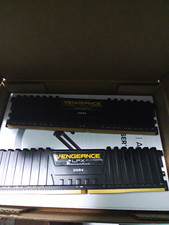
Corsair Vengeance LPX DDR4 SDRAM DIMM 288-Pin Desktop RAM 2 Modules
$30.00