

 Reply With Quote
Knoppix used to come with BlackDown 1.4.1. Make sure the JDK you installed appears first on your PATH, so it's that version of java that's invoked. Simply type "java -version"'


Hi All
I've using Knoppix 3.3 on Harddisk and I've installed java j2sdk1.4.2_05.
While invoking the compiler javac the folowing error message comes up:
Error Occured during Initialization of VM
java/lang/NoClassDefFoundError: java/lang/Object
invoke: javac test.java
I've already set the Path Variable:
/usr/java/j2sdk1.4.2_05/bin
The man pages are running correctly.
Would be nice if someone has a hint.
Thanx Norbert
Knoppix used to come with BlackDown 1.4.1. Make sure the JDK you installed appears first on your PATH, so it's that version of java that's invoked. Simply type "java -version"'
I've already set it at the beginning of the PATH Variable. Is there a dependencie of the Shell I use?
When are you seeing the error message: when compliling or when trying to execute your compiled test program?
Also have you defined the JAVA_HOME environment variable?
See this message usig the compiler and the same message when try to get the version (java -version)
My Configuration in the /etc/profile file:
JAVA_BINDIR=/usr/java/j2sdk1.4.2_05/bin
JAVA_HOME=/usr/java/j2sdk1.4.2_05
JDK_HOME=/usr/java/j2sdk1.4.2_05
PATH="/usr/java/j2sdk1.4.2_05/bin:/sbin:/bin:/usr/sbin:/usr/bin:/usr/X11R6/bin:/usr/local/sbin:/usr/local/bin:/usr/games"
export JAVA_BINDIR
export JAVA_HOME
export JDK_HOME
export PATH
It all looks fine to me; what does "type java" report? And you did re-logon after editing /etc/profile, didn't you? Also, root might be overrinding the PATH setting for security reason. so try with another account.
type java gets the following:
java is /usr/java/j2sdk1.4.2_05/bin/java
I've tried with a normal User account, the same result
Javac might previously have been aliased to gcc (unless the Sun javac is 1st on your PATH, which seems to be the case...). Please confirm with "type javac"
Do you have CLASSPATH defined by any chance, which might interfere. Other than that, I am running out of ideas; sorry.
Hi Norbert:
I haven't been able to run the installed sdk in my knoppix 3.3, but I intalled the sun jre successfully.
You have to edit your /etc/profile and I think the most important change a sinbolic link in /usr/bin
After doing this I can run eclipse and other java aplications.Code:#cd /usr #ln -f -s usr/j2re1.4/bin/java java #java -version
I tried now a different installmod (-localinstall) for the source *.bin file from sun.com
invoke:
./j2sdk-1_4_2_05-linux-i586.bin -localinstall
After installing this way I updated the profile and now it works.
At first I unziped the *. rpm file, converted to a *.deb file to installed it by alien
Thanx
Norbert
 Posting Permissions


Kingston 32GB 64GB 128GB 256GB USB 3.0 Flash Drive Thumb Memory Stick Pen lot
$285.90

TF/SD Card Adapter Camera Reader Android Type-c For iPhone17 Pro Max Plusm lot
$573.98

Micron 16GB 1Rx8 PC4-2133P MTA9ASF51272PZ-2G1A2IJ DDR4 ECC Server RAM, 4x 4 GB
$44.99

Micron 32GB PC4-2666V-RB2-11 Server Ram, MTA36ASF4G72PZ-2G6D1SK
$161.49
![[x5] Samsung/Hynix M393A4G43AB3-CWEGY 32GB 2Rx4 PC4-3200AA DDR4 SERVER MEMORY picture](/store/img/g/~W4AAeSwnnJqrBDG/s-l225/-x5-Samsung-Hynix-M393A4G43AB3-CWEGY-32GB-2Rx4-PC4.jpg)
[x5] Samsung/Hynix M393A4G43AB3-CWEGY 32GB 2Rx4 PC4-3200AA DDR4 SERVER MEMORY
$1350.00

Micron Lenovo 126Gb (32x4) DDR4-3200 ECC UDIMM RAM 2Rx8 P/N 4X77A77496.
$980.00

128GB Kit SK Hynix PC4-2400T 2Rx4 DDR4 ECC RDIMM Memory 4x32GB HMA84GR7AFR4N-UH
$657.99

USB 3.0 Micro SD SDHC TF Card Reader Memory Adapter for PC Laptop Camera lot
$3.75
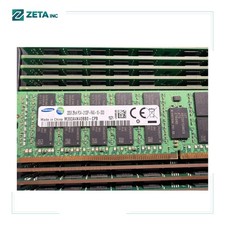
SAMSUNG 32GB (1X32GB) 2RX4 PC4-2133P MEMORY M393A4K40BB0-CPB
$199.00

Micron 16GB 2RX8 PC4-3200AA DDR4 RDIMM (MTA18ASF2G72PDZ-3G2E1TI) ECC Server Ram
$79.95