

 Reply With Quote
Would you post the output of the following commands after putting a disk in the drive:
cat /proc/scsi/scsi
cdrecord -scanbus
sudo fdisk -l


I don't know where my zip drive is? Please help me find. It works in windows.
Would you post the output of the following commands after putting a disk in the drive:
cat /proc/scsi/scsi
cdrecord -scanbus
sudo fdisk -l
cat /proc/scsi/scsi:
Attached devices:
Host :scsi0 channel: 00 vendor: HP Model: CD-Writer cd16f Rev: 1.1D
Type: CD-ROM ANSI SCSI revision 02
Host: scsi1 Channel: 00 Vendor: HL-DT-ST Model: DVD-ROM Rev: 0011
Type: CD-ROM ANSI SCSI revision 02
cdreocord -scanbus:
Linux sg driver version: 3.5.30
Using libscg version 'schily-0.8'
scsibus0:
0,0,0 0) 'HP ' 'CD Writer cd16f ' '1.1D' Removable
scsibus1:
1,0,0 100)'HL-DT-ST' 'DVD-ROM GDR816B' '0011' 'Removable'
sudo fdisk -l
device Boot start end blocks id system
/dev/hda1 * 597 10586 75524400 7 HPFS/NTFS
/dev/hda2 10587 10587 7560 f Win95 Ext'd (LBA)
/dev/hda3 1 596 4505728 83 Linux
/dev/hda5 10587 10587 7528+ 82 Linux swap
Partition entries are not in disk order
I don't see the zip drive or my floppy drive, both of which I can't get to work.
Hmm, didn't help much. Can you see anything about it getting detected in dmesg? How about trying to bootup with a disk in the drive. Is the disk you used formatted?
Cannot see anything from dmesg. I've tried to boot with a disk in and nothing. It is IBM formatted.
Well, as I don't have one of these I'm just grasping at straws here but how is it connected to your computer? I think different types use different modules.
You could try this:
mkdir /mnt/zip
modprobe ppa
modprobe imm
mount /dev/??? /mnt/zip (you have to find out the device from /var/log/messages or syslog after modprobing)
I did all the above. When I did modprobe imm the drive ran and clicked but nothing else. How do I find out the device from /var/log.....? I don't exactly know. I did create device from right clicking and had it point to /dev/zip. When I click on the icon it says can't find /dev/zip in fstab or mtab. Is that a step that is needed for this to work, creating an entry in fstab?
I take it that you created a desktop icon? The device isn't "zip", it's what you created as mountpoint with mkdir /mnt/zip.I did create device from right clicking and had it point to /dev/zip
After modprobing you can see if it's attached to sda? device, one of the following should find it:
grep sda /var/log/messages
dmesg|grep sda
You could also try sdb, sdc, hdb or hdc.....
You can test it as root with, say: mount /dev/sda4 /mnt/zip
When you find the device you can add a line to fstab, otherwise only root can mount it. Example if the device is sda4:
/dev/sda4 /mnt/zip vfat defaults,noauto,users,noatime,umask=000 0 0
Best to try mounting it as root first so you'll see if it works, then worry about permissions.
When I grep sda /var/log/messages:
date knoppix kernel: sda: Write Protect is off
knoppix kernel: sda: cache data unavailable
knoppix kernel: sda: sda4
knoppix kernel: Attached scsi removable disk sda at scsi2, chan0, id6,lun 0
Is that saying it is scsi2 or or what is that telling me?
Do I add /dev/sda4 /mnt/zip vfat defaults,noauto,users,noatime,unmask=000 0 0 to my fstab?
When i mount /dev/sda4 /mnt/zip
mount: /dev/sda4 is not a valid block device
Is this because no entry in fstab?
It's telling you the device is /dev/sda4Originally Posted by rrfish72
Entries in fstab are mainly for giving permissions and parameters to mount devices, add the line to give users the right to use it.Do I add /dev/sda4 /mnt/zip vfat defaults,noauto,users,noatime,unmask=000 0 0 to my fstab?
Try first to mount it as root and specifying the filesystem if it's not detected: mount -t vfat /dev/sda4 /mnt/zipWhen i mount /dev/sda4 /mnt/zip
mount: /dev/sda4 is not a valid block device
Is this because no entry in fstab?
You can also check the filesystem used on the ZIP drive with: fdisk -l
 Posting Permissions


Atari XE 130XE Computer NTSC with Power Supply Powers On Untested
$159.95

Atari 130 XE/Atari 1050 Bundle W/ Cords And Extras (Powered On)
$300.00

DEFECTIVE Atari 810 Vintage Computer Disk Drive powers on Unit Only Boo G3D
$49.29
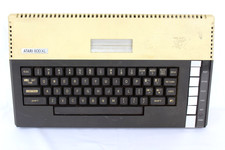
VTG Atari 800XL Home Computer System 800 XL ** Tested ** AS-IS Parts or Repair
$123.75

Fujinet 1.7.1 Atari 400 800 800XL 130XE 65XE XEGS Assembled, Tested, Working
$99.99

ATARI Mouse with Adapter for ST, STE, Mega STE, TT Optical - USA Seller
$29.99

INFO/soft Character Generator Manual for Atari 3000/5000/7000 NTSC
$40.00
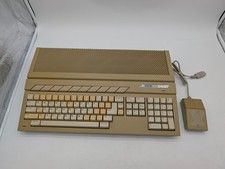
Atari 1040ST Vintage Home Computer w/ Original Mouse Untested Parts Repair AS IS
$228.32

Atari 800 8-bit Computer System Fully Tested Great Condition 48k READ
$350.00

UNOCART-2600 SD card Multi Rom Cartridge for ATARI 2600 with CASE
$34.25