-
knoppix will not boot
I get the starting screen and disabled everything with cheat codes. I also tried setting to vga. I hit enter, see a couple lines of text and the computer reboots? Anyone have any idea? I actually tried the memtest through knoppix as well. It also caused a reboot, could it be bad memory?
I computer is quite old as well, but I figured it can run linux. Its a pentium 166.
-
Junior Member
registered user
Does it meet the minimum requirements?
Intel-compatible CPU (i486 or later),
20 MB of RAM for text mode, at least 96 MB for graphics mode with KDE (at least 128 MB of RAM is recommended to use the various office products),
bootable CD-ROM drive, or a boot floppy and standard CD-ROM (IDE/ATAPI or SCSI),
standard SVGA-compatible graphics card,
serial or PS/2 standard mouse or IMPS/2-compatible USB-mouse.
-
Senior Member
registered user
i personally have a p100 and it works in textmode. not fast but... how much memory do you have? id recomend 32Mb or so as min.
-
yes, it meets the requirements. Also it has 64Mb RAM.
-
Senior Member
registered user
it might be a faulty cd.
have you checked the MD5sum?
if you have and it matches the ISO file is ok. if that doesn't match there is something wrong with the download.
have you tried the knoppix testcd function? if that goes trough it might be something else. hmmm, such old computers can have flaky BIOS batteries, not likely in theis case as it boots.
hmmm.
i guess you have to boot such an old computer with floppies, if so how did you make them. did you check them before making the bootfloppies?
-
Junior Member
registered user
It meets the minimum requirements for text mode then, not for booting into the GUI. Have you tried just booting into text mode?
-
Junior Member
registered user
cannot boot knoppix
This problem happened to me recently. I was installing Knoppix 3.6 over 3.4. the system
crashed, that is would not progress further in the loading than the first few lines. In order to correct the problem I had to clean, not format, but wipe the hard drive. I used the commercial program Tuff Test. A new install worked. I have 3 computers with some version of Knoppix/debian installed. I,also, have plug-in hard drives to allow me to change OS at my whim.
I hate to be a "Kill Joy" but I think you have to re-install.
William
Similar Threads
-
By doesnotcompute in forum Hardware & Booting
Replies: 1
Last Post: 03-01-2005, 07:29 PM
-
By helios17 in forum General Support
Replies: 7
Last Post: 11-27-2004, 06:27 AM
-
By proto in forum General Support
Replies: 3
Last Post: 03-17-2004, 11:29 PM
-
By ebone in forum Customising & Remastering
Replies: 4
Last Post: 05-16-2003, 02:26 AM
-
By mswarbrick in forum Customising & Remastering
Replies: 6
Last Post: 04-18-2003, 12:30 AM
 Posting Permissions
- You may not post new threads
- You may not post replies
- You may not post attachments
- You may not edit your posts
-
Forum Rules


IBM 4262 SYSTEM x3200 Tower - HDD Wiped, NO OS
$80.00

IBM QRadar xx29 2x Xeon E5-2650v4 2x 900W PSU M5120 12x 3.5" Bay Server No RAM
$149.99
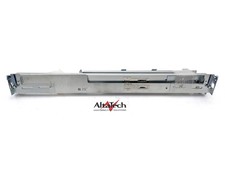
IBM Server Cabinet Cable Management Arm P40K6441 Tidy Bracket - Fully Tested
$50.00
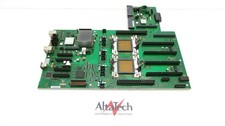
IBM 46K7505 Power 740 Server Dual Processor System Backplane - Fully Tested
$200.00

IBM Power S922 9009-22A Power9 DDR4 10GbE 6X SFF Barebone Server
$999.95

IBM Power S822 POWER8 1x CPU 32GB DDR4 RAM 2U Rack Server No HDD.
$629.99

IBM POWER8 8286-42A S824 16-Core 128GB RAM 4.8TB SAS Fedora Linux Server PowerVM
$750.00

IBM Power 8 S822L Server 8247-22L POWER8 Enterprise 256GB RAM 2x 00KV626 CPU
$999.99

IBM System x3755 M3 2U Rackmount Server – No Drives or Trays
$150.00

IBM 7915 AC1 M4 E27R704 Server Intel 2650V2 32GB RAM NO HDD w/ 2x 750w PSU
$200.00



 Reply With Quote