

 Reply With Quote
Do you have the package "smbfs" installed on the client? That's the one that includes smbmount, smbumount, and smbmnt, which should all be in /usr/bin.
(Debian package smbfs description)


I ran into an interesting problem tonight. I have two linux machines on my network, one that I successfully set up as a samba file server, the other which I want to use as a client able to mount entire drives and their dubdirectories from the samba server.
The client machine can browse to the samba share fine in Konqueror using the stntax smb://192.168.0.19/hdb1
(192.168.0.19 being the samba server and hdb1 being one of the dirves on the server I share)
however things go awry when I try to mount the samba share on my client machine:
hayabusa@andromeda:~$ sudo mount -t smbfs //192.168.0.19/hdb1 /mnt/smbhdb1
mount: wrong fs type, bad option, bad superblock on //192.168.0.19/hdb1,
or too many mounted file systems
I've created the local m ount ppoint for it as /mnt/smbhdb1 with the following permissions:
drwxr-xr-x 2 root users 4096 Aug 28 01:08 smbhdb1
I did some googline on the error message and one site says that the particular error message I get indicates that smbmnt/smbmount are not installed. updating the db and doing a locate on these two files turned up nothing. Further googling leads me to believe that enabling sambafs in the kernel and having the samba-common debian package installed should be enough to mount a samba filesystem, yet my problem persists. I've tried it both with and without username and password (as it stands now it shouldn;t need either to reach the samba share and browsing to it in Konq didn't require a username or password). I cheked lsmod to make sure sambafs is loaded as a module, and it is. Is there something server side I have to do to make a samba share remotely mountable, or is there something glaringly obvious I'm missing on the client machine?
Do you have the package "smbfs" installed on the client? That's the one that includes smbmount, smbumount, and smbmnt, which should all be in /usr/bin.
(Debian package smbfs description)
Samba is not meant for use with two linux machine. It was design to share files between linux and windows.
For linuxs machine there are several other option you can use, one of them is nfs.
This link might help you in setting up nfs:
http://www.linuxhelp.net/guides/nfs/

ssh is good (and buiöltin are: scp, sftp) you can use sftp in conqueror (for some reason tat is called fish there)
if you do that you can move files easily between boxes, just have ssh running on both.Code:fish://[email protected]/
here is a discussion about it.
http://www.knoppix.net/forum/viewtopic.php?t=8740
I started out trying nfs but the limitation I ran into with nfs was that it doesn;t allow you to mount subdirectories easily, from what I remember you have to expicititly state each subdirectory you want and create a seperate mount point for each subdirectory which seemed like a major pain in the ass.
the client machine is also limitied on space, so ftp isn;t really a good option. Also i don;t want to duplicate the files between machiens.
the server is in one room with a ton of mp3s and movies on it is varying directories and subdirectories. the client machine is in another room and basically I want to be able to play movies and music on the client machine while the files still reside on the server. after installing smbfs on the client machine Samba seems to adeqautely handle that, giving me the ability to mount an entire drive from the server and browse files in all subdirectories of that drive.
unless I missed something with nfs being able to handle subdirecty samba seems to eb what I need.
 Posting Permissions


Crucial 32GB (4x8GB) RAM DDR4 2400MHz CT8G4DFS824A.M8FR
$79.99

DDR4 Laptop RAM 4GB 8GB 16GB 32GB 2400 2666 3200 Samsung Hynix
$31.00

RAMAXEL Lenovo 32GB LPDDR5X CAMM2 7500MHz Laptop RAM | UNTESTED
$445.00

A-Tech 8GB DDR3 1600 PC3-12800 Laptop SODIMM 204-Pin Memory RAM PC3L DDR3L 1x 8G
$21.68

Crucial DDR3L 16GB 2 x 8GB 1600 MHz PC3L-12800 Laptop RAM Sodimm Memory 1.35V
$41.00

Major Brand 16GB (2x8GB) PC3-12800U DDR3-1600MHz DDR3-12800 DESKTOP RAM NON-ECC
$29.99

Major Brand 8GB PC3L-12800 (DDR3-1600) 2Rx8 DDR3L SDRAM Desktop Memory
$12.99
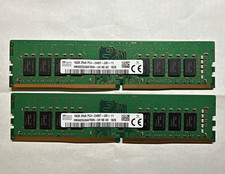
SK hynix 32GB (2x16GB) DDR4 288-Pin DIMM PC4-2400T Unbuffered RAM
$119.99
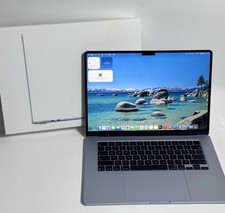
Apple MacBook Air 15-inch 2026 M5 Chip 24GB RAM 1TB SSD ''Rеаd dеѕсriрtiоn''
$1200.00

Apple MacBook Air 13-inch M4 Chip 16GB RAM 512GB SSD w ''Rеаd dеѕсriрtiоn''
$774.00