

 Reply With Quote
try this command : kxconfig


So I installed Knoppix 3.4 on my Win2K system, on a seperate hard drive, but I did it at work because I needed to swap out my CDROM for one of theirs so that my computer could read the CD (strange,) I also used their keyboard, mouse, and monitor. So here's the difference-really only their monitor is better than mine because it's newer, but the keyboard and mouse were older, and when I took it home the boot up, when I try to run any of the Linux kernels (2.4 or 2.6) once the KDE tries to load up, all I get is a black screen-it never goes away. So I press CTRL+ALT+F1 to go to text mode and logout, or try to mess around with the config files. Is there any way to fix the display configuration without using the Knoppix Live CD, by editting a conf file somewhere? I would like to at least have the option of using the KDE. Please help
try this command : kxconfig
Thank you that did wonders!
 Posting Permissions


Gigabyte 4U AI Server 10x Nvidia GPU 2x Xeon Gold 6150 36 Core 2.7GHz DDR4 RAM
$1625.00

Dell EMC PowerEdge R440 Xeon silver 4215 2.5GHz 16 GB ram 2x 550W PSU No HDD
$275.00

Microsoft Windows Server 2025 Standard 64Bit 16 Core-50 CALs DVD With Key Sealed
$49.99

867959-B21 HPE ProLiant DL360 G10 CTO Server W/ 2x 865414-B21 1x 840140-001
$245.00
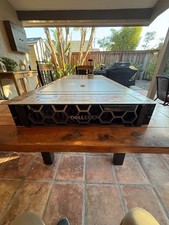
Dell PowerEdge R750 2x Xeon Gold 6326 96GB 12x1.92TB SSD H755 Win 2022
$4999.00

Dell PowerEdge C4130 1U AI GPU Server | 2x E5-2680 v3 | 32gb Ram | 2x 1600W
$409.99

Dell EMC PowerEdge R740 8 Bay Server w/ 32GB RAM 2x GOLD 6132 2x 1600W PSU H730p
$499.88

Dell PowerEdge R730XD 28 Core Server 2X Xeon E5-2680 V4 H730 32GB RAM No HDD
$378.93

Dell EMC VxRail E560F 10-SFF 2*Gold 6230R 2.1GHz No RAM HBA330 iDrac Ent Server
$349.99

Microsoft Windows Server 2025 Standard 64Bit 16 Core-50 CALs DVD With Key Sealed
$94.95