

 Reply With Quote
On the very first screen hit F2 or F3, there you will see all the options and the boot process will not continue till you hit enter.


This probably sounds dumb, but I can't figure out how to enter any cheat codes during the boot process. When I try entering one, I am cut off by some line of text that has something to do with what the boot process is currently doing. (like autoconfiguring devices, or whatever). Can someone tell me exactly how to enter the cheatcodes?
On the very first screen hit F2 or F3, there you will see all the options and the boot process will not continue till you hit enter.
You're just waiting too long. Before the many lines of text that report what the boot process is up to, Knoppix pauses for a few seconds with a line that says "boot". That's when you strike. Put your bootcode on that line and hit enter.
I got it now. I prefer to call them "boot arguments".
If you are new using knoppix/linux read this tutorial: http://www.eleli.de/knoppix/docs/tut...ish/index.html
 Posting Permissions

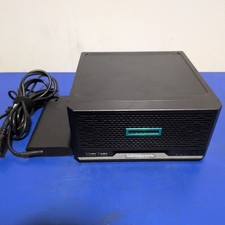
HPE ProLiant MicroServer Gen10 Plus with Power Adapter
$600.00

HP ProLiant MicroServer Gen8 Tower Server Xeon E3-1220 v2 2.3GHz 16GB RAM
$289.99

HP Proliant MicroServer Gen 8 2.23GHz Xeon 16GB RAM NO SSD
$249.99

Supermicro E300-12C Mini 1U Barebone X12SCV-LVDS LGA1200 SNK-P0073A4 w/ Adapter
$225.00
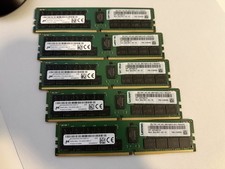
Lot of 5 Micron 64GB DDR4-2933Y RDIMM Server RAM MTA36ASF8G72PZ-2G9
$2499.99

Supermicro SuperServer E300-15 - SYS-e300-9C - 16GB RAM 240GB Samsung SSD
$179.99
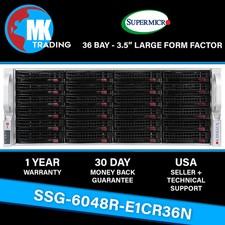
Supermicro SYS-6048R-E1CR36N 36B LFF 4U Server -V3- Choose CPUs/RAM - Wholesale
$4574.00
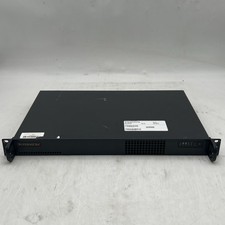
Supermicro 510-2 U1 Rack Mount 3.30GHz 4-Core 4GB RAM No Drive No OS
$179.99
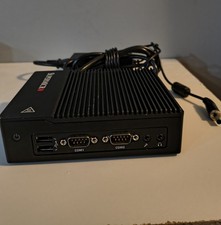
New Supermicro SuperServer E50-9AP-Wifi Mini PC Server
$175.00

Supermicro CSE-937 3U Storage Chassis No CPU No HDD No Ram Tested & Reset
$129.99