

 Reply With Quote
Type "xhost +" as regular user and then root (well all users, actually...) should be allowed to access the X display.


Xlib: connection to ":0.0" refused by server
Xlib: No protocol specified
emacs: Cannot connect to X server :0.0.
Check the DISPLAY environment variable or use `-d'.
Also use the `xhost' program to verify that it is set to permit
connections from your machine.

i can open the file as the regular user but to edit it i have to open it as a root.
Type "xhost +" as regular user and then root (well all users, actually...) should be allowed to access the X display.
Thanks a bunch..i will give it a try when i get back to home!
update : worked like a charm!
 Posting Permissions


INS Vintage SDLC PC Adapter Manual w/ Disks UNTESTED
$99.99
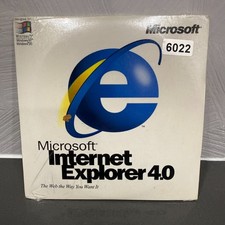
VINTAGE FACTORY SEALED MICROSOFT INTERNET EXPLORER 4.0 CD-ROM - NEW RARE BLUE CD
$34.99
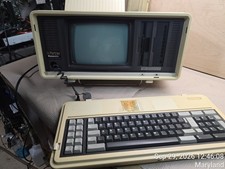
Vintage Panasonic Sr. Partner RL-H7000 Computer w/Service Manual & DOS Disks Cov
$275.00
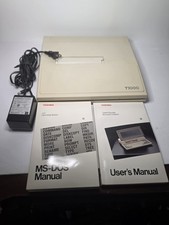
Toshiba T1000 Vintage Laptop PC, 1 power supplies, manuals, and original bag
$119.99

Original Vintage Old Style STANDARD Black CD Jewel Case (Heavy Duty) 90g Lot
$316.95
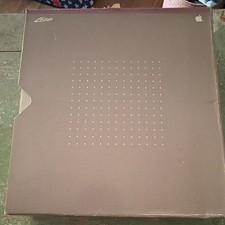
Apple Vintage Lisa 2 Owner's Guide Release 2.0 Binder Manual
$99.99
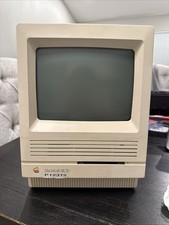
Apple Macintosh SE/30 Vintage All-In-One Desktop Computer Model M5119
$350.00
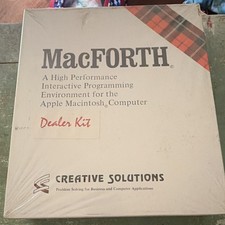
Vintage Creative Solutions MacFORTH Dealer Demo Kit 1984 UNTESTED
$75.00

Vintage NEC CDR-1410A 50 Pin SCSI CD-ROM Optical Drive Used
$39.99
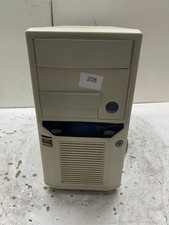
Vintage Retro Beige AT Desktop Computer Sleeper Case
$99.99