

 Reply With Quote
Type "xhost +" as regular user and then root (well all users, actually...) should be allowed to access the X display.


Xlib: connection to ":0.0" refused by server
Xlib: No protocol specified
emacs: Cannot connect to X server :0.0.
Check the DISPLAY environment variable or use `-d'.
Also use the `xhost' program to verify that it is set to permit
connections from your machine.

i can open the file as the regular user but to edit it i have to open it as a root.
Type "xhost +" as regular user and then root (well all users, actually...) should be allowed to access the X display.
Thanks a bunch..i will give it a try when i get back to home!
update : worked like a charm!
 Posting Permissions


Dell ST6000NM0034 1HT27Z-150 NWCCG 6TB SAS 3.5 7.2K ENTERPRISE SERVER DRIVE
$68.99

Western Digital HUS726T4TAL5204 4TB 7.2K SAS 12Gb/s 3.5" 512e HDD NetApp X375A
$64.00

Toshiba 1TB 2.5" SATA HDD MQ01ABD100V 5400RPM 9.5mm Laptop Internal Hard Drive
$53.99

HDD 3.5" SATA Hard Drive with Windows 10/Win 11 64x Installed Legacy
$35.00

HGST HUA723030ALA640 3TB SATA 7200 RPM 3.5 in Enterprise HDD | 0F14044 (100%)
$45.00

Seagate ST6000NM0115 6TB 256MB 7200RPM 3.5" SATA 6.0Gb/s Enterprise Hard Drive
$159.99

HGST HUS724040ALA640 4TB 7200 RPM SATA 3.5" Internal Desktop Drive 100% Health
$78.00

Hitachi / HGST Travelstar HTS541010B7E610 1TB 2.5" SATA III HDD
$29.99
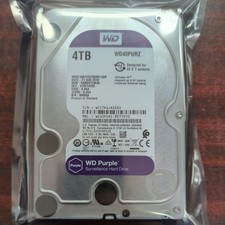
WD Purple Surveillance 4TB WD42PURZ 3.5" SATA Hard Drive - 31 AUG 2018
$95.00

HUS726060ALA640 HGST Ultrastar 6TB SATA 6Gbps 7.2K 3.5" Hard Drive OF21860
$129.99