

 Reply With Quote
Type "xhost +" as regular user and then root (well all users, actually...) should be allowed to access the X display.


Xlib: connection to ":0.0" refused by server
Xlib: No protocol specified
emacs: Cannot connect to X server :0.0.
Check the DISPLAY environment variable or use `-d'.
Also use the `xhost' program to verify that it is set to permit
connections from your machine.

i can open the file as the regular user but to edit it i have to open it as a root.
Type "xhost +" as regular user and then root (well all users, actually...) should be allowed to access the X display.
Thanks a bunch..i will give it a try when i get back to home!
update : worked like a charm!
 Posting Permissions


OPNsense pfSense 8-Core Atom C3758 2.2GHz 8GB DDR4 64GB SSD 8x NIC QAT AES VPN
$145.00

Zero Trace Pen: All-in-one Tor Network Anonymous Drive + Cryptocurrency Wallet
$147.00

OPNsense pfSense 16-Core Atom C3958 16GB ECC RAM 512GB SSD 8-Port QAT AES-NI VPN
$313.00

pfSense Firewall 16-Core Atom C3958 8GB DDR4 RAM 64GB SSD 8x 1Gbe QAT AES-NI VPN
$184.99

Fortinet FortiGate 60F FG-60F UTM UTP License Until 2027 Network Security FW VPN
$199.99

Fortinet FortiGate 80E 12 Ports Firewall Appliance
$20.25

OPNsense Firewall VPN QAT 8-Core Atom C3758 2.20GHz 16GB DDR4 128GB SSD 8xNIC
$175.00
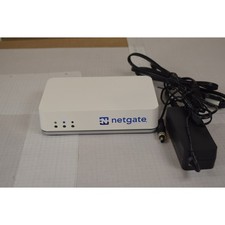
Netgate SG-2100 pfSense Plus 26.07 Firewall VPN Router - Wiped, Fresh Install
$174.99
$170.00

Fortinet FortiAnalyzer-100C Firewall Physical Appliance, FAZ-100C
$100.00