

 Reply With Quote
Have you seen anything of interest in /var/log/syslog?
Is that the entire output of lspci -v?


I'm trying to boot Knoppix 3.1 (downloaded January 2003), I'm using VIA EPIA V800A, at booting it says:
/lib/modules/2.4.19-xfs/kernel/drivers/net/via-rhine.o: init_module: No such device
/lib/modules/2.4.19-xfs/kernel/drivers/net/via-rhine.o: insmod /lib/modules/2.4.19-xfs/kernel/drivers/net/via-rhine.o: failed
/lib/modules/2.4.19-xfs/kernel/drivers/net/via-rhine.o: insmod via-rhine failed
Output from "lspci -v"
00:12.0 Ethernet controller: VIA Technologies, Inc. VT6102 [Rhine-II] (ver 51)
Flags: bus master, medium devsel, latency 32, IRQ 15
I/O ports at e800 [size=256]
Memory at eb000000 (32-bit, non-prefetchable) [size=256]
Capabilities: <available only to root>
Anyone managed to run it?
Have you seen anything of interest in /var/log/syslog?
Is that the entire output of lspci -v?
/var/log/syslog is empty.Originally Posted by rickenbacherus
Of course not. I haven't retype everything as I have no floppy in that machine and no lan, so I can't easily copy lspci output - I need to write it down from the screen.
All other devices seem working and I've got no other messages.
I've just downloaded and burned CD from KNOPPIX_V3.1-2003-01-20-EN.iso - same effect.
OK well we don't want you to have to write it all down but perhaps you could copy it to a hard drive, boot into your other OS and post it that way? Barring that, the output of lspci -v that you did post obviously tells us that it was unable to load the driver for your card. I suspect an IRQ conflict.
Do you see anything relevant in dmesg?
/var/log/syslog shouldn't be empty- did you view it as root?
I'm doing it on a diskless machine: just VIA EPIA + CD - so it's not that easy.
No.
Yes, I did. Otherwise I would not be able to read it. May be Knoppix save space on ramdisk by shrinking log files.
I've just passed the machine to a Linux specialist who is familiar with Knoppix. I'll let you know if he solves the problem.
We haven't managed to solve the problem. We returned VIA and took ECS mainboard: works like a charm.
It could be a hardware problem because there was no network card in /proc/pci. A friend of mine is using the same version of Knoppix on the same model of VIA and network is working properly.
Thanks
Solution for VT6102 is acpi=off or no apm in Knoppix at boot.
 Posting Permissions


HP PROLIANT MICROSERVER GEN8 E3-1220LV2 @ 2.30GHz, 8GB RAM, NO HDD/OS
$164.97

Dual Xeon E5-2698 Server-Supermicro X10DRL-i - Noctua SilverStone RM41-506
$399.99

Supermicro 1U Server 514-4 (X11SSZ-QF) | i7-7700 - 16GB DDR4 Ram - Rackmountable
$249.00

Super Micro 113M-3 Server Intel Xeon 5Tb HDD used great condition
$70.00

HPE ProLiant MicroServer Gen 10 - Opteron x3421 - 16GB DDR4 - 120GB SATA SSD
$350.00

Supermicro 5019D-4C-FN8TP Xeon D-2123IT (4C/8T) 64GB DDR4 10GbE 480GB 1U Server
$699.00

HPE ProLiant MicroServer Gen10 Plus Xeon E-2224 3.4GHz 16GB RAM 2TB HDD NO OS
$949.99
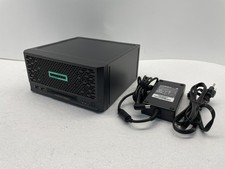
HPE ProLiant MicroServer Gen10 Plus V2 Server G6405 16GB No HDD P54644-001
$899.99

Supermicro 721-2 Mini Tower Black Computer Server NO Hdd
$375.00

BOXX B157552 SuperMicro X10DRT-L 2x Intel 2630V4 NO RAM & SSD Server
$160.99