-
Senior Member
registered user

Originally Posted by
markleong
Kowood, try the following from console:-
ls -la /mnt/cdrom
Did you get a no such file or directory message? You should unless you have created a mount point in /mnt yourself.
Next do the following:-
ls -la /cdrom
You should see 2 lines, one ending with 1 dot and the other with 2 dots.
Log in as root and goto /dev.
Issue the following as root user:-
chmod 777 /dev/cdrom
Then type the following:-
ls -la /dev/cdrom
You will see that /dev/cdrom points to something else (eg. /dev/scd0).
Let me know what does it point to. Or you can enable everyone has read access to whatever /dev/cdrom is pointing to (eg. chmod a+r /dev/scd0).
After that try to play your movies or music cd. Try music cd first for simplicity. Again, there is no need to mount vcd, dvd or cds.
/mnt/hda1 should be your harddisk (not cdrom) and I don't think you should mount anything there yourself unless you know what you are doing.
The above are all done in a console
The first one gave me some readout, it wasn't no file or directory message. ls -la /cdrom showed me all the files on my hda1. chmod 777 /dev/cdrom gave a no file or directory for /dev/cdrom. I'll post the full output if I can get it to save. I have some troubles with that earlier.
Similar Threads
-
By asearle in forum General Support
Replies: 0
Last Post: 04-16-2005, 12:15 PM
-
By cuberds in forum Hardware & Booting
Replies: 0
Last Post: 02-06-2005, 01:16 AM
-
By jjman123 in forum General Support
Replies: 2
Last Post: 10-13-2004, 11:31 PM
-
By rrfish72 in forum Hdd Install / Debian / Apt
Replies: 2
Last Post: 08-05-2004, 12:04 AM
-
By MorskNorsk in forum General Support
Replies: 10
Last Post: 09-15-2003, 12:20 PM
 Posting Permissions
- You may not post new threads
- You may not post replies
- You may not post attachments
- You may not edit your posts
-
Forum Rules


A8PicoCart Multicart for Atari 800xl /65xe / 130xe / XEGS
$16.95

Atari 130 XE/Atari 1050 Bundle W/ Cords And Extras (Powered On)
$300.00

GreaseWeazle v4 board USB floppy drive adapter Retro All Formats
$35.00

DEFECTIVE Atari 810 Vintage Computer Disk Drive powers on Unit Only Boo G3D
$49.29

Fujinet 1.7.1 Atari 400 800 800XL 130XE 65XE XEGS Assembled, Tested, Working
$99.99

ATARI Mouse with Adapter for ST, STE, Mega STE, TT Optical - USA Seller
$29.99
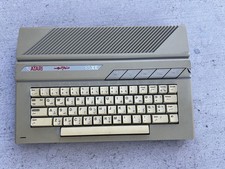
Atari 65XE Case, Metal Shielding, and Working Keyboard ONLY, No Motherboard
$45.00
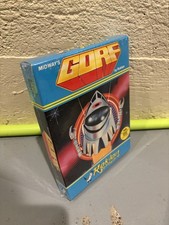
GORF Atari/Roklan 400/800 Cartridge Brand New In Box
$48.00

UNOCART-2600 SD card Multi Rom Cartridge for ATARI 2600 with CASE
$34.25

Atari 800 8-bit Computer System Fully Tested Great Condition 48k READ
$350.00



 Reply With Quote