

 Reply With Quote
Aha! Five minutes later and I find the solution!
In case anyone else comes across this, all I needed to do was add the following to /etc/network/interfaces
mapping hotplug
script grep
map wlan0
Tada! :P


I've been playing around with a hd install of 3.4 and I've got my linksys wusb11 working happily in that it sees the network fine, I just can't get it hotplugging properly.
The card comes up fine on boot but if it gets unplugged and then reattached it doesn't bring the interface back up. iwconfig shows that the card is reattached but I have to manually run 'ifup wlan0' to get going again.
I'm sure I'm missing something really obvious at the end of a hotplugging script but if someone could point me in the right direction I'd be really grateful.
Aha! Five minutes later and I find the solution!
In case anyone else comes across this, all I needed to do was add the following to /etc/network/interfaces
mapping hotplug
script grep
map wlan0
Tada! :P
 Posting Permissions


Seagate Exos 7E8 4TB 3.5" SAS ST4000NM0025
$22.00

Seagate Exos X16 ST10000NM010G 10TB 7200RPM SAS 12Gb/s 3.5" 512e/4Kn HDD
$199.00

Western Digital HUS726T4TAL5204 4TB 7.2K SAS 12Gb/s 3.5" 512e HDD NetApp X375A
$69.00

Seagate 14TB Exos X14 7200RPM SATA 6Gb/s 256MB 3.5" Enterprise HDD ST14000NM0408
$354.99

Hitachi / HGST Travelstar HTS541010B7E610 1TB 2.5" SATA III HDD
$29.99

Seagate ST6000NM0115 6TB 256MB 7200RPM 3.5" SATA 6.0Gb/s Enterprise Hard Drive
$159.99

HGST HUS724040ALA640 4TB 7200 RPM SATA 3.5" Internal Desktop Drive 100% Health
$78.00

Seagate Enterprise Capacity 2TB 2.5in SATA Internal HDD ST2000NX0403
$60.00
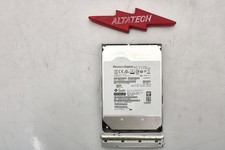
Sun Oracle 7357761 14TB 7.2K 3.5 12G SAS-3 HDD Hard Disc Drive w/ Coral Bracket
$249.99

HUS726060ALA640 HGST Ultrastar 6TB SATA 6Gbps 7.2K 3.5" Hard Drive OF21860
$129.99