-
Help noob unrar
Well I need to unrar a archive on my desktop "MISC.rar". The location its at is "root/Desktop/MISC.rar" , but I'm not sure what to type in the console to unrar it. Please can someone help me?(I've already got the unrar application)
-
Senior Member
registered user
Try this:
unrar --help
That gives you a quick idea of how to use unrar. Basically it's like this:
unrar /path/to/file.rar
So....
unrar /root/Desktop/MISC.rar
realize that you cannot do much of anything in /root as user (that IS the home directory of the root user afterall!) so you'll need to move the file to somewhere you can write to or become root.
-

Originally Posted by
mzilikazi
Try this:
unrar --help
That gives you a quick idea of how to use unrar. Basically it's like this:
unrar /path/to/file.rar
So....
unrar /root/Desktop/MISC.rar
realize that you cannot do much of anything in /root as user (that IS the home directory of the root user afterall!) so you'll need to move the file to somewhere you can write to or become root.
Everything "Failed" to unrar. I'm not sure what to do  , I've lost my windows 98 disk and I've heard that XP doesn't dual boot with linux .
-
Senior Member
registered user
Originally Posted by
RisenDeMoN
Everything "Failed" to unrar. I'm not sure what to do
,
Did you try as root?
Code:
su
<password>
unrar /path/to/file.rar
BTW I presume you're doing this on a hard disc installation and not from live cd?
I've heard that XP doesn't dual boot with linux
.
Must've been a windows user that told you that (or maybe even Bill himself).  It's just not true! Linux dual boots with pretty much anything. Have a look around the forums, there are many howtos for dual booting w/ xp.
-
Really? And Its acorse HD installed, though I really don't feel like reinstalling it (Just got alot of settings set, and everything is starting to feel "right").
EDIT#1: Again it failed. The rar file is kind of old, I'll download something new and see if that will work.
EDIT#2: I try clicking/opening the file and extracting it that way and I get this error when I try to extract(Drag file/Copy Here):
Error - KDesktop
The file or folder tmp/kde-risendemon/arkuvHNJK//asdf/ asdf.map does not exist.
This happens with the newly downloaded file and the old .
-
Senior Member
registered user
Originally Posted by
mzilikazi
Originally Posted by
RisenDeMoN
I've heard that XP doesn't dual boot with linux
.
Must've been a windows user that told you that (or maybe even Bill himself).
It's just not true! Linux dual boots with pretty much anything. Have a look around the forums, there are many howtos for dual booting w/ xp.
I suspect what you heard refers to the Windows bootloader. WinXP has the native ability to dual boot, but only with its older siblings - not linux. Linux relies upon external bootloaders, which are capable of booting anything, including Windows as mzilikazi said. The key is to let XP be the first installed, then install Linux.
Still, be aware that the bootloader setup is probably the weakest link in the dual boot scheme - if something goes wrong in a dual boot situation, it will be the Windows master boot record getting hosed, and you won't be getting in to Windows. The current bunch of installers are pretty reliable, but having been through this before, I stick with a poor man's installation myself
jd
-
Senior Member
registered user
actually i use XP's boot manager to dualboot linux. works ok. some extra work but not impossible.
OErjan Posted: Wed Mar 17, 2004 9:44 pm
you could use the Win2000/NT/XP bootloader.
to do that I let the nt bootloader and lilo work together for me. works well.
quick sketch what i do, write LILO to a floppy, make a "image" of the floppy-mbr put that image in C:\ edit BOOT.INI mine looks like this.
[boot loader]
timeout=2
default=multi(0)disk(0)rdisk(0)partition(1)\WINDOW S
[operating systems]
C:\linux.ipl="LINUX"
multi(0)disk(0)rdisk(0)partition(1)\WINDOWS="Micro soft Windows XP Home Edition" /fastdetect
a few more details.
1) make lilo write to floppy, have this line in lilo.conf:
or give floppy as an argument to lilo
2) make a image of the floppy-mbr: and put it in C:\
Code:
dd if=/dev/fd0 of=/mnt/C/linux.ipl bs=512 count=1
(this rexuires fat32 on the C disk)
OR you could put it on the floppy later. or a usbstick... and later use Win to copy it to c:\
3) Modifiy c:\boot.ini -- add a line with:
Code:
C:\linux.ipl="Linux"
repeat 1) and 2) every time you run LILO.
Microsoft ntldr now believes you have yet another windows installed. happy booting
oh btw, i have several linuxes booting from that same lilo.
-
Senior Member
registered user
But that's a different issue. Of course, you can direct LILO to the XP boot screen - that's the default procedure for any dual boot. But what I expect RisenDeMoN was referring to was that XP, by itself, cannot accommodate a dual boot of Linux, without reliance upon an external boot loader like LILO, even though it can natively dual boot XP with prior versions of Windows.
jd
-
So weve established that I can do a dual boot with XP. Alright, now back on topic. I've logged in as root and user, but still getting nowhere .
-
Did you try what mzilikazi suggested?
Type file MISC.rar in a shell to see what kind of filetype it is.
Similar Threads
-
By newpants2003 in forum MS Windows & New to Linux
Replies: 1
Last Post: 03-04-2005, 08:08 PM
-
By shiv_379 in forum MS Windows & New to Linux
Replies: 1
Last Post: 01-15-2005, 09:48 PM
-
By sethosayher in forum General Support
Replies: 8
Last Post: 09-13-2004, 02:26 AM
-
By sas13 in forum MS Windows & New to Linux
Replies: 9
Last Post: 07-26-2004, 11:04 PM
-
By janmartin3 in forum General Support
Replies: 3
Last Post: 11-17-2003, 09:21 PM
 Posting Permissions
- You may not post new threads
- You may not post replies
- You may not post attachments
- You may not edit your posts
-
Forum Rules


Amiga Model 1080 RGB color CRT monitor - Parts Or Repair - Doesn’t Power On
$100.00
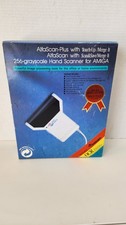
NOB AlfaData AlfaScan Plus Hand Scanner for Commodore Amiga 256 Grayscale RARE
$149.99

RGB2HDMI Amiga 500 UltraLong (Accelerator Friendly) HDMI Games, non-RTG A500
$50.00

Amiga 1000 Computer w/ Monitor Keyboard Mouse Disc Drive Sidecar Expansion Discs
$895.00

Microbotics Starboard 2MB + SCSI Sidecar for Amiga 1000 Vintage Computer READ
$329.00
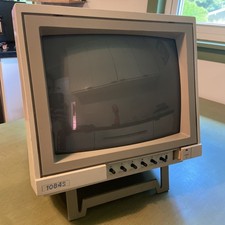
Commodore Amiga Color CRT Monitor Model 1084S-P Stereo - Parts Or Repair
$100.00
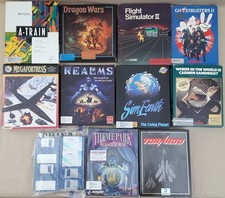
(10) BOXED Games for Commodore Amiga 500 600 1000 1200 2000 3000(T) 4000(T)
$329.98
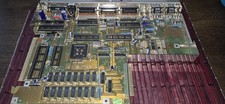
COMMODORE AMIGA 500 Motherboard Rev 5 NTSC ,No IC'S , Sold As Is, Untested
$88.00

Pi1541 Zero with Epyx Fastload Hat, Case & 16gb SD for Commodore 64 and 128
$79.99
External fully assembled GreaseWeazle 3.5 inch Floppy Drive
$135.00



 Reply With Quote