-
Strange Network behaviour II
Hi again,
I do have a new network problem:
My computers network is these:
C1: Windows XP SP1
C2: Kanotix HDD Install
M1: Knoppix 3.6 HDD install
SMC Router with dhcp enabled.
All computers are configured to retrieve the ip adress via dhcp and all get one.
I can ping from M1 to the rest of the net by ping <ip> but I cannot ping them by name. Of course I can browse the internet, so could you please help me getting to the root of the problem?
All computers are connected via Cat5 cables (no wlan).
Thanks
Michael
-
Administrator
Site Admin-
Re: Strange Network behaviour II

Originally Posted by
CallACD
I can ping from M1 to the rest of the net by ping <ip> but I cannot ping them by name. Of course I can browse the internet, so could you please help me getting to the root of the problem?
I'm not sure this is really much of a problem. To be able to ping or otherwise by name, something has to provide name resolution. Assuming you're not running a full blown name server, the easiest way to do this is with a host file on each system. While Windows will recognize other local Windows machines on a local network, I don't expect it will recognize Linux systems (at least unless you run Samba, and even then I'm not sure). For Windows you need a files called "hosts" in your windows directory. There should be a sample version of this file called "hosts.sam" there; you can just make a copy and call it hosts without an extension and edit it to include your Knoppix systems and you should be able to start pinging them by name. By the way, the hosts file is often used to block access to many advertising/spyware/pop-up sites by adding a list of know problem servers to the hosts file so the names never resolve to their "proper" server.
The same concept holds true for Knoppix, although I'm not certain of exactly where the file is stored and I'm not certain it's called hosts (I think it may be singular), However, there has been discussion of it in other recent threads, I expect you can find that with just a little looking. Also, a google search with a few keywords like "Linux" "name resolution" and "host" will turn up a ton of information, I just tried it. One such link that looks informative is http://burks.brighton.ac.uk/burks/linux/rute/node23.htm
-
Senior Member
registered user
It is /etc/hosts on linux
-
Hi again,
Thanks for all. I have added the computers to the /etc/hosts file and now all works fine.
Ciao
Michael
Similar Threads
-
By CallACD in forum Networking
Replies: 5
Last Post: 08-18-2004, 10:06 PM
-
By ZedroS in forum Customising & Remastering
Replies: 6
Last Post: 08-17-2004, 04:11 PM
-
By freddys in forum General Support
Replies: 0
Last Post: 06-20-2004, 10:58 PM
-
By Yogich in forum Hardware & Booting
Replies: 1
Last Post: 05-26-2004, 06:52 PM
-
By true1ever in forum General Support
Replies: 5
Last Post: 11-13-2003, 11:21 PM
 Posting Permissions
- You may not post new threads
- You may not post replies
- You may not post attachments
- You may not edit your posts
-
Forum Rules

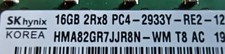
SK Hybix 16GBx16 (256GB kit) 2Rx8 PC4-2933Y RDIMM RAM
$1200.00
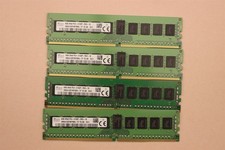
lOT OF 4 SKhynix 8GB (4 x 8GB =32GB) HMA41GR7MFR8N-TF 2R8 PC4-2133P DDR4 MEMORY
$89.00

TF/SD Card Adapter Camera Reader Android Type-c For iPhone17 Pro Max Plusm lot
$573.98

Microsoft Office 2021 Pro Plus USB for 1PC Windows 10 & 11
$62.50

128GB (4x32GB) SK hynix DDR4 PC4-2666V RDIMM ECC Server Ram HMA84GR7CJR4N-VK
$799.00

Kingston 32GB 64GB 128GB 256GB USB 3.0 Flash Drive Thumb Memory Stick Pen lot
$285.90

USB 3.0 Flash Drive 32GB 64GB 128GB Memory Stick Thumb Stick Lot Pack
$826.09

USB 3.0 Micro SD SDHC TF Card Reader Memory Adapter for PC Laptop Camera lot
$3.75
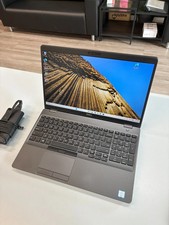
Dell Precision 3541 Laptop i5-9300H 2.4GHz 256GB SSD 16GB RAM Win 11 Pro
$189.99
Microsoft Windows 11 Home 64-Bit USB Flash Drive + Key Retail Box - Original
$39.88



 Reply With Quote