-
Senior Member
registered user
1) You can set all pc to have static ip even though your router masquerading dynamic ip. What you need is to edit /etc/network/interfaces in every pc.:
Remove any dhcp statment and change with static.
Example:
auto lo eth0
iface lo inet loopback
iface eth0 inet static
address 192.168.0.5 ** static ip of your pc.
netmask 255.255.255.0 ** every pc and router must have same netmask
network 192.168.0.0
broadcast 192.168.0.255
gateway 192.168.0.1 ** gateway= your router ip
2) Your QA server should run apache server if you want your client to access it through internet. To run apache server run this command in root konsole: /etc/iinit.d/apache start.
Or run this command: update-rc.d apache defaults ...if you want apache to run automatically on boot. The default knoppix workspace for web is in /var/www.
You can point apache to read or point it to other folder by editing /etc/apache/httpd.conf.
Register a domain name if you want it to be access from outside (net). Or you could register freely available dynamic domain name service out there, ex:dyndns.org.
To test from client without going through net, just point browser to your server ip.
Similar Threads
-
By devilotx in forum Hdd Install / Debian / Apt
Replies: 5
Last Post: 08-19-2004, 06:25 PM
-
By hoy_128 in forum Networking
Replies: 1
Last Post: 07-29-2004, 03:37 AM
-
By A. Jorge Garcia in forum Hdd Install / Debian / Apt
Replies: 1
Last Post: 03-13-2004, 09:08 PM
-
By A. Jorge Garcia in forum General Support
Replies: 3
Last Post: 03-06-2004, 12:18 AM
-
By beecee in forum Networking
Replies: 4
Last Post: 01-19-2004, 08:05 PM
 Posting Permissions
- You may not post new threads
- You may not post replies
- You may not post attachments
- You may not edit your posts
-
Forum Rules

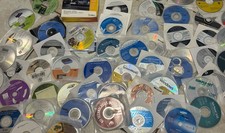
Mixed Lot Of Vintage Software And Drivers - Install Discs - CDs - 94 Pieces
$85.00

Vintage HP Hewlett Packard 2112A 21MX 1000 M-Series 16-Bit Minicomputer
$419.99

Vintage Jetway J-620BF Socket 370 Celeron AT Motherboard SiS 620 Brand New
$75.00

Vintage 1986 Goldenrod Research Corp CP/M Desktop Computer Syste w/Keyboard
$350.00
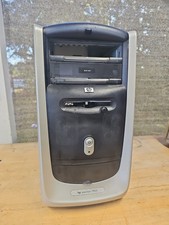
Vintage HP Pavilion PC Case
$99.99

Vintage Mainframe Computer Disk Drive Pack Dyson SMD 5 Level Disks
$79.00
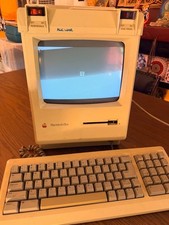
Vintage Apple Macintosh Plus Desktop Computer - M0001A
$155.00
![Apple Macintosh Boot Disk System [1.0 - 8.0] 400/800k/1.4 Floppy for Vintage Mac picture](/store/img/g/EhEAAOSwg7ZnexmU/s-l225/Apple-Macintosh-Boot-Disk-System-1-0-8-0-400-800k-.jpg)
Apple Macintosh Boot Disk System [1.0 - 8.0] 400/800k/1.4 Floppy for Vintage Mac
$11.75

Vintage ECS Micro-ATX Desktop Case | Beige/Dark Grey | *READ*
$80.00

Vintage Toshiba Satellite 4090XDVD Intel Celeron 400Mhz Retro - Powers up Cards
$57.59



 Reply With Quote