-
Senior Member
registered user

Originally Posted by
richb
Originally Posted by
CrashedAgain
Originally Posted by
chris-harry
does anyone have any recomended progames i should use... also... is there a scan disk equivalent in knoppix?
'scan-disk' eqivalent is probably fsck which Knoppix runs a brief check every boot and athrough one every 30 boots. No worry about it, it's taken care of!
'does anyone have...': this isn't windows, you don't have to exchange pirate programs with other users; all are freely available using apt-get or kpackage.
Open a console, then type 'su' to become root (administrator), then type 'dselect update'. Now go for coffee.
When you come back, your 'sources list' of available programs will be updated.
Now start kpackage. It's under the 'systems' or the 'setting' menu on the start menu (I forget which; I'm not in Linux right now). Set the listing for 'all' and browse around to see what is available & install what you want.
What is the difference between apt-get update and dselect update?
dselect is a front-end (not just command line, has a GUI)
-
Senior Member
registered user
There is more than one package listing database in the system. According to information in another post here, dselect update will keep them in sync, apt-get update doesn't.
dselect is debian's basic text based package selection system. Type dselect in a console to have a look at it. Gui based package selection applications like kpackage & synaptic do the same thing but through a more user friendly front end. Apt-get will install/remove packages but doesn't provide for selecting from a list. All end up using dpkg to do the actual installation and of course you can also use dpkg to directly install or remove packages.
-
Junior Member
registered user
Originally Posted by
CrashedAgain
There is more than one package listing database in the system. According to information in another post here, dselect update will keep them in sync, apt-get update doesn't.
dselect is debian's basic text based package selection system. Type dselect in a console to have a look at it. Gui based package selection applications like kpackage & synaptic do the same thing but through a more user friendly front end. Apt-get will install/remove packages but doesn't provide for selecting from a list. All end up using dpkg to do the actual installation and of course you can also use dpkg to directly install or remove packages.
Thanks!
Similar Threads
-
By Gleeb in forum General Support
Replies: 3
Last Post: 12-20-2004, 10:12 AM
-
By mkyb14 in forum Hdd Install / Debian / Apt
Replies: 0
Last Post: 12-16-2004, 02:19 AM
-
By rabinhood in forum Hdd Install / Debian / Apt
Replies: 0
Last Post: 10-29-2004, 09:27 AM
-
By Rob_S in forum General Support
Replies: 2
Last Post: 07-24-2004, 03:17 PM
-
By rtcary in forum Laptops
Replies: 3
Last Post: 11-06-2003, 06:30 AM
 Posting Permissions
- You may not post new threads
- You may not post replies
- You may not post attachments
- You may not edit your posts
-
Forum Rules


Dell 6P85J 4TB ST4000NM0063 7.2k 6Gb/s 3.5” SAS SED Hard Drive with Tray
$39.99

Western Digital HUS726T4TAL5204 4TB 7.2K SAS 12Gb/s 3.5" 512e HDD NetApp X375A
$64.00

Western Digital 1TB 3.5" SATA III 7200RPM Desktop Hard Drive
$34.99

DELL 2TB Enterprise HDD (7200RPM, 3.5", SATA III, 128MB Cache) HUS722T2TALA600
$49.95
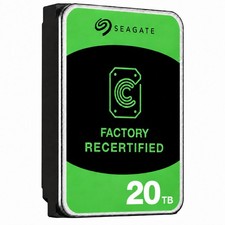
Seagate Exos ST20000NM003C 20TB CMR 7200RPM SATA6Gb/s 3.5" Enterprise Hard Drive
$509.99
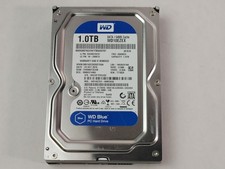
Western Digital WD Blue WD10EZEX 1 TB 3.5" SATA III Desktop Hard Drive
$23.99

Dell ST6000NM0034 1HT27Z-150 NWCCG 6TB SAS 3.5 7.2K ENTERPRISE SERVER DRIVE
$68.99

Seagate Exos ST2000NX0253 HDD 2TB SATA 7.2K 2.5" 512b/s
$55.00

(ST8000NM0045) SEAGATE ENTERPRISE 8TB 7200RPM 4Kn SATA 6Gb/s 3.5" HARD DRIVE
$199.99

Seagate ST12000NM0127 12TB 256MB 7200RPM 3.5" SATA 6.0Gb/s Enterprise Hard Drive
$318.99



 Reply With Quote