-
Senior Member
registered user

Originally Posted by
CrashedAgain
Originally Posted by
firebyrd10
Originally Posted by
CrashedAgain
Originally Posted by
chris-harry
does anyone have any recomended progames i should use... also... is there a scan disk equivalent in knoppix?
'scan-disk' eqivalent is probably fsck which Knoppix runs a brief check every boot and athrough one every 30 boots. No worry about it, it's taken care of!
'does anyone have...': this isn't windows, you don't have to exchange pirate programs with other users; all are freely available using apt-get or kpackage.
Open a console, then type 'su' to become root (administrator), then type 'dselect update'. Now go for coffee.
When you come back, your 'sources list' of available programs will be updated.
Now start kpackage. It's under the 'systems' or the 'setting' menu on the start menu (I forget which; I'm not in Linux right now). Set the listing for 'all' and browse around to see what is available & install what you want.
I believe you mean to run upgrade before you send him off for coffee.
Update only updates the list of what is avaible. Upgrade, well upgrades the programs.
No, I meant update.
Upgrade will upgrade all EXISTING packages to the latest versions, he is looking for new packages. Update will renew the available package lists so he can see what is available. He has to update the package lists before apt-get will work correctly, some packages may have been moved (from unstable to testing, for example) and apt has to know where they are in order to find them.
Upgrade will probably cause him all kinds of problems, especially if his Knoppix version is old by even a month or two. It will likely need 200+Meg of download (a looooong coffee break) and will ask for replacing a few config files which may cause all kinds of grief if not done correctly (in most cases this means keep the existing config files). It is best avoided until he is more experienced. Individual packages & their dependencies will be upgraded as they are installed.
[/b]
Ok, now I see what you mean.
A. Jorge: Just burn it and reboot like knoppix. It's debian's new installer. Just pick what version to install (stable, testing, unstable) and then where to install. It'll download the core OS then apt-get everything else.
Similar Threads
-
By Gleeb in forum General Support
Replies: 3
Last Post: 12-20-2004, 10:12 AM
-
By mkyb14 in forum Hdd Install / Debian / Apt
Replies: 0
Last Post: 12-16-2004, 02:19 AM
-
By rabinhood in forum Hdd Install / Debian / Apt
Replies: 0
Last Post: 10-29-2004, 09:27 AM
-
By Rob_S in forum General Support
Replies: 2
Last Post: 07-24-2004, 03:17 PM
-
By rtcary in forum Laptops
Replies: 3
Last Post: 11-06-2003, 06:30 AM
 Posting Permissions
- You may not post new threads
- You may not post replies
- You may not post attachments
- You may not edit your posts
-
Forum Rules


Cisco Nexus N9K-C92160YC-X 48P 25GbE SFP28 6P QSFP+/QSFP28 PE Switch
$439.00

Cisco WS-C3650-12X48UR-L 48-Port Stackable Layer 3 8x10G SFP+ Port Switch
$129.99

Cisco Catalyst C9130AXI-B WiFi 6 802.11ax Wireless Access Point Brand New
$101.99

Cisco Acacia DP04QSDD-E25-840 400G QSFP-DD Coherent DCO Transceiver Module
$699.99

Cisco | N3K-C3232C | 32-Port 100G QSFP Network Switch W/ 2x PSU, 2x Power Cords
$205.00

CISCO Services Router C891F-K9, Grade B, SKU 16188
$24.94

Cisco Catalyst WS-C2960X-48FPD-L 48-Port Gigabit Managed PoE+ Ethernet Switch
$69.99
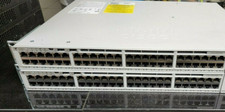
Cisco C9200-48P-E Cisco POE Network Switch
$749.99

Cisco C3850-NM-2-10G
$75.00

Cisco QSFP-40G-SR-BD Module 10-2945-02 NEW CLAMSHELL
$45.50



 Reply With Quote