-
Newbie
Hi, I've been thinking of trying Linux for a while. Trying the Knoppix CD, and seems pretty easy. I have a few questions, though.
Is there a way to use my Mozilla Firefox browser with this?
Also, is there a way to save my configuration in Knoppix on my hard drive (don't have a floppy disk drive)?
My plan is to mess around with this for a while then switch to a real installation eventually, but my husband would hit the roof because he has only used Windows based programs and doesn't learn computer stuff easily. Any advice on the best distro, and ways to boot with Windows as default, but a Linux option?
-
Senior Member
registered user
First of all, welcome.
Let me take your questions out of order.
Also, is there a way to save my configuration in Knoppix on my hard drive (don't have a floppy disk drive)?
Yes, click the penguin icon, then Configure, then save Knoppix configuration. Note, this isn't the same as saving things to disk - this is for saving preferences, printer setups, etc.
Is there a way to use my Mozilla Firefox browser with this?
Yes, easiest way is by using Klik, or you can go to Mozilla.org and download the linux version to your home directory.
BUT, before you do either, you will need a place to save things, what we call a "persistent home" It's a storage location that needs to be large enough to hold your files, but not formatted in NTFS. If you bought a factory computer with WinXP, the drive is formatted in NTFS by default.
If you have a partition that's formatted in, say, FAT32, you can set up your persistent home and saved config there. I wrote a tutorial on doing all of this, what we sometimes call a basic "poor man's install" . Your situation is ideal for this option, and it's the option I use, since my wife is like your husband. It allows you to operate more or less as if you had a hd installation. But, you need a non-NTFS partition, or you could always add a second internal or external hd and format it as you wish.
jd
-
Senior Member
registered user
yes dualbooting is fairly standard. i have 3 dualboot and 2 pure linux computers (if you can call the old pentium1 100-133Mhz things i have computers).
Dualbooting mostly work well, i have installed for friends and only two had trouble (out of 35+), and those could use floppy to boot linux while they booted Win otherwise.
normally i use lilo (lots of documentation)OR lilo AND the Xp or win2000 bootloader to boot linux.
see here for more on that last.
http://www.knoppix.net/forum/viewtop...077&highlight=
there are several options, read the faq's and let us here if you need helpin any way,better ask a few questions too many imho.
Good luck OErjan.
Similar Threads
-
By Baby_Face in forum MS Windows & New to Linux
Replies: 3
Last Post: 11-01-2004, 02:14 PM
-
By myko88 in forum General Support
Replies: 3
Last Post: 11-22-2003, 06:44 PM
-
By mrcool in forum General Support
Replies: 4
Last Post: 11-21-2003, 07:19 AM
-
By tapique in forum General Support
Replies: 2
Last Post: 10-29-2003, 11:12 PM
-
By Drago in forum General Support
Replies: 2
Last Post: 10-21-2003, 10:10 PM
 Posting Permissions
- You may not post new threads
- You may not post replies
- You may not post attachments
- You may not edit your posts
-
Forum Rules


SFP TO RJ45 TRANSCEIVER SFP MODULE COPPER SFP OPTICAL PORT TO RJ45 ETHERNET PORT
$7.99

Dell Intel X710-DA2 5N7Y5 Dual-Port 10GbE SFP+ PCIe 3.0 x8 Network Adapter
$27.50

Intel SPTSLP2SLCDE 100G-DR1 QSFP28 500m 1311nm Transceivers - Lot of 10 - New
$180.00

HPE 560SFP 2x 10Gb SFP+ PCIe Both Profile Network Card 669279-001 665247-001
$14.90

Genuine Cisco SFP-10G-SR 0-2415-03 10 Gigabit Transceiver
$5.40
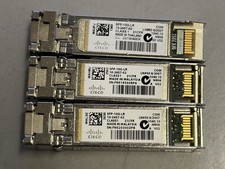
Lot of 3 Genuine Cisco SFP-10G-LR Transceiver Module 10GBASE-LR SFP+ 10-2457-02
$35.00

HP 560SFP+ 10GB 2-port PCIe NIC Ethernet ADAPTER 669279-001 w/ (2) 10GB SFP+
$16.99
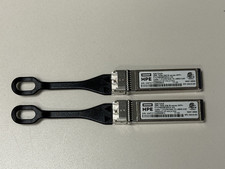
HPE B-series 16Gb SFP+ QK724A Pull Tab Optical Transceiver
$10.00

NEW Sealed Cisco SFP-10G-LR 10GBASE-LR SFP+ 1310nm 10km *US Shipping*
$24.00
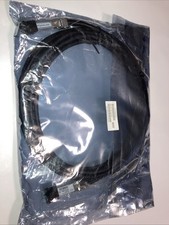
Cisco SFP-H10GB-CU5M 37-0962-03 37-0962-03
$22.99



 Reply With Quote