

 Reply With Quote
Could you tell us a little more about those error messages you're seeing, please? And maybe also show us the output of "fdisk -l" as issued from the live-cd.


I am a newbie to this forum and am asking for help in a hard drive install. I am using a ECS laptop for Knoppix, it has 128 megs of ram with a 20 gig hd and a windoze partition. I used Partition Magic to create the partitions (400 meg swap and a 9 gig ext3) and to format them I used the default setting for the partitions. My problem is that when I complete the first part of the install (the information stage) and get to the program install where the HD is formatted I get errors and it will not format the partitions. I have tried a new image with no sucess. I can use "cfdisk" to see the partitions. The CD with knoppix will run fine on this PC it finds all of the hardware with the exception of the AMR modem. Can any one help with this problem.
Could you tell us a little more about those error messages you're seeing, please? And maybe also show us the output of "fdisk -l" as issued from the live-cd.
Repeat after me:Originally Posted by Tim Novak
Partition magic bad! cfdisk good!
I am not a PM user so I may be wrong but I'm guessing you have no linux swap. How to find out?
$ free -m|grep Swap
How to make a swap file?
mkswap /dev/hda2
swapon /dev/hda2
Check it again now:
$ free -m|grep Swap
Got swap? Yeah? Try the installer.
Of course.........I could be crazy.....
Baldyeti, this is what I copied from fdisk "clinders set @ 2432 larger that 1024."
The error I get in the formatting is "formatting of failed. some messages from mkfs. ext3: usage: mkfs. ext3 [-cl-tl-l filename] [-b block-size] [-f fragment-size] [-i byts-per-inode] [-j journal-options] [-n number-of-inodes] [-m reserved-blocks] [-o creator-os] [-g ." This is verbatem what comes up in the diolog box.
To mzilikazi, I agree that Partition Majic is not a very good program, it did however let me create the ext3 partition as well as the swap partition. Please remember that I am a newbie to Linux and am comming form a windoze world where this program is better than what windoze offers.
I will respectfully disagree with mzilikazi and state that I think PartitionMagic is a fine program. (Or was, at least, before they sold it to Symantec.) I can say with certainty that it is better than QtParted. And it may not be "better," or give you as many format choices, but it's at least easier to use than cfdisk.
If you formatted your 9GB ext3 partition and your 400MB swap partition (hopefully as primary partitions!) with PartitionMagic before running the Knoppix installer, why are you doing it again with cfdisk?
No need to. Run step one of the installer, save your configuration, and, if you have to, edit the installer's configuration file (saved by default as /root/.knofig) to tell it which partitions to use.
I find it odd that QtParted seems to be referred to all the time but every time I have ever run it, it fails miserably, or reports incorrect partitions, or locks up, etc. It's good eye candy, but does QtParted actually ever work?
Actually, cfdisk doesn't have the glamour but it sure does the job. I mean really - what else do you want a partitioner to do?
Sure I understand.Rule of thumb is; make windows partitions with windows tools and make Linux partitions with Linux tools. I (like markb) have never actually seen Qtparted work so let's just forget that option. Cfdisk is not at all complicated to use and there is a howto for cfdisk. If you do not have internet when booted to cd then print this (and the howto) or worse come to worst, write it down. Of course proper spacing and in *NIX capitalization are both very important!
I would suggest removing and recreating partitions w/ cfdisk. After that REBOOT so the partition table is reread. Check your partition table like so:
t should look something like this:Code:su fdisk -l
Now you must format the swap partition.Code:# fdisk -l Disk /dev/hdc: 20.4 GB, 20490559488 bytes 16 heads, 63 sectors/track, 39703 cylinders Units = cylinders of 1008 * 512 = 516096 bytes Device Boot Start End Blocks Id System /dev/hdc1 1 2906 1464592+ 83 Linux /dev/hdc2 2907 6781 1953000 83 Linux /dev/hdc3 6782 10656 1953000 83 Linux /dev/hdc4 10657 39703 14639688 5 Extended /dev/hdc5 10657 20344 4882720+ 83 Linux /dev/hdc6 20345 22282 976720+ 83 Linux /dev/hdc7 22283 38752 8300848+ 83 Linux /dev/hdc8 38753 39703 479272+ 82 Linux swap
Now you can run the installer.Code:mkswap /dev/hda2 swapon /dev/hda2
OK sounds like we all agree that Qtparted has some distance to go before becoming a really good tool. Regarding PM perhaps I have a Pavlovian dog type reaction to any non-OSS software.A single partition is one of the silliest thing I've ever heard of but we all know that M$ generally does this. But I digress....
Presumably the installer is telling him that he does not meet the requirements for installation and forcing him to partition the drive. This is why I feel that the PM created partitions are not very good and should be redone w/ cfdisk.If you formatted your 9GB ext3 partition and your 400MB swap partition (hopefully as primary partitions!) with PartitionMagic before running the Knoppix installer, why are you doing it again with cfdisk?
I want to thank all who offereg help, I am still having problems though. I have tried all of the suggestions with the excepion of one, the one offered by eco2geek. I do not know how to.
I realy tried all of the suggestions to the point of pulling the hard drive to wipe it and start all over. By the time I was done I could'nt boot into windoze, cfdisk would'nt open the partition tables because it was really messed up. The good news all is back to where I started. My bottle neck seems to be the installer script at setep three.
I recreated free space using Partition Magic (10 gig), I then checked this with 'cfdisk' and created a 400 meg swap file and set the rest to option 83 (Linux).
I then got Knoppix up and running (here is where I deveated a little), I used QTparted to look at the partitions and format them. I then rebooted the knoppix CD and verified the partitions using cfdisk. The partitions were as stated by QTparted. I the proceded to try the installer script only to get the same error messages. I tried two installs one as a primary partition and another as logical partition neither worked.
Is there another way to install the program or is this laptop a stinker. In all honesty it did not like the mandrake install, I had to pull the hard drive to fix it as well, (soap box time) this is really a pain since this one has an external floppy that will not work in Dos.
From what I see, you probably has bios issues. Sometimes linux won't run if you set your bios to automatically detect your harddisk.
Try set your hardisk manually in your bios.Some bios include harddisk detection utilities. It's better for you to upgrade your bios first.
Then Remove all existing partition and create new one.
 Posting Permissions


16GB KIT (2x8GB) DDR3 Gamer Desktop RAM PC3 MIXED BRANDS VIPER VENGEANCE FURY
$10.00

Netac DDR4 32GB 16GB DDR4 3200MHz UDIMM C16 Desktop Internal Memory RAM Kit
$99.99

MTC8C1084S1SC56BD1 Micron 16GB DDR5 1Rx8 PC5-5600B 5600Mhz SO-DIMM Memory
$149.99

A-Tech 8GB DDR3 1600 PC3-12800 Laptop SODIMM 204-Pin Memory RAM PC3L DDR3L 1x 8G
$21.68
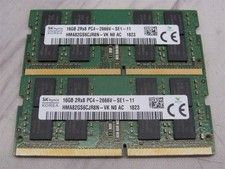
32GB KIT - 2x SK Hynix 16GB 2Rx8 PC4-2666V DDR4 SODIMM Laptop Memory RAM
$99.99

Major Brand 16GB (2x8GB) PC3-12800U DDR3-1600MHz DDR3-12800 DESKTOP RAM NON-ECC
$29.99

Samsung 16GB LPCAMM2 PC5 7500 DDR5 LPDDR5X CAMM2 M561K1LC4DM0-CCTGM RAM Memory
$189.00
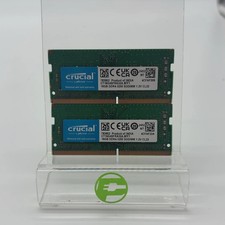
Crucial Laptop Ram 32GB (2x16GB) RAM DDR4 3200MHz CT16G4SFRA32A
$119.99

Micron 32GB 1x32GB DDR5 5600 CL46 ECC Unbuffered SO-DIMM MTC20C2085S1TC56BD1
$399.00

Corsair Vengeance DDR3 8GB 16GB 32GB 1866MHz PC3-14900 Desktop RAM Memory DIMM
$43.00