

 Reply With Quote
Erm.... I should be embarrassed here... I think I just fixed my own problem. Oh well...


I've just come off of a RedHat 9 installation. Under RedHat, I did my CSCI homework and printed the code out of KWrite. The font printed fine, Courrier New, 12pt spacing, very readable.
While trying to do my first classwork of the year on my new Knoppix-HD installation, I've found that the generic font printed font out of KWrite is larger and unreadable (letters are too close together to read comfortably). A similar problem occurs when I try to print the same code out of Kate and (to a lesser extent) when I printed out of Netbeans 3.6. I'm pretty sure that this problem is related to the on-board printer fonts, but since it's changed from my last Linux installation, I'm going to guess that It's partly the driver's fault as well.
My question: Is there a way for me to change the generic font settings in KDE so that it will print in a more readable font type.
Erm.... I should be embarrassed here... I think I just fixed my own problem. Oh well...
 Posting Permissions


Dell 6P85J 4TB ST4000NM0063 7.2k 6Gb/s 3.5” SAS SED Hard Drive with Tray
$39.99

Western Digital HUS726T4TAL5204 4TB 7.2K SAS 12Gb/s 3.5" 512e HDD NetApp X375A
$64.00

Seagate Barracuda ST1000DM003 1 TB SATA III 3.5 in Desktop Hard Drive
$23.99

Seagate ST8000NM0075 Enterprise Capacity 3.5 HDD 8TB SAS Hard Drive 8TB EXOS
$184.99

Dell ST6000NM0034 1HT27Z-150 NWCCG 6TB SAS 3.5 7.2K ENTERPRISE SERVER DRIVE
$68.99

Seagate ST3000NM0005 HDD 3TB SATA 6Gb/s 7.2K 3.5" 512 b/s
$59.00

Toshiba 14TB MG07 MG07ACA14TEY 7.2K RPM SATA 6Gb/s 512e 3.5" Enterprise HDD
$339.00
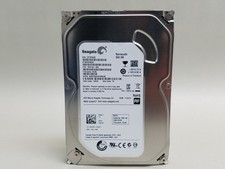
Seagate Barracuda ST500DM002 500 GB SATA III 3.5 in Desktop Hard Drive
$14.99

HGST Ultrastar HUS726040AL5210 4TB 7200RPM SAS 12Gb/s Enterprise HDD
$41.00

Tested WD Ultrastar DC HC520 12TB 7.2K RPM SATA 6Gb/s 3.5" HDD HUH721212ALN600
$239.99