

 Reply With Quote
In /etc/modprobe.conf add this line:
alias cloop off
It's what I'd try first.
Good Luck


knoppix 3.6
hd install on laptop
ibm r40 laptop
hda1 win98 (for bochs and wine)
hda2 swap
hda3 knoppix
running synaptic (graphifc front end for apt)
and was updating system and saw there were new knoppix modules so without paying enough attention (the cause of 1/2 my problems) i installed cloop for knoppix without realizing but i figured it out real quick when the system triesd to load itself into ram on a reboot....
hmmm 5 gb install into 512 mb ramm yup didnt exaclty work....
so i removed any reference of cloop under mtab and fstab
checked my lilo conf and looked god ( did all this from the cdrom---/mnt/hda3/etc.....
and removed kloop.ko from lib modules folders but still havnt slain the beast any ideas would be apreciated but i need to do it without the system loaded since thats the root of my problems otherwise id just uninstall cloop or use webmin or debconf etc to disable
thanks much
In /etc/modprobe.conf add this line:
alias cloop off
It's what I'd try first.
Good Luck
thanks for the suggestion didnt find it any where under modules.conf but renamed modules.conf.old to modules .conf to see if it would fix prob no go
still stumped where its loading from???
You need to add this line to /etc/modprobe.conf,not /etc/modules.conf unless you are still using the 2.4 kernel.If you are using 2.4,add it to /etc/modules.conf.thanks for the suggestion didnt find it any where under modules.conf but renamed modules.conf.old to modules .conf to see if it would fix prob no go
still stumped where its loading from???
alias cloop off
I have also been lookingto do something like this. I have searched and have not found modprobe.conf in /etc or anywhere else. I am using Knoppix 3.4 with 2.6 kernel. But there is a modules.conf, can this be used where the other file isn't there?
I don't know what your setup is,but I think you're probably running a 2.4 kernel,in which case the file you want is /etc/modules.conf.If you are running a 2.6 kernel,you should have an /etc/modprobe.conf.I have also been lookingto do something like this. I have searched and have not found modprobe.conf in /etc or anywhere else. I am using Knoppix 3.4 with 2.6 kernel. But there is a modules.conf, can this be used where the other file isn't there?
will tell you what kernel you have.Code:uname -a
To quote the man page of modules.conf
I haven't had to prevent cloop from loading,yet,but I have used this to prevent other modules from loading.Note that the line:
alias some_module off
will make modprobe ignore requests to load that module.
YMMV
I just double-checked using uname -a and I'm running kernel 2.6.6 and double-checked and no /etc/modprobe.conf just /etc/modules.conf.
uname -a
Linux laptop 2.6.6 #2 SMP Fri May 14 20:38:30 CEST 2004 i686 GNU/Linux
Well it may not matter too much, it's more like there's a few modules I'd like to stop loading but right now my laptop is running ok so I probably shouldn't complain
 Posting Permissions


IBM System X3850-X5 Server w/4x Intel Xeon E7-4870 CPU , 512 GB DDR3 RAM,NO HDD
$1599.99

IBM 7915 AC1 M4 E27R704 Server Intel 2650V2 32GB RAM NO HDD w/ 2x 750w PSU
$225.00

Unused IBM 09P0037 MAINBOARD For RS/6000 7044-170 P-Series
$375.00

IBM QRadar xx29 2x Xeon E5-2650v4 2x 900W PSU M5120 12x 3.5" Bay Server No RAM
$179.99

IBM Power 8 S822L Server 8247-22L POWER8 Enterprise 256GB RAM 2x 00KV626 CPU
$999.99

IBM System x3550 M3 1U Server 2x Xeon E5645, 192GB RAM, 2x 300GB HDD (7944-AC1)
$150.00

IBM SYSTEM X3500 M3 SERVER 7380AC1 TOWER Server XEON E5620 8GB RAID SEE NOTES
$110.30
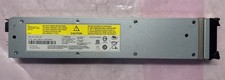
IBM 02CL197 FLASH SYSTEM 840-900 LITHIUM ION SERVER BATTERY MODULE 990854
$225.00
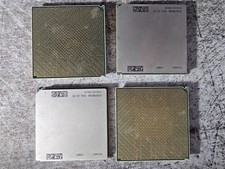
Lot of 4 IBM 52Y4089 POWER7 CPU Processor Modules Server CPUs
$49.99

Rare Vintage IBM 93ZZ PowerPC Server Board - MCM Ceramic CPU - 40N1844 - 1.1 lbs
$54.99