-
New to Knoppix - possible to uninstall SP2?
Hi all,
I just downloaded Knoppix 3.6 the other day and have started playing with it on my Dell 8200. I installed SP2 (I have XP Pro) and (surprise, surprise) cannot get onto my computer. I get the BSOD with the stop error that winsrv cannot be found. I am unable to enter the system through Recovery Console because my administrator password is not accepted. I called Dell, was told twice that they do not send computers with an admin password (XP was on the computer). MS's idea is to do a parallel install of XP. I am trying to avoid that, although I think I'll end up doing so. I tried resetting the password pin on the computer with no change and cannot use Safe Mode, either. I am 100% sure that I am entering the correct password. Leaving the pswd line blank does not work.
Before I do a parallel install, my question is - can I delete/uninstall SP2 from the Knoppix platform?
Thx for your help.
-
Senior Member
registered user
No, you can't uninstall SP2 from WinXP within Knoppix. (About all you could do is load the Captive-NTFS drivers and then delete files from your NTFS partition.)
-
I know installing winxp is not a fun thing. I have xp on my work machine and we were told explicitly to not install SP2. It has caused major problems on several machines. MS also knows there are issues with the sp and they have a download you can run that will block sp2 updates. You may have been the victim of microsofts frantic pace to try and stay on top of all those that would exploit windows faults.
In the meantime you can at least read the files on your xp partition and copy them to cd. Run a fresh install of winxp, I would advise against a parallel install. If you have a packaged pc many have a disk with xp and during the auto script it reformats the drive anyway. Bottom line- windows will run better as a fresh install.
-
Senior Member
registered user
1) You can enter Recovery console, usually admin password is not set in XP. When asked for admin password, just hit <ENTER>.
In cmd promt: type cd $ntservicepackuninstall$\spuninst
2) Can you log in to xp in safe mode(F ?
?
If you can, then log in safe mode, go to section control panel --->add/remove softwares---->choose to remove XP SP2.
Or Start--->Run---> type %SystemRoot%\System32\restore\rstrui.exe
3) Log to xp save mode, run system restore.
Details: http://support.microsoft.com/default...&Product=winxp
-
I think I'll end up copying files and then reinstalling XP (sans the updates).
Leaving the password line blank still returns the same error (password is invalid). Also, I can get to the safe mode options, but each one just brings up the error code screen (winsrv not found).
Thanks for the suggestions....
-
Senior Member
registered user
You could try do a slipstream your sp2 and create new xp cd and do a repair installation. Google for how to slipstream.
-
That's a good idea, I've read about that from a number of sites and message boards. My only question is - is slipstreaming foolproof? Meaning, will that prevent problems that might occur from downloading the service pack?
-
Senior Member
registered user
Foolproof?
Slipstream is a way to integrate sp into your existing xp cd. Meaning, changing your xp into sp2 so you don't have to run sp2 separately (new version of XP?).
Since you already install sp2 into your system, it useless to use your existing xp cd to try " install repair ", it even worsening your problem.
How to do it:
http://www.viperlair.com/articles/ho...eam/winxpsp1a/
Eventhough it's showing how to slipstream servicepack 1, it also work for sp2, you just need to change the sp name.
Good luck 
-
I have seen other peoples PC's go this way after SP2. I simply booted from the XP CD, chose install ,rather than repair, after it inspects your hdd, it (hopefully) sees the previous install and asks do you want to repair this install? Which you say yes to. This deletes the windows XP files, and reinstalls them from the CD, then reboots and the XP setup continues. I have not seen this method lose your data. Although all the windows updates are gone including SP2.
The adminsitrator password isn't required for this. But it may present a problem further down the track.
Similar Threads
-
By harryhood in forum Klik
Replies: 3
Last Post: 05-01-2005, 09:01 PM
-
By rgarden in forum Hdd Install / Debian / Apt
Replies: 4
Last Post: 04-11-2005, 10:21 AM
-
By Lumma in forum Hdd Install / Debian / Apt
Replies: 2
Last Post: 12-16-2004, 11:16 PM
-
By Liquidant in forum Hdd Install / Debian / Apt
Replies: 5
Last Post: 07-26-2004, 03:46 AM
-
By lilliput in forum Hdd Install / Debian / Apt
Replies: 2
Last Post: 07-14-2003, 06:46 PM
 Posting Permissions
- You may not post new threads
- You may not post replies
- You may not post attachments
- You may not edit your posts
-
Forum Rules


(New) AMD Ryzen 7 5700X 8 Core 16 Thread AM4 Unlocked 3.4 GHz CPU OEM Tray
$174.99
Dell OptiPlex 5090 SFF PC w/ i7-10700 2.9GHz CPU 2TB HDD 8GB DDR4 RAM Win 10 Pro
$209.95
Dell OptiPlex 5090 SFF PC w/ i7-10700 2.9GHz CPU 2TB HDD 8GB DDR4 RAM Win 10 Pro
$209.95
Dell OptiPlex 5090 SFF PC w/ i7-10700 2.9GHz CPU 2TB HDD 8GB DDR4 RAM Win 10 Pro
$209.95
Intel Core i7-6700 SR2L2 3.40GHz 8 MB 4-Core LGA1151 Socket CPU Processor
$27.99
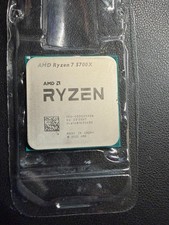
AMD Ryzen 7 5700X 8-Core 16-Thread Unlocked Desktop Processor 3.8GHz
$165.00
AMD Ryzen 7 5800X3D 3.40GHz 8 Core 100-000000651 16 Thread AM4 CPU
$290.99

AMD Ryzen 7 9800X3D 8-Core 16-Thread AM5 CPU Processor Brand New Unused
$395.95
Intel Core i9-11900K 3.5GHz 8-Core 16 Thread LGA 1200 11th Gen Desktop CPU SRKND
$270.00

Lenovo Thinkpad E15 Gen 2 8GB RAM 256GB SSD Intel Core [email protected] Laptop
$220.36



 Reply With Quote