

 Reply With Quote
I guess I don't see what the problem is.


hi. I have a problem with of partitions. When i read the file /proc/partitions a vfat partition is messing (a extended). But when i run cfdisk or gtparted, the missing partition apears. How can I solve thsi?
Thanks
I guess I don't see what the problem is.
the problem is that i can not mount the missing partition
In my experience, creating the partition doesn't format it. You still need to format the partition using the mkfs command in the console. I bet you'll have to do it as root, so stick "sudo" and a space in front of your mkfs command.
jd
I think this is a good post for making my question. That is:
This is my very first time i use knoppix. I'm triying to recover some files i have in one partition that win98 kicked away (I say kicked 'cos I don't really know what had win98 did to it). But I can't mount that partition.
Knoppix flag me this notice:
mount: I could not determine the filesystem type, and none was specified
Please check that the disk is entered correctly.
I'm new and I don't know whats the meaning of that and far from it the solution
thanks
Hi, give us an idea of what led up to this. If it's W98, probably FAT32 fs type, or what linux calls vfat. Might try the console
Might try the console command "sudo mount -t vfat /dev/hd?? /mnt/hd??", where ?? is the location (probably a1 if it's your C: drive, or something else if it's not).
jd
I'l try to explain the real problem (it's a bit dificcult to me, I'm not english speaker)
I had a hd with 3 partitions. Twice with an OS (winxp both) and one with data.
One of the OS (cwas running bad, so I decided to format c: and install win98 for be able to use partition magic (partition magic doesn't work properly in winxp).
I though the win98 install program let me choose in which partition i wanted to install that OS. But no.
The program restart the computer and get hanged (it does install nothing) and when i try to restart again without the cd, the pc gives me a message like: there's no OS.
That's is the problem.
How i tried to solve this?
Like i had said. I tried with knoppix and i got surprise when i see that i only have one partition in that hd and i also cant mount it.
I don't know if i have explained. Thanks lots
i have tried that command but doesn't workOriginally Posted by j.drake
 Posting Permissions


Datto S4P10 1U Blade Rack Server Intel Xeon D-2143IT 2.20GHz 48GB DDR4 4-Bay PSU
$197.76

Dell PowerEdge M630 Blade Server 2x Xeon E5-2680 v4, 2F3MP , 4GDP5 ,R10KJ ,JVFVR
$95.20

Dell PowerEdge M640 Blade Barebone Server Dell P/N: HHB006 Tested Working
$149.99

Cisco UCS 5108 Blade Server Chassis Enclosure N20-C6508 4x PSU 8x Fans 2x Fabric
$174.99

Dell PowerEdge M620 Blade Server 2x Xeon E5-2680v2 2.8ghz 20-Cores | 128GB
$149.99

Dell PowerEdge VRTX 2.5"x25 Bay Blade Enclosure 4x1600W + 4X M640 (4X Blades)
$1599.99

Dell Poweredge C6400 24x 2.5’’ 2x 2400W 4x C6420 Nodes H330 | 2x SFP | 8x Trays
$799.99

Cisco B200 M3 2x E5-2670V2 10 Core 8x 16GB-128GB Ram Blade Server VIC1240 14900R
$399.00

Dell Poweredge VRTX 25Bay 2.5" 2x PERC 8, 2xCMC, I/O 1GB Pass Through, 4x PS
$578.08
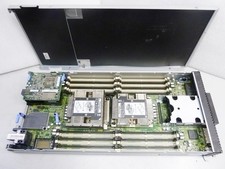
Lenovo ThinkSystem SN550 Blade | 7X16 | 01KP356 | Drives and RAM not included
$299.99