

 Reply With Quote
The only problem I see is that 60Mb of ram and no swap possibilities. KDE would crash for sure. Even the ligher IceWM would crash after you loaded up a few programs. You can F2 cheat code into the other window managers and try it out. Forget KDE.


I'll try and keep this to the point.
I work at an after-school program ata low income school. After spring break I will be teaching a geometry class and wanted to use geometer's sketchpad, but tht's a lot of money for 4 to 6 workstations, plus, PC's are hard to come by at that school.
But today it struck me.
I do have access to a number of NIC's. If you're not familiar an NIC (New Internet Computer) is a stripped down internet only computer with a 200 mhz CPU 60MB ram and no hard drive or floppy. It uses a specialy designed sun microsystems uni that only has a web browser, which, like knoppix, runs entirely from the CD. Today I tried knoppix because I remembered that it comes with kreative geometry, which would work fine. And it did boot. Of course all I got was an X-window, but I was able to use the left mouse button menu to launch the program and it ram fine, but load times were BAD.
My question is, what can I do to make things run faster or smoother, or make starting up more simple for the kids? I don't think I have enough computer of my own to recompile my knoppix CD, so I'm stuck using boot commands. Remember, there's no hard disk OR floppy.
Anyway, any suggestions appreciated.
The only problem I see is that 60Mb of ram and no swap possibilities. KDE would crash for sure. Even the ligher IceWM would crash after you loaded up a few programs. You can F2 cheat code into the other window managers and try it out. Forget KDE.
There has been much discussion about booting Knoppix w/ small amounts of RAM. The only way to do it (as far as I know) is to have a swap file on a hard drive. I know this doesn't help you. As far as remastering goes you really just need hard drive space. It would take longer on for example a 233MHz than a 500MHz of course but it can be done. My only guess would be:
knoppix desktop=xfce
a very light and intuitive interface although fluxbox is also quite easy on resources.
VeeDubb,
Do you have access to one computer you could run knoppix on or much better yet install a linux distro and run it as an application and X-window server? Then you could use knoppix on the NIC's and run them as X-terminals to log into and run the apps from the "server" computer.
A friend still uses a p-200 w/ 160mb ram as his app server, and has 5 or 6 X-terminals running that connect to the server in his office, they primarily use netscape and Star-Office in his business. You will notice a bit of network lag, but I can run knoppix on my p-150 w/32mb and a hd swap as an X-term no problem and run apps ie; openoffice, mozilla etc. in kde from my AMD350 w/128mb ram much faster than trying to run knoppix from cd on the p-150 even with a lightweight window manager.
If you wanted to run knoppix from cd on the server you'd have to get kdm running with xdmcp and if you don't have a router already on the network you'd have to get dhcpd running so you could give ip addresses to the X-terms, it's probably best to run the server with a static ip address.
rock
Yeah, like RockMumbles says.
Get a real cheap PII with a HD and make it a server and the rest of the computers thin clients with bootable NICs. No HD or floppy needed.
What is the hardware requirement to run X-terminal which in this case would be a base Linux plus XFree86 right ?
Still learning as I am a Window user tasting Linux because of the KNOPPIX concept.
As far as the X-terminal computers a pentium class computer (actually even a 486 will work if it has a pci motherboard, it'll be slower) with a supported pci graphic card (2MB if you want to use 1024x768 resolution, many older cards will work OK as X-terms with the vesa driver) probably 32MB of system ram and a 300 - 500MB hard drive. A pentium computer with ps/2 keyboard and mouse would be best choice, just because of replacement mouse and keyboard availability.
Note: you're not going to be playing games on these, they are for internet and office type applications and for that kind of use they function very well.
As far as the X-Term OS you need a base system, networking, and X.
rock
I'd like to see a PCI 486 mobo. Mine only does ISA. A 2meg ISA video card would be nice too.
Take a look at the Linux Terminal Server Project at:Originally Posted by VeeDubb
http://k12ltsp.org/contents.html
Also take a look at Linux on ITX based boards:
http://mini-itx.com/store/
OK, I'm getting a new lab next year for my compsci classes. I'm wondering how I could set it up. Could I knx-hdinstall one PC and set it up as a file server that all the other PCs could logon to so my students could save their files in one place? In other words, could I simply use the KNOPPIX CD on those other machines and login remotely to the server machine? Can I use xdm or kdm this way? How would I get a login screen?
TIA,
 Posting Permissions


Intel Core i5-12500T SRL5W 2GHz 18MB 6 Core Socket LGA1700 Desktop CPU Processor
$114.99

Intel Core i7-8700 3.2 GHz 8 GT/s LGA 1151 Desktop CPU Processor SR3QS
$67.99

INTEL CORE I9-10940X X-SERIES PROCESSOR | 3.30GHZ | SRGSH
$179.99

AMD - Ryzen 7 5800X3D 8-Core - 16-Thread 3.4 GHz (4.5 GHz Max Boost) w/ Ice Pad
$355.99

Intel SR3XE Core i5-8500 3.0GHz 9M Socket 1151 6-Core CPU Processor *Tested*
$32.99

Intel Core i7-7700K SR33A 4.20GHz 4-Core LGA1151 CPU Processor
$62.95

Intel Core i7-3770K 3.5 GHz Processor
$39.00

Intel Xeon E3-1230 v3 SR153 3.3GHz Quad Core LGA 1150 CPU Processor
$14.49

Intel Core i5-4590T 2 GHz 5 GT/s LGA 1150 Desktop CPU Processor SR1S6
$10.99
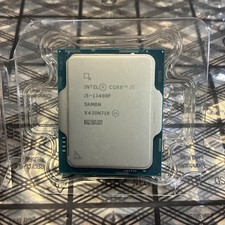
Intel Core i5-13400F 10 Core 16 Thread Processor SRMBN
$126.99