-
apt-get sources best practices
Hi,
I installed 3.6 to my HD and am looking for best **safe** practices for upgrading and installing packages. What sources did you change in the config ? I want to install KDE 3.3 on this machine and mail server/spamassassin/fetchmail/samba.
Must say that at first install I just did apt-get update, upgrade and dist-upgrade but ended up with some errors and not so clean package cache.
-
I had exactly the same problem when I installed 3.4 to hd.
A number of people have written that the result of install to hd is a
debian system, but in my (our?) hands it doesn't behave as
advertised in the way that it reacts to apt commands.
Sorry to say I've no idea how to deal with this.
Terry
-
I think all Knoppix users who install the OS onto partitions will run into this eventually...
To date, I have had these issues and taken these steps:
UNchecked all but the Stable selections in all the address bars in apt. Boring? Perhaps. But safer to get started with.
Added any and all URL's for stable apps I came across.
Ran the Apt Update after doing that, yet I still wound up with a heap 'o crap  coming into the apt-cache.
I did grab a few things from command line, such as the 2.4.26 and 2.6.7-i686 kernel source files (which allowed me to set up the kernel properly, as well as update one install to Sarge) and the newest ALSA drivers...yes indeed, that Audigy card sounds fabulous...ON XP....  ...but still no joy on Linux.
I was also forced to DL the libntfs5_1.9.2-2 because nothing AT ALL would install due to dependencies; and O/C neither would this lib!! And nothing I could shut down would allow it to install, either (due, of course, to the diffs between Knop and Debian naming conventions-its name is libntfs.so.5_1.9.2-2 in Kpx...) so I had to "--force-install" the little beggar. That heavy-handed approach has caused no problems yet, and the other apps went in fine afterwards.
So after I grabbed that stuff, I created a folder in the aptcache, moved all the stuff I wanted into it, and purged the other useless tripe. Reclaimed over 500MB of disk space that way.
But the best 'Safe' practice you can use is that of a separate '/ ', /home/ and swap partitions. In fact, I have a System Restore on my HDD, wherein I am using two kernels, with two home dirs and two root directories for each.
That means that, not only is there a nominal root/home/usr/ setup on each OS, but also that I have moved an active copy of each of the /home directories to a different partition, and then told the kernel about it. So, the /home directories on the actual partitions are really the first backup, in a way, since they are not used. I do refresh them periodically, about every third backup to the inactive partition sees them overwritten.
However, I have also created another partition, that is ignored by the kernels and needs manual mounting; in this part., I have archived yet another copy of each /home directory and locked them away for safekeeping along with enough '/' files to allow an emergency repair that is guaranteed to bring me back to the exact state of the last backup, unless the PC catches fire or something, that is. 
Samba set up fine for me; I know very little about the other items on your list. KDE 3.2 is fine for me, esp. with all the themes and cursors available...but those mail/spam proggies should not be too dependent, or cause too many errors. Let's hope not, anyhow!
Good luck,
FastVFR
Similar Threads
-
By A. Jorge Garcia in forum General Support
Replies: 5
Last Post: 05-28-2004, 12:46 AM
-
By tsitras in forum General Support
Replies: 3
Last Post: 05-18-2004, 03:10 PM
-
By Rink in forum Hdd Install / Debian / Apt
Replies: 2
Last Post: 05-12-2004, 10:47 AM
-
By whaase in forum General Support
Replies: 0
Last Post: 11-08-2003, 11:39 PM
-
By Fang in forum Customising & Remastering
Replies: 4
Last Post: 10-25-2003, 02:39 PM
 Posting Permissions
- You may not post new threads
- You may not post replies
- You may not post attachments
- You may not edit your posts
-
Forum Rules


AMD Ryzen 5 5500 Processor ( read Description)
$59.00
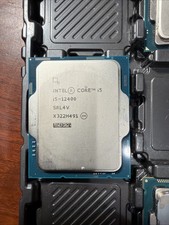
Intel Core i5-12400 Processor SRL4V
$115.00

INTEL CORE I9-10940X X-SERIES PROCESSOR | 3.30GHZ | SRGSH
$179.99

(LOT OF 20) Intel Core i5-8400 CPU 2.80GHz Desktop Processor (SR3QT)
$700.00

Intel Core i7-9700 Octa-Core 3 GHz Desktop Processor LGA 1151
$79.99

Intel Core i7-3770K 3.5 GHz Processor
$39.00

Intel Core i5-12500T SRL5W 2GHz 18MB 6 Core Socket LGA1700 Desktop CPU Processor
$114.99

Intel i7-8700 Coffee Lake 3.2GHz 6-Core Max Turbo 4.6GHz Processor
$67.99
Intel Core i7-7700 3.6 GHz 8 GT/s LGA 1151 Desktop CPU Processor SR338
$39.99
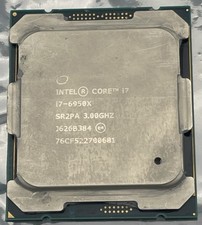
Intel Core i7-6950X Extreme Edition 3.0GHz Processor SR2PA LGA2011 10 Core CPU
$162.95



 Reply With Quote