
I need to know how to in a step by step manner get Knoppix be able to accces the internet? I'm using IE in windows but i want to use the Mozilla that came with my copy of knoppix my cousin gave me. I need easy to understant instructions please.


I need to know how to in a step by step manner get Knoppix be able to accces the internet? I'm using IE in windows but i want to use the Mozilla that came with my copy of knoppix my cousin gave me. I need easy to understant instructions please.
Please consider giving us some info on your PC (processor, amount of RAM, etc.), the internet connection (cable, DSL, dialup, ISDN, LAN, ), physical description of what is plugged into what (for example: cable modem plugged into USB network adapter) so that we can help you.
Thanks,
James
See this tutorial also: http://www.eleli.de/knoppix/docs/tut...iguration.html
Osaria,
Even though the subject line is "somewhat" descriptive, it is rather vague... "I'm Stupid, please help me"
First, I don't think your stupid, nor would I, your post is descriptive, well authorative, to the point, and explains why you need help... It's just your choice of subject, that is in question...
Second, as it appears, you are getting help, so the subject line has been fulfilled...
The next time you post, you might choose to use a more "descriptive" subject line. For this post, even though you got what help you needed, though you did have to "degrade" yourself in the process, you might try, as for this post, a subject line like: "Can't connect to the Internet", or "Problems with connecting to Internet", or even "Internet Access - HOWTO ?"
With a more descriptive subject line, you might get more answers, since a lot of people might not open a posting that simply says "HELP" in it. If you give more information on your subject line, you will get more people to read, and respond, that are more likely to know how to fix that issue.
To help you on a modem / connection issue, we need information about your hardware, and how you connect with it... Like, what modem do you use, and how that connects to the Internet. You can look in KMenu -> System -> Info Center -=- and see what shows up. As for windows, you can go into ( sorry, last thing I ever ran in Windoes was Win98 ) -=- Start -> Settings -> Control Panel -=- and then open up Modems - and do a Querry on your modem, it should send out ATI commands to your configured modem, and see what output you get. Anyway, if you are not using a modem, then this is all non-sense...
Ms. Cuddles
 Posting Permissions

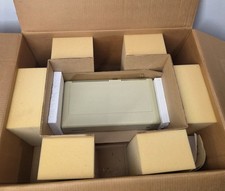
Vintage Apple ProFile External Hard Drive Original Box & Paperwork Untested
$999.00

Vintage GTE XT300 Action Station Terminal 1984 - Tested Works Orig. Box & Foam
$889.00

Vintage Tandy Computer Varsity Scripsit Word Processing 3.5 & 5.25 Disks SEALED
$29.95
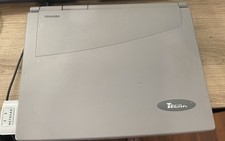
Vintage Toshiba Tecra 780CDM Laptop Computer Windows 98 & WiFi Adapter
$170.00

Original Vintage Old Style STANDARD Black CD Jewel Case (Heavy Duty) 90g Lot
$316.95
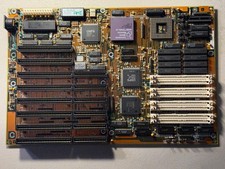
Vintage AMD Am386 DX/DXL-33 Motherboard - Works
$120.00
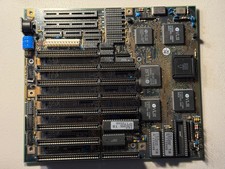
Vintage Siemens 286-16 Motherboard - Works
$140.00
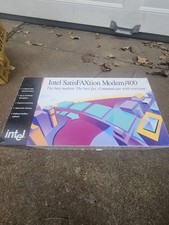
VINTAGE NOS INTEL SATISFAXtion MODEM/400
$18.99

VINTAGE COLLECTIBLE Comp USA Maxtor 20 GB 3.5 Inch EIDE Hard Drive NEW SEALED
$500.00
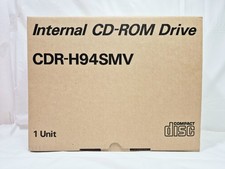
Vintage Sanyo CDR-H94SMV Internal SCSI CD-ROM Drive. 1994 NIB
$70.00

 Reply With Quote