-
detecting the wireless card
i'm a knoppix newbie....my problem is that knoppix failed to detect my wireless card (Linksys WMP54G). how do you configure this wireless card? what are the basic steps so that my wireless card will be detected and how would i know it? any help is greatly appreciated...thanks!
-
Try This:
Click on the fat penguin next to the "K"
Click on "Network Internet"
Click on "Wavelan configuration"
fill in the blanks as they come up
you can leave them blank if you don't know
After running Wavelan
Click on the fat penguin next to the "K"
Click on "Network Internet"
Click on "Network Card Configuration"
Select either eth0 or eth1 (my wireless is eth0)
Select use dhcp broadcast? "yes"
the program should run and go away
If all went well, you are connected!
This works for me with my Sony centrino laptop (Z1RA)
I'm a real noob, there's probably a way to have it run these programs on startup, but I do this every time I start up and it gets me connected with wifi.
Bob
-

Originally Posted by
BobHodgen
Try This:
Click on the fat penguin next to the "K"
Click on "Network Internet"
Click on "Wavelan configuration"
fill in the blanks as they come up
you can leave them blank if you don't know
After running Wavelan
Click on the fat penguin next to the "K"
Click on "Network Internet"
Click on "Network Card Configuration"
Select either eth0 or eth1 (my wireless is eth0)
Select use dhcp broadcast? "yes"
the program should run and go away
If all went well, you are connected!
This works for me with my Sony centrino laptop (Z1RA)
I'm a real noob, there's probably a way to have it run these programs on startup, but I do this every time I start up and it gets me connected with wifi.
Bob
hi bob! thanks for the info, i tried your suggestion but an error message "dhcp failed" ... i also tried wavelan configuration but it told me that "no wireless card detected"....help...
-
Senior Member
registered user
I have no idea if this card is supported, but you might want to try turning off encryption on your router for a bit just to see if encryption is tripping you up. If it works, then turn it on and work backward to try and reestablish a conection.
Also I hear that Kanotix has more wireless drivers than Knoppix, so if all else fails, you might want to give it a try.
http://kanotix.com/info/index.php
Similar Threads
-
By sparticus in forum Laptops
Replies: 9
Last Post: 10-23-2004, 12:55 AM
-
By Kevin in forum General Support
Replies: 1
Last Post: 08-14-2004, 12:13 PM
-
By PhR057Y in forum General Support
Replies: 0
Last Post: 02-15-2004, 03:37 PM
-
By Linkooseven in forum General Support
Replies: 14
Last Post: 12-25-2003, 07:51 PM
-
By illcuban in forum Networking
Replies: 5
Last Post: 12-23-2003, 11:51 PM
 Posting Permissions
- You may not post new threads
- You may not post replies
- You may not post attachments
- You may not edit your posts
-
Forum Rules

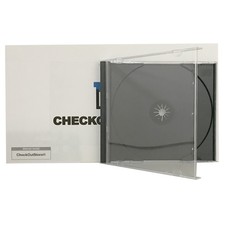
Original Vintage Old Style STANDARD Black CD Jewel Case (Heavy Duty) 90g Lot
$316.95
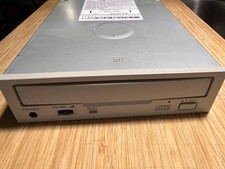
Vintage Sanyo CDR-H94SMV Internal SCSI CD-ROM Drive
$44.50
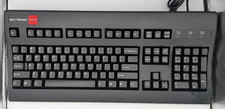
Vintage Key Tronic LT DESIGNER Mechanical/Rubber Dome Keyboard DIN-5 AT/XT
$50.00
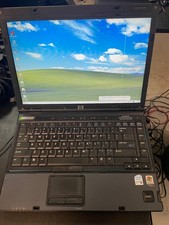
Vintage HP Compaq nc6400 Laptop – Windows XP Pro – Works – Charger Included
$67.00

Vintage Shuttle K48 Small Form Factor Pc FOR PARTS OR REPAIR
$100.00
Vintage IBM Model M Keyboard
$80.00
Lot Vintage 1991 Apple Microsoft Classic Software Disk Manual User Guide 7.0.1 +
$74.95

RARE NEW RETAIL BOX VINTAGE AST BTC 5140M WINDOWS PS2 KEYBOARD FCC E5XK8M104M10U
$31.95
Vintage Intel EtherExpress PRO LAN Adapter With Flash BRAND NEW
$29.99
Silicon Village Vintage PC AMD K6-2 500MHz 384MB RAM NVIDIA Floppy DVD-RW NO HDD
$289.99



 Reply With Quote