

 Reply With Quote
Try this:
Then go to the command line, navigate to where your midi file is, and do the following:Code:apt-get install timidity
Code:timidity (name of file)


I'm running Knoppix 3.6 from the poor man's install and really need to be able to play MIDI files. Knoppix recognized my .mid files as sound files, and tries to open them with XMMS on the left click, and has XMMS and xplaymidi both linked under the Action tab on the right click, but nothing opened it. I have not found anywhere to configure the system to play MIDI files aside from the KDE Control Center, but that has no options for for deviecs, mapping, etc. What am I missing here?
Try this:
Then go to the command line, navigate to where your midi file is, and do the following:Code:apt-get install timidity
Code:timidity (name of file)
Originally Posted by aay
I tried that, but since I am using the poor man's install, nothing happened.
Just reading between the lines, I guess without a full install MIDI just won't work?
The response from the bash shell was
Code:W: Not using locking for read only lock file /var/lib/dpkg/lock E: Unable to write to /var/cache/apt/ E: The package lists or status file could not be parsed or opened.
I'm quite sorry. I somehow skipped over the poor man's install part of your initial post. You won't be able to do what I suggest until you do a hard drive install. You might try some knoppix spin off distros. Here's one that should have timidy (as well as other audio/video apps).
http://www.mediainlinux.org/
Why would knoppix come with the Rosegarden sequencer and playmidi, if it doesn't configure your midi port for you?
My soundcard's WAV out works fine, but the MIDI part doesn't seem to get configured since /dev/sequencer isn't setup. (yes my soundcard ALS100 is on the list of supported cards for the OSS driver)
The soundcore module seems to be installed, so surely there should be a way to get midi working without a harddrive install?????
hi
I am under KNOPPIX 3.6 (kernel 2.4.27) HD install, debian mode
I though my sound was working fine (it's ok for radio, audi CD, etc) but no sound with rosegarden4 or Muse.
a lspci gives :
0000:00:11.5 Multimedia audio controller: VIA Technologies, Inc. VT8233/A/8235/8237 AC97 Audio Controller (rev 50)
Subsystem: Chaintech Computer Co. Ltd: Unknown device 766d
Flags: medium devsel, IRQ 22
I/O ports at e000 [size=256]
Capabilities: [c0] Power Management version 2
and lsmod :
Module Size Used by Tainted: P
unicorn_usb_atm 633088 1
pppoatm 2600 1
atm 35336 1 [unicorn_usb_atm pppoatm]
ppp_generic 22816 3 [pppoatm]
slhc 4560 0 [ppp_generic]
parport_pc 25128 1 (autoclean)
lp 7460 0
parport 22496 1 [parport_pc lp]
ehci-hcd 16616 0 (unused)
ntfs 50944 0 (unused)
autofs4 8756 1
af_packet 13544 0 (unused)
nls_iso8859-1 2844 0 (unused)
nls_cp437 4348 0 (unused)
via82cxxx_audio 19448 1
ac97_codec 11884 0 [via82cxxx_audio]
uart401 6052 0 [via82cxxx_audio]
sound 55244 0 [via82cxxx_audio uart401]
soundcore 3428 4 [via82cxxx_audio sound]
8139too 13768 0 (unused)
serial 52068 0
usbnet 13390 0 (unused)
crc32 2816 0 [8139too usbnet]
mii 2240 0 [8139too usbnet]
pcmcia_core 39840 0 (unused)
thermal 6692 0 (unused)
processor 9008 0 [thermal]
fan 1600 0 (unused)
button 2700 0 (unused)
battery 5952 0
ac 1792 0
rtc 7004 0
sbp2 16588 0 (unused)
ohci1394 22888 0 (unused)
ieee1394 183300 0 [sbp2 ohci1394]
usb-storage 62016 0 (unused)
usb-uhci 21836 0 (unused)
usbcore 57824 1 [unicorn_usb_atm ehci-hcd usbnet usb-storage usb-uhci]
ataraid 6404 0 (unused)
ide-scsi 9040 0
ext3 64388 1 (autoclean)
jbd 46804 1 (autoclean) [ext3]
I have tried playmidi, but got the following message :
open /dev/sequencer: No such device or address
I have also tried timidity, error also :
timidity: Can't read any configuration file.
Please check /etc/timidity.cfg
any idea would be welcome

The only way I've heard of people getting midi to work is by booting with the alsa drivers using the alsa cheatcode, but I think this also requires a customized image so that all the alsa libraries are present...
If you have a soundblaster 128 pci you need to install timidity. Soundblaster has NO synthesizer hardware on board (its fake). Using soundblaster 128 pci with windows you will not get aware of this fact, because a software synthesizer is being installed during the driver install.
Obviously this software synthesizer can not be installed with linux...
The good news: Timidity is MUCH better than creatives soft synthsizer...
michaa
If you can get the .deb file for Timidity
then I think a klik file can be made.
You'll have to ask probono how to though.
I have a Multimedia audio controller: VIA Technologies, Inc. VT8233/A/8235/8237 AC97 Audio Controller (rev 50)
I've tried to boot on liveCD with cheatcode ALSA : no sound at all
on HD instal, with OSS, things are better, but MIDi is not supported.
did not acheive to use timidity (but timididty is for ALSA isn't it ?)
So, does anybody know is this sound card
1) supports MIDI with OSS?
2) support ALSA
thanks
 Posting Permissions


16GB KIT (2x8GB) DDR3 Gamer Desktop RAM PC3 MIXED BRANDS VIPER VENGEANCE FURY
$10.00

Netac DDR4 32GB 16GB DDR4 3200MHz UDIMM C16 Desktop Internal Memory RAM Kit
$99.99
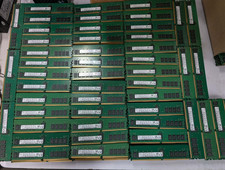
Lot 500 SK hynix 16GB 2Rx8 PC4-23400 DDR4-2933Y ECC Registered Server Memory RAM
$65000.00
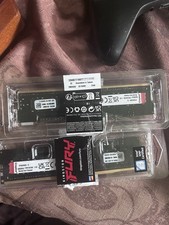
Kingston Renegade Pro 32gb 2x16gb 5600
$850.00

A-Tech 8GB DDR3 1600 PC3-12800 Laptop SODIMM 204-Pin Memory RAM PC3L DDR3L 1x 8G
$21.68

Major Brand 16GB (2x8GB) PC3-12800U DDR3-1600MHz DDR3-12800 DESKTOP RAM NON-ECC
$29.99

G.SKILL FLARE X5 64GB (2 x 32GB) 6000 MT/s DDR5 (AMD EXPO + INTEL XMP) *CL30*
$785.00

Samsung 16GB LPCAMM2 PC5 7500 DDR5 LPDDR5X CAMM2 M561K1LC4DM0-CCTGM RAM Memory
$189.00

Micron 32GB 1x32GB DDR5 5600 CL46 ECC Unbuffered SO-DIMM MTC20C2085S1TC56BD1
$399.00

Corsair Vengeance DDR3 8GB 16GB 32GB 1866MHz PC3-14900 Desktop RAM Memory DIMM
$43.00
