-
Sound Card Problems
"...knoppix onto my hdd, but now it can't find the sound card. It worked when I ran it from the cd, but since being installed it doesn't work. I ran the soundcard configuration but can't get it to work. It autodetects ES1371 as my sound card but won't play the sample sound. I then look through the list and find my sound card (Creative SoundBlaster 128 PCI) but that doesn't work either. Could someone please help me." -jaredhanks
[from other article "http://www.knoppix.net/forum/viewtopic.php?t=12502"]
[I'm running Knoppixs "2.4.27" I think the ver is 3.4 but I'm not sure [Friend installed it]]
I'm having problems with a Soundcard. I had the exact same problem as Jared did. But when I exec "modprobe es1371" and "alsa-autoconfig" I run into some problems.
When "modprobe es1371" is entered into the command line it does nothing and returns to the prompt. [Afterwards I tried running XMMS with the OSS driver and no sound comes out because it stops 1ms after I hit play. However it shows the visual bars going up for a brief moment. When I run XMMS with the ALSA Driver I get a "Could'nt open audio" error.]
When "/etc/init.d/alsa-autoconfig start" is exec then it outputs
"Preparing Module for alsa... [/n]
Building Card Database.."
then it goes back to the prompt
When I exec the "/etc/init.d/alsa-autoconfig start" command a second time all that shows up is
"Preparing Module for alsa... [/n]"
As a last resort I ran the sound card configuration program and it found my sound card and set it up. But I continue to recieve the same problem when I run XMMS.
*I've checked the Mixerand have tried everything suggested
I would apreciate any help provided
Thanks,
Jetrider_Omega
-
Senior Member
registered user
Increase volume level to the max.
Check on your mixer(kmix) if there is an advanced button (in latest kmix the advanced button has been change to switches), if there is, try to uncheck some of the option.
I had cmi8738 soundcard, sound only appears when I uncheck exchange DAC and mix analog.
Try using other application to see if sound appear ex: juk, noatun etc.

-
No Sound Still
I'm still not getting any sound after trying all those steps.
-
Senior Member
registered user
Re: Sound Card Problems

Originally Posted by
Jetrider_Omega
When "modprobe es1371" is entered into the command line it does nothing and returns to the prompt. [Afterwards I tried running XMMS with the OSS driver and no sound comes out because it stops 1ms after I hit play. However it shows the visual bars going up for a brief moment. When I run XMMS with the ALSA Driver I get a "Could'nt open audio" error.]
This sounds like the aRTS deamon is interfering with xmms. apt-get install xmms-arts then set preferences in xmms to input using arts.
Similar Threads
-
By thummer in forum MS Windows & New to Linux
Replies: 0
Last Post: 04-11-2005, 12:46 PM
-
By vip3r in forum Hardware & Booting
Replies: 7
Last Post: 03-03-2005, 06:15 PM
-
By CKLM in forum Hardware & Booting
Replies: 3
Last Post: 09-15-2004, 08:51 PM
-
By jaredhanks in forum Hardware & Booting
Replies: 10
Last Post: 08-15-2004, 01:48 PM
-
By chad5118 in forum Hardware & Booting
Replies: 4
Last Post: 04-01-2003, 03:54 AM
 Posting Permissions
- You may not post new threads
- You may not post replies
- You may not post attachments
- You may not edit your posts
-
Forum Rules

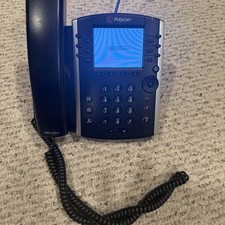
Polycom VVX 411 12-Lines Desktop VoIP Phone (2200-48450-025)
$20.00

NEW Cisco IP Phone 7841-K9 4-Line VoIP Gigabit PoE CP-7841-K9
$49.95
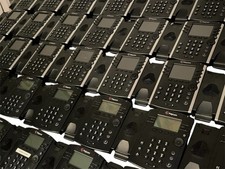
Lot of 35 Polycom VVX 300 & VVX400 IP Phones
$150.00
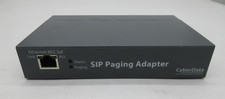
CyberData 011233C Sip VoIP Paging Adapter
$100.00
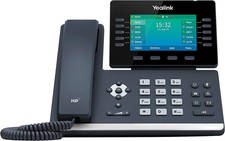
Yealink T54W IP Phone, 16 VoIP Accounts. 4.3-Inch Color Display - Black
$99.95

Cisco/Linksys SPA2102 VoIP Phone Adapter Router 2FXS (Unlocked)
$17.99

Cisco / Linksys SPA2102 VoIP 2FXS Phone Adapter with Router (unlocked)
$18.99
Cisco CP-8861-K9 8861 VoIP IP Corded Phone Charcoal New 9 available
$118.00
YEALINK T34W PHONE & 2 MONTHS OF PHONE SERVICE
$65.00

Grandstream WP810 Portable Cordless Wi-Fi IP Phone
$54.99



 Reply With Quote