-
Senior Member
registered user
Lilo not booting and showing 99 99 99 99 99 99 99....
After reinstalling knoppix v3.4 debian style now lilo will not run from the HD. If I want to boot into lilo I need to boot from the A: drive with the boot disk that was created at installation. I would like to restore the lilo configuration to change the lilo.conf file. I have changed it and ran lilo -v but it still does 99 99 99 99 99 99 99 99.... To get into windows I need to boot from the same disc with the lilo ouput on it. It looks exactly like the lilo from the hd but its running from the floppy drive. It gets me there but I don't like the hassle of the disc in the drive and I can't change the boot options. Would like to change the timeout again..which I did but I am not booting from the hd so the boot disc takes over that option.
Can I fix this without having to reinstall knoppix? I have read a post about working from the windows recovery console but was wondering if there is a different way so I can get to the linux partition/OS?
-
Junior Member
registered user
I've found that if I press ctrl + Alt + Del on the 9999999 screen it goes through the next time it hits the LILO
Bryan
-
Senior Member
registered user
I'll try it. It didn't work. Just loops around to the same thing.
-
you must have not installed the lilo at the right place,form where the comp is reading the bootup sequence.
if u r useing windiws also,try to reinstall lilo to the 1st partition of knoppix and use a bootloder to acces them
otherwise install lilo on mbr...
-
Senior Member
registered user
How di I reinstall lilo to mbr?
Could I just reformat and reinstall knoppix? I have xp in other partition and need to get to it. In the option when installing knoppix to place in mbr or in root folder or something like that I think I choose the latter what ever it was. Don't know why.
Just reformatted and reinstalled. All is fine now.
Similar Threads
-
By Bidi in forum Hdd Install / Debian / Apt
Replies: 9
Last Post: 01-07-2005, 02:30 AM
-
By AdmiralJonB in forum Hdd Install / Debian / Apt
Replies: 0
Last Post: 06-28-2004, 07:45 AM
-
By ldp in forum Hdd Install / Debian / Apt
Replies: 4
Last Post: 06-17-2004, 08:21 AM
-
By Daedaleus in forum Hdd Install / Debian / Apt
Replies: 1
Last Post: 02-05-2004, 07:21 PM
-
By reub2000 in forum General Support
Replies: 9
Last Post: 05-27-2003, 10:10 PM
 Posting Permissions
- You may not post new threads
- You may not post replies
- You may not post attachments
- You may not edit your posts
-
Forum Rules

Original Vintage Old Style STANDARD Black CD Jewel Case (Heavy Duty) 90g Lot
$316.95
Vintage IBM Model M Keyboard
$80.00
Vintage Key Tronic LT DESIGNER Mechanical/Rubber Dome Keyboard DIN-5 AT/XT
$50.00
Vintage HP Compaq nc6400 Laptop – Windows XP Pro – Works – Charger Included
$67.00
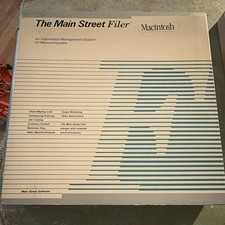
Vintage Main Street Software Filer Macintosh User Manual Binder w Floppy UNTESED
$54.99

VINTAGE eCIRCUIT Mouse Corded Trackball USB PS2 PC Mac New
$18.00
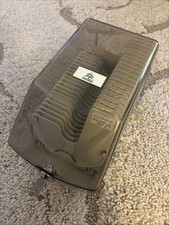
Vintage CD ROM Case Holder 20x Storage Adjustable Divider With Key
$34.95
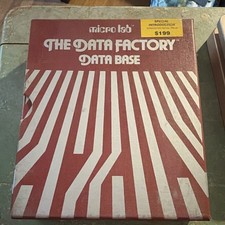
Micro Lab The Data Factory Data Base Vintage Floppy Disks SEALED Manual UNTESTED
$69.99
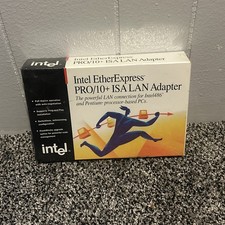
Vintage Intel EtherExpress PRO LAN Adapter With Flash BRAND NEW
$29.99
V2 Premier 9120 Vintage PC Pentium 4 2.4GHz w / 256MB RAM CD-RW Floppy NO HDD
$299.99



 Reply With Quote