

 Reply With Quote
try:
Good Luck,Code:kpackage *.deb
AJG


I have downloaded a couple programs like mplayer and kxsmooth dock hat I would like to install but I am not very good with console. I tried cd to the directory that I had kx dock in and tried typing ./configure debian-binary but I couldn't get it to start. How can I use console to install programs? Thanks.
try:
Good Luck,Code:kpackage *.deb
AJG
The title..It's a bit confusing.....If you download file from point&klik, it should intall automaticaly in your home directory and a menu will appear on your KDE menu, eventhough it's not appear in mine(I'm using kano).
If you mean compiling and install application from source code,then the procedure will be something like this:
1) Extract the source code to your temporary folder ( you could use ark ).
2) Open konsole and su
3) Change directory to where you extract your source code.
4) Run command: ./configure --prefix=/usr Some apllication don't need you to run ./configure. Make sure you read the installation readme first. You don't have to use prefix. I use it to make sure it will install in /usr/share, eitherwise it will install in /usr/local.
5) make
6) make install. You're done.
Not all application can be succesfull compiled this way.
I would suggest you try find debian package first before trying DIY.
Search here:http://www.apt-get.org/
Sorry, the title not confusing at all, it's my eyes. I didn't see not.

If you want to install *.deb package, the gui way, you need to install (apt-get)kpackage.
Open the *.deb package using kpackage by right clicking on it --->Open with --->system-->kpackage. You can tick remember application assosiation, so that next time you don't have to right click anymore.

I tried seaching for kpackage but it didn't turn up any results that I could see that linked to kpackage. Do you have another method or a link?
open konsole and run this command:
su
apt-get update
apt-get install kpackage
 Posting Permissions


Intel i7-8700 Coffee Lake 3.2GHz 6-Core Max Turbo 4.6GHz Processor
$69.99
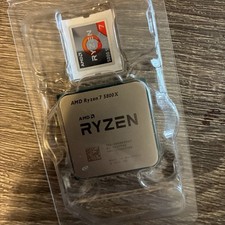
AMD Ryzen 7 5800X Desktop Processor (4.7GHz, 8 Cores, Socket AM4)
$169.99

Intel Core i7-9700 3.0 GHz 8 Core Processor
$85.00

Corsair RM750e 750W Fully Modular 80 Plus Gold ATX 3.1 PSU Certified Refurbished
$44.99

Intel Core i7-7700T 2.9GHz 8MB Socket LGA1151 Quad Core Processor SR339
$39.99

Intel 4th Gen Core i7-4790 SR1QF 3.60GHz (Turbo 4.00GHz) 8M 4-Core LGA-1150 CPU
$39.99

Intel Core i7-9700 SRG13 3.0 GHz Desktop CPU
$80.00

Intel SR3XE Core i5-8500 3.0GHz 9M Socket 1151 6-Core CPU Processor *Tested*
$32.99
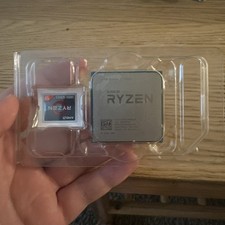
AMD Ryzen 7 1700X 8-Core 16-Thread AM4 CPU Socket TDP 65W 3.4GHz
$34.50
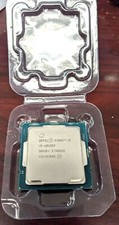
Core i3-10105F 4-Core Comet Lake Processor 3.70GHz 8GT/s 6MB LGA 1200 CPU Tray
$79.00