

 Reply With Quote
try:
Good Luck,Code:kpackage *.deb
AJG


I have downloaded a couple programs like mplayer and kxsmooth dock hat I would like to install but I am not very good with console. I tried cd to the directory that I had kx dock in and tried typing ./configure debian-binary but I couldn't get it to start. How can I use console to install programs? Thanks.
try:
Good Luck,Code:kpackage *.deb
AJG
The title..It's a bit confusing.....If you download file from point&klik, it should intall automaticaly in your home directory and a menu will appear on your KDE menu, eventhough it's not appear in mine(I'm using kano).
If you mean compiling and install application from source code,then the procedure will be something like this:
1) Extract the source code to your temporary folder ( you could use ark ).
2) Open konsole and su
3) Change directory to where you extract your source code.
4) Run command: ./configure --prefix=/usr Some apllication don't need you to run ./configure. Make sure you read the installation readme first. You don't have to use prefix. I use it to make sure it will install in /usr/share, eitherwise it will install in /usr/local.
5) make
6) make install. You're done.
Not all application can be succesfull compiled this way.
I would suggest you try find debian package first before trying DIY.
Search here:http://www.apt-get.org/
Sorry, the title not confusing at all, it's my eyes. I didn't see not.

If you want to install *.deb package, the gui way, you need to install (apt-get)kpackage.
Open the *.deb package using kpackage by right clicking on it --->Open with --->system-->kpackage. You can tick remember application assosiation, so that next time you don't have to right click anymore.

I tried seaching for kpackage but it didn't turn up any results that I could see that linked to kpackage. Do you have another method or a link?
open konsole and run this command:
su
apt-get update
apt-get install kpackage
 Posting Permissions


Original Vintage Old Style STANDARD Black CD Jewel Case (Heavy Duty) 90g Lot
$316.95

Vintage GTE XT300 Action Station Terminal 1984 - Tested Works Orig. Box & Foam
$889.00

Vintage Tandy Computer Varsity Scripsit Word Processing 3.5 & 5.25 Disks SEALED
$29.95

VINTAGE COLLECTIBLE Comp USA Maxtor 20 GB 3.5 Inch EIDE Hard Drive NEW SEALED
$500.00
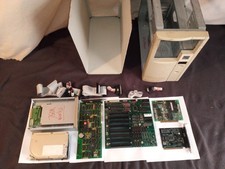
Vintage ITO/ Juko St 1988 ibm compatible PC Computer Tower, Untested
$239.95
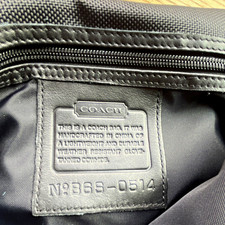
Vintage COACH Express Briefcase Black Leather Adjustable Strap B6S-0514
$95.00
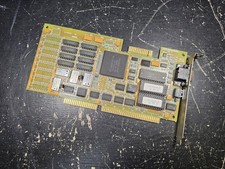
Vintage Paradise VGA Plus 16 ISA Video Card 1988 Western Digital PVGA1A TESTED
$79.99
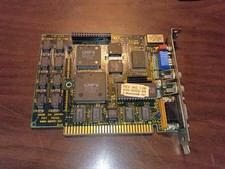
Vintage Video-7 VEGA 8-Bit ISA EGA Card Rev 1.06 1986 – Tested Working
$129.99
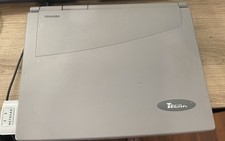
Vintage Toshiba Tecra 780CDM Laptop Computer Windows 98 & WiFi Adapter
$170.00
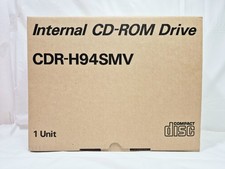
Vintage Sanyo CDR-H94SMV Internal SCSI CD-ROM Drive. 1994 NIB
$70.00