

 Reply With Quote
Have you tried /Settings/Menu Editor in the main menu?


I really don't like the disorganized and un-uniform kde menu in Knoppix.
1) Is there anyone out there that has organized the menu really nice and have their files available so I can put them on my own computer?
2) If not, it would be nice to edit the program description (the between the parenthesies) but the kde menu editor doesn't allow me to do this, and going through all the files with a text editor is a pain. Are there any other menu editors out there?
Thanks,
Erik
Have you tried /Settings/Menu Editor in the main menu?
Uhhhh yeah? I said in my first post you can't edit the program description using the menu editor.
Hay, I've just tried to edit a description at the menu. It just worked fine. I changed XFig to XFig 3.2. I made a lot of new entries, and that worked fine also. I work with a harddisk installed knoppix 3.6.Originally Posted by gameshints
I had the problem: I edited a little too much, and I removed a whole directory in the menu. What did I do? I booted from the CD and looked at the original, I pasted and copied all my lost entries to a text file and wrote that file to a diskette. I booted back again to my hd installed Debian(knoppix) and made the directory with all my lost entries again in the menu. Worked just fine.
Just to mention: it was the directory with all the Graphics programs in it...
Maybe there's a more easy way to menage these kind of problems, but this worked out for me by all means.
Have fun and success to solve your problem.
pvdvyve
Not sure if this is going to do your trick, but, it appears it should....
Control Center -> Desktop -> Panels -=- then select on the right pane, Menus -=- choices given are: Name Only, Name (Description), and lastly, Description (Name) -=- I am going to take a guess, as it is set in mine, that the "default" setting for this, is, "Name (Description)", and by changing the radio selection (dot) from this setting to just "Name Only", and applying this change, your menus will just display the "name"
Hope this helps,
Ms. Cuddles
EDIT: Did this on my system, and the () parenthesis descriptions were "evaporated" from within my menus - so it does the trick perfectly
( also, I am sorry, but, I am assuming that you are running KDE as your desktop manager )
END EDIT
 Posting Permissions


Apple Macintosh Classic M1420 Vintage Desktop Computer Model Macintosh Classic
$100.00

Vintage Edmark TouchWindow for Macintosh DeskTop Computer Touch Window Never Usd
$79.99

Vintage 1998 iMac G3 M4984 Mac OS + Keyboard Working but Needs Some Repair Read
$295.00
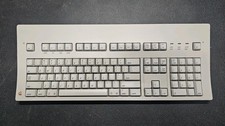
Vintage Apple Macintosh Keyboard M0115
$120.00

Vintage Apple Macintosh Plus Desktop Computer - M0001A
$150.00
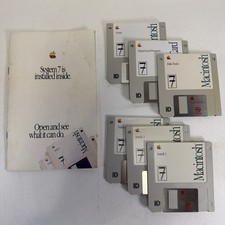
Vintage Mac System 7 Personal Upgrade Kit Apple Software 3.5” Floppy
$29.99

185--Sonnet Crescendo G3 PPCG3-375-5-K-06 G3 Add-On Card for Vintage Mac
$99.00
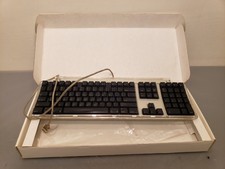
Vintage Apple Pro Keyboard USB Mac M7803 **Used in box
$75.00

Mixed Lot Vintage Mac Windows media / Graphics / Sound Software - CDs 37 Pieces
$40.99

Apple Power Macintosh PowerPC 7300/200 VTG w Keyboard Mouse Storage Drive Read
$199.99
