-
Problems with knoppix 3.6 after using earlier versions
I hope someone can shed some light on this. I'm new to Linux and Of course KNoppix. I had been using v3.3 and decided to try v3.6 the problem is that it will not load up. I checked 2 different cd burns just in case. I will load up in text mode and using the failsafe boot mode but if I boot it normally I get to look at a nice black screen right after the initial boot screen. Is there something I need to uninstall from the earlier version? Can someone help?
-
If you are using a saved configuration you probably
won't be able to use your old config.tbz with 3.6.
I was not able to use mine from 3.4.
If you are not using a saved configuration then maybe you can
try one of the cheat codes.
In 3.4 I had to use alsa cheatcode.
In 3.6 alsa locked up on sound card init.
-
I also burned a copy of version 3.4 since I really didnt need the extra stuff that comes on 3.6 and it did the same thing.
Will the alsa cheat code allow me to replace the config.tbz? Im running straight off the cd and haven't saved anything that I'm aware of.
Another issue I forgot to mention in my eralier post is this, Has anyone been able to get a Belkin F5D6020 wirless card to work with knoppix? I tried to compile the drivers but cannot write to the /usr/src/ directory since it's on the cd (i guess)
-
Ok Im back, the same 3.6 disk that did not work on my laptop works just fine on my desktop so I can rule out a bad .iso. I'm still very new to this OS so I'm still learning. I tried the alsa cheat but it gave me a message something to the effect of invalid file or the like. I most likely messed something up in trying. Can someone with a little patience walk me through the steps to make sure I'm not messing anything up. and would it make a difference if I just did an hdinstall on a separate partition so I could actually change things????????
-
Junior Member
registered user
I have the same problem! exept i dont have knoppix installed on any of my hard drives, i just boot it up from the cd. version 3.6 wiorks fine on my desktop and laptop, but when i try to load the 64 bit version on my desktop i get a black screen right after the boot screen too.
-
I found a solution to this on another posting at the boot prompt enter:
knoppix26 apm=off nolapic noscsi momce api=on
it worked for me but is a whole lot of typing to do everytime I boot it up. I have been using knoppix off the cd. will a hdinstall make the process easier?
Similar Threads
-
By sakiZ in forum Tips and Tricks
Replies: 0
Last Post: 08-08-2005, 03:02 AM
-
By goodguy23 in forum Hardware & Booting
Replies: 0
Last Post: 08-07-2005, 08:44 AM
-
By hrymur in forum General Support
Replies: 1
Last Post: 06-12-2004, 05:02 AM
-
By coindood in forum General Support
Replies: 1
Last Post: 02-19-2004, 01:20 AM
-
By Jared in forum General Support
Replies: 20
Last Post: 11-04-2003, 02:30 AM
 Posting Permissions
- You may not post new threads
- You may not post replies
- You may not post attachments
- You may not edit your posts
-
Forum Rules


Dell 6P85J 4TB ST4000NM0063 7.2k 6Gb/s 3.5” SAS SED Hard Drive with Tray
$39.99

Western Digital HUS726T4TAL5204 4TB 7.2K SAS 12Gb/s 3.5" 512e HDD NetApp X375A
$64.00

(ST8000NM0045) SEAGATE ENTERPRISE 8TB 7200RPM 4Kn SATA 6Gb/s 3.5" HARD DRIVE
$199.99

DELL 2TB Enterprise HDD (7200RPM, 3.5", SATA III, 128MB Cache) HUS722T2TALA600
$49.95

Seagate ST500DM009 BarraCuda 500 GB 3.5" SATA III Desktop Hard Drive
$14.99
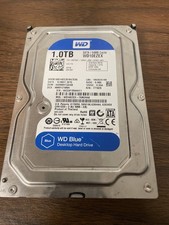
Western Digital WD Blue 1TB SATA 3.5in 7200RPM 64MB Internal HDD WD10EZEX
$14.99

HGST Ultrastar 7K4000 3TB 7200RPM SATA III 3.5" Hard Drive HDD HUS724030ALA640
$39.99

HGST HUS724040ALA640 HDD 4TB SATA 6Gb/s 7.5K 3.5" 0F19459 512 b/s
$78.00

Seagate ST8000DM004 8TB 3.5" 6Gb/s 256MB SATA HDD P/N: 2CX188-300 Tested
$149.99

Seagate ST12000NM0127 12TB 256MB 7200RPM 3.5" SATA 6.0Gb/s Enterprise Hard Drive
$318.99



 Reply With Quote