-
Senior Member
registered user
time zone woes
oh I can't believe I am having so much trouble here. Got cable, so thought it would be nice to add a time syncing. Installed ntp-simple. Then the trouble began. Not only won't it work (command ntpdate says no servers can be used, yes there are permissions for time and ntp in iptable and I am trying as root) but my local time zone is now utc. Nothing will budge that. Where is local time zone "set"?????????? I can change the time zone it "shows" in tray but that is not the local time zone according to this system now, local is utc. Should be eastern us (EDT right now).
I had quit smoking. I am going out to buy a pack now. 
-
Senior Member
registered user
Re: time zone woes

Originally Posted by
nishtya
oh I can't believe I am having so much trouble here. Got cable, so thought it would be nice to add a time syncing. Installed ntp-simple. Then the trouble began. Not only won't it work (command ntpdate says no servers can be used, yes there are permissions for time and ntp in iptable and I am trying as root) but my local time zone is now utc. Nothing will budge that. Where is local time zone "set"?????????? I can change the time zone it "shows" in tray but that is not the local time zone according to this system now, local is utc. Should be eastern us (EDT right now).
I had quit smoking. I am going out to buy a pack now.
You will be prompted for root password, so if you haven't set one yet set it now.
Then right click on the time display, select 'adjust date & time' , enter root password, set your timezone from the dropdown select, readjust your time because it will advance/retard according to the time zone change, 'apply' changes & OK to exit. Then rt click on the time display again & set 'show timezone' to local. Then logout 'end session only' to restart x & it should be done. It should log back in automatically.
Se also this post:
http://www.knoppix.net/forum/viewtopic.php?t=12689
-
Senior Member
registered user
-
Senior Member
registered user
also fwiw, the timezone file in /etc does state America/New_York. I don't know what/where is overriding it 
-
Senior Member
registered user
once again, poor form to respond to myself but as usual, for the next poor slob:
I looked at the changelog for deb's timezoneconf, noted there about how they : * debian/postinst: Create a symlink from /etc/localtime to
/usr/share/zoneinfo/, instead of copying the latter to
the former. (Closes: #131837)
way back in 2002
hmmmm
noted I didn't have the file /etc/localtime although my zoneinfo was pointing to it. I did a search on the partition with my BH4 install. BINGO, I had a localtime, copied it to this install. Reboot. Hooray, I am back in the USA.
What the heck happened? How did the installation of ntp-simple (get the "simple" part) cause my localtime to go POOF?
I will update my time manually. No problem. (not smoking yet but linux will be the death of me)
Nish
-
FYI: NTP is probably overkill for most users. It's much easier to use "rdate" which is already in Knoppix. Choose a Stratum 2 server nearest you from the list at: http://www.eecis.udel.edu/~mills/ntp/servers.html
(see the link at the bottom of the page), check that you can get an answer from it:
Code:
rdate -p strat2.server.name
and then put this command in knoppix.sh:
Code:
rdate strat2.server.name
or perhaps you can put this:
Code:
sudo rdate strat2.server.name
in .profile (I haven't tried this).
Best Wishes
Pete
-
Senior Member
registered user
hmmm thanks, Pete. If it is in knoppix it is probably in here. Will give it a try if ntp gives me any more grief.
Actually turned out to be a bug. Kano has a script for it - I love those scripts but really wish there was some descriptions or a faq on when to use or NOT to use them. I generally peak in there to see what they are going to do. And to be on the safe side I made a backup of that localtime file. 
-
I'm glad you got your problem worked out but I would like to hear more about what you're smoking?  Gimme' some. I need it.
-
rdate does not work for me, i get "command not found" even if i sudo and even after running apt-get install (which just tells me i have the newest version)
any ideas what i am doing wrong?
-
Senior Member
registered user
Originally Posted by
jMon54
rdate does not work for me, i get "command not found" even if i sudo and even after running apt-get install (which just tells me i have the newest version)
any ideas what i am doing wrong?
any output from man rdate? I can't check, don't have rdate on my kanotix bh9a. Use find, search /etc and /usr (probably /usr/bin or /usr/sbin ) for the executable then issue the command using the full path. might be in /etc/init.d since time sycning is probably a startup thing.
all this is just guessing!
Similar Threads
-
By pearman in forum Hdd Install / Debian / Apt
Replies: 0
Last Post: 07-21-2005, 10:40 AM
-
By ccaaee in forum Hdd Install / Debian / Apt
Replies: 0
Last Post: 03-17-2005, 05:28 PM
-
By tempo in forum Hdd Install / Debian / Apt
Replies: 1
Last Post: 09-25-2004, 09:23 PM
-
By jjjrrr3 in forum General Support
Replies: 2
Last Post: 05-12-2004, 06:29 AM
-
By lothario in forum Networking
Replies: 0
Last Post: 03-15-2004, 03:02 AM
 Posting Permissions
- You may not post new threads
- You may not post replies
- You may not post attachments
- You may not edit your posts
-
Forum Rules


SK Hynix 32GB 2RX4 PC4-2666V DDR4 RDIMM Server Memory RAM, HMA84GR7AFR4N-VK
$169.95

SMART(Micron)SafeStor 32GB(1X32GB) 1RX4 NN4-3200AA(DDR4) HPE Server Memory
$159.98
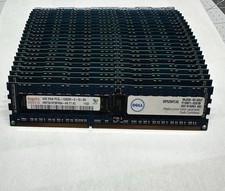
Hynix & Samsun (Lot Of 36) 4GB 2Rx8 PC3L-10600R DDR3 Server Memory 144GB Total
$120.00

Dell 16GB PC4-21300 (DDR4-2666) Memory (SNPPWR5TC16G)
$89.99
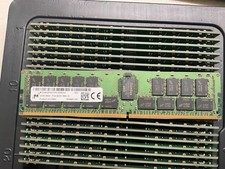
MTA36ASF4G72PZ-2G9E2 MICRON 32GB (1X32GB) 2RX4 PC4-2933Y MEMORY
$229.00

Kingston 32GB 64GB 128GB 256GB USB 3.0 Flash Drive Thumb Memory Stick Pen lot
$285.90

USB 3.0 Flash Drive 32GB 64GB 128GB Memory Stick Thumb Stick Lot Pack
$826.09
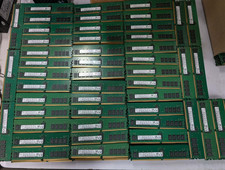
Lot 100 SK hynix 16GB 2Rx8 PC4-23400 DDR4-2933Y ECC Reg Server Memory RDIMM RAM
$9599.00

Micro SD Adapter To SD HC SDHC Memory Card Adapter Reader NEW
$1.39

24x Micron MT40A512M16LY-062E IT:E 8Gb DDR4-3200 96-FBGA Memory IC
$349.99



 Reply With Quote