

 Reply With Quote
If you set all on hold, you can't upgrade anything...


Other than using dselect and marking each package individually, is there a way to mark all packages hold? Something that could be used in a script maybe?
If you set all on hold, you can't upgrade anything...
deleted: didn't work as expected
Yep!, that's true. Hold will prohibit dselect from updating. It won't disallow me from overiding a hold for update on a package by package basis. All I have to do is mark the packages I want updated with +.
Since I've been working with Knoppix V3.6 I've found that if the first thing I do in dselect is update, nothing in select, go to install, I get a list of about 20 new packages to install and 384 to be upgraded. The first few times I did this I thought okay, let it do what it thinks it should do. Boy, was I wrong. I could never get a good test boot after that. It would try to install mount and sysv-init and remove mount-aes and who knows what else.
Now, the first thing I do is mark all packages hold. Then update so I can select a few packages I want (like aptitude) without interference from dselect update setting its own agenda of what packages I should have. My test boots now work consistently as I winnow the package list down smaller and smaller. Once I have a base package list, I'll selectivily update packages to latest versions.
At this point I have most of the process in script except for setting all packages to hold. I am still doing this manually and would like to have it done for me from a script. Any ideas?
Yeah. I actually wanted the same from a script so I fiddled around..
# dpkg-query -W --showformat='echo ${Package} hold | dpkg --set-selections\n' > holdall
# chmod 777 holdall
# holdall
This creates a script with all package names found with the query thing and append cmds to hold the package.
--> It takes quite some time to finish.
4 mins here.
you can open another shell and write
dpkg --get-selections
and see how far its come down the list
hope it helps
Brilliant!
I looked and looked and didn't see that solution. man dpkg describes the option but not clearly enough for me.
I changed the script and it ran on my system in about 1 second. Do you get the same?
dpkg-query -W --showformat='${Package} hold\n' | dpkg --set-selections
Thanks again metavoid
>I changed the script and it ran on my system in about 1 second. Do you get the same?
Well first time I was compiling and it took like 4 mins.
Then I reran it agian to unhold all again and that took like 2-3 secs.
Glad it worked for you.
Ohh. A far more clever version
Thanks. Im not good at bash yet.
dpkg-query -W --showformat='${Package} hold\n' | dpkg --set-selections
This one does the job in 1 sec !
I'm not all that great. One of the things I do early in creating a script is seperate the input and output to files so I can see what is being created at each stage. When I get it working I link them up with pipe.
My first computers 20 years ago were unix and custom real-time operating systems. Oh, ya, there was a time I had everything Amiga. About 15 years ago I ended up on MS stuff doing database applications. I only started back into unix a month ago. Boy things have changed; except, at a basic level it is just as I remember when I started so many years ago. Catching up on all the new great stuff everybody is doing has my head spinning.
Hehe. 20 years ago I had something called a power 3000. I had an 16 KB! extra memory module and it was really hardcore..
Been using Windows since first beta. Started linux 2 years ago and
suddenly found home. Im writing this inside a virtual pc running knoppix 3.6. It works great. When finsih fiddling with it, I partimage it to a real partition and use the image to nuke XP. After I found knoppix I felt at home. Its really powerfull and there is very little fiddling with hardware.
 Posting Permissions


Dell 6P85J 4TB ST4000NM0063 7.2k 6Gb/s 3.5” SAS SED Hard Drive with Tray
$39.99

Western Digital HUS726T4TAL5204 4TB 7.2K SAS 12Gb/s 3.5" 512e HDD NetApp X375A
$64.00
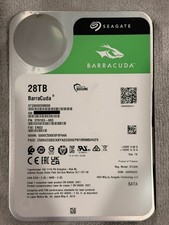
Seagate BarraCuda 28TB 7.2K SATA 6Gb/s 3.5in Internal HDD ST28000DM000 - Tested
$670.00

Seagate ST12000NM0127 12TB 256MB 7200RPM 3.5" SATA 6.0Gb/s Enterprise Hard Drive
$318.99

Seagate ST4000NM0034 Enterprise 4TB 7200RPM SAS 12Gb/s HDD v4
$39.00

Seagate ST500DM009 BarraCuda 500 GB 3.5" SATA III Desktop Hard Drive
$14.99

HGST HUS724040ALA640 HDD 4TB SATA 6Gb/s 7.5K 3.5" 0F19459 512 b/s
$78.00

Toshiba 14TB MG07 MG07ACA14TEY 7.2K RPM SATA 6Gb/s 512e 3.5" Enterprise HDD
$329.00

Seagate ST8000NM0075 Enterprise Capacity 3.5 HDD 8TB SAS Hard Drive 8TB EXOS
$184.99

DELL 2TB Enterprise HDD (7200RPM, 3.5", SATA III, 128MB Cache) HUS722T2TALA600
$49.95
