

 Reply With Quote
These may give you some ideas.
http://www.knoppix.net/forum/viewtop...?p=52847#52847
http://www.knoppix.net/forum/viewtop...?p=59980#59980
jd


I have an harddrive with 1.2GB as hda1 formatted as fat32.
I followed the Poor Man's Install and everything is ok.
I created a persistent home as image, i save my config.
Everything is ok, and running with cheatcodes:
knoppix home=scan myconfig=scan fromhd=/dev/hda1
but i'd want to boot from HD and not from CD, but i don't know how to configure the grub or the lilo.
Help me, please.
These may give you some ideas.
http://www.knoppix.net/forum/viewtop...?p=52847#52847
http://www.knoppix.net/forum/viewtop...?p=59980#59980
jd
see this:http://www.knoppix.net/docs/index.ph...HDInstallHowTo
it has tips about installing a toHD system.
To summarize:
use lilo. I'm assuming you have only one partition, hda1 (or hda1 plus a swap).
copy the directory /boot/isolinux from the cd to the hd.
you really only need the files /boot/isolinux/linux24, linux26, minirt24.gz & minirt26.gz.
Then edit /etc/lilo.conf add the following:
If you have another o/s, add it too. a windows entry is usuallyCode:image=/mnt/hda1/boot/isolinux/linux24 label="Knoppix3.4-24" append="lang=us fromhd=/dev/hda1 home=scan myconfig=scan apm=power-off" initrd=/mnt/hda1/boot/isolinux/minirt24.gz read-only image=/mnt/hda1/boot/isolinux/linux26 label="Knoppix3.4-26" append="lang=us fromhd=/dev/hda1 home=scan myconfig=scan apm=power-off" initrd=/mnt/hda1/boot/isolinux/minirt26.gz read-only
run lilo to install lilo to the mbr.Code:other=/dev/hda1 label="Windows" table=/dev/hda
That's it, you should now be able to boot into your Knoppix.
If you are unable to edit /etc/lilo.conf because of the read only file system, copy it to /home/knoppix then run lilo with
lilo -c /home/knoppix/lilo.conf
Oops; sorry I think this should be:
notCode:image=/dev/hda1/boot/isolinux/linux24 and initrd=/dev/hda1/boot/isolinux/minirt24.gz
Code:image=/mnt/hda1/boot/isolinux/linux24 initrd=/mnt/hda1/boot/isolinux/minirt24.gz
Sorry but it's the other way around; eg the mnt entries are the correct ones. Note that hda1 needs to be mounted (eg on its default mount point /mnt/hda1) when running lilo. I advise to always run "lilo -v" and pay attention to the possible error messages.Originally Posted by CrashedAgain
Right. I thought of that also but haven't had time to correct myself yet.
 Posting Permissions


DKB MegAChip for Amiga 2000/500 2MB Chip Ram expansion with 8375 Agnus Tested
$285.00

Framethrower, Amiga HDMI output via a PiStorm A500 A2000
$40.00
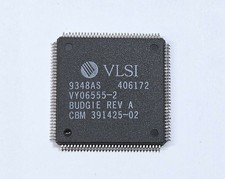
Commodore Amiga 391425-02 BUDGIE REV A Chip for A1200 #9348
$79.99

Commodore Amiga A1200 Vintage Computer Power Supply Mouse Bundle - Tested
$999.99

Commodore Amiga 2000HD Vintage Personal Computer A2000
$599.99
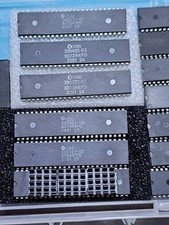
ECS SUPER DENISE CSG 390433-02 8373R4PD for Commodore Amiga 500 2000 2500 3000
$127.00
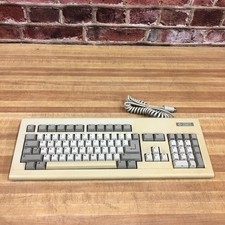
Vintage Commodore Amiga 2000 Computer Keyboard
$249.95
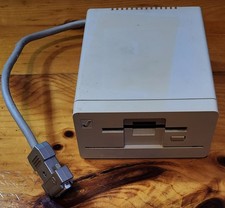
Commodore Amiga 1010 External 3.5” Floppy Drive A500 A1000 A2000 • Untested
$64.99

RGB2HDMI Amiga 500 UltraLong (Accelerator Friendly) HDMI Games, non-RTG A500
$50.00

Commodore VIC-20 Diagnostic Cartridge & Test Harness Set - USA seller
$39.99