

 Reply With Quote
These may give you some ideas.
http://www.knoppix.net/forum/viewtop...?p=52847#52847
http://www.knoppix.net/forum/viewtop...?p=59980#59980
jd


I have an harddrive with 1.2GB as hda1 formatted as fat32.
I followed the Poor Man's Install and everything is ok.
I created a persistent home as image, i save my config.
Everything is ok, and running with cheatcodes:
knoppix home=scan myconfig=scan fromhd=/dev/hda1
but i'd want to boot from HD and not from CD, but i don't know how to configure the grub or the lilo.
Help me, please.
These may give you some ideas.
http://www.knoppix.net/forum/viewtop...?p=52847#52847
http://www.knoppix.net/forum/viewtop...?p=59980#59980
jd
see this:http://www.knoppix.net/docs/index.ph...HDInstallHowTo
it has tips about installing a toHD system.
To summarize:
use lilo. I'm assuming you have only one partition, hda1 (or hda1 plus a swap).
copy the directory /boot/isolinux from the cd to the hd.
you really only need the files /boot/isolinux/linux24, linux26, minirt24.gz & minirt26.gz.
Then edit /etc/lilo.conf add the following:
If you have another o/s, add it too. a windows entry is usuallyCode:image=/mnt/hda1/boot/isolinux/linux24 label="Knoppix3.4-24" append="lang=us fromhd=/dev/hda1 home=scan myconfig=scan apm=power-off" initrd=/mnt/hda1/boot/isolinux/minirt24.gz read-only image=/mnt/hda1/boot/isolinux/linux26 label="Knoppix3.4-26" append="lang=us fromhd=/dev/hda1 home=scan myconfig=scan apm=power-off" initrd=/mnt/hda1/boot/isolinux/minirt26.gz read-only
run lilo to install lilo to the mbr.Code:other=/dev/hda1 label="Windows" table=/dev/hda
That's it, you should now be able to boot into your Knoppix.
If you are unable to edit /etc/lilo.conf because of the read only file system, copy it to /home/knoppix then run lilo with
lilo -c /home/knoppix/lilo.conf
Oops; sorry I think this should be:
notCode:image=/dev/hda1/boot/isolinux/linux24 and initrd=/dev/hda1/boot/isolinux/minirt24.gz
Code:image=/mnt/hda1/boot/isolinux/linux24 initrd=/mnt/hda1/boot/isolinux/minirt24.gz
Sorry but it's the other way around; eg the mnt entries are the correct ones. Note that hda1 needs to be mounted (eg on its default mount point /mnt/hda1) when running lilo. I advise to always run "lilo -v" and pay attention to the possible error messages.Originally Posted by CrashedAgain
Right. I thought of that also but haven't had time to correct myself yet.
 Posting Permissions


Seagate ST6000NM0115 6TB 256MB 7200RPM 3.5" SATA 6.0Gb/s Enterprise Hard Drive
$159.99
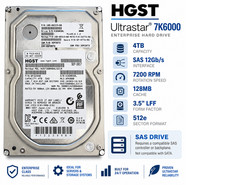
HGST Ultrastar 4TB SAS 12Gb/s 7200RPM 3.5" HDD HUS726040AL5214 4Kn
$56.00

HUS726060ALA640 HGST Ultrastar 6TB SATA 6Gbps 7.2K 3.5" Hard Drive OF21860
$129.99

Seagate BarraCuda ST5000LM000 5TB 5400RPM SATA III 6Gb/s 2.5" Internal Hard
$169.99

Hitachi / HGST Travelstar HTS541010B7E610 1TB 2.5" SATA III HDD
$29.99

HITACHI ULTRASTAR 2TB 7.2K 6G 3.5INCH SATA HDD HUS724020ALA640 | TESTED WIPED
$34.95
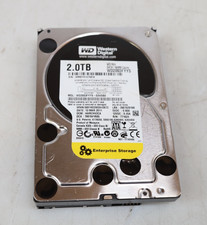
Western Digital 2TB WD2003FYYS-02W0B0 3.5" SATA 7200RPM Hard Drive
$44.99
Seagate Enterprise ST6000NM0034 6TB 7.2K RPM SAS-12Gb/s 128MB 3.5"HDD (not SATA)
$69.99

Western Digital HUS726T4TAL5204 4TB 7.2K SAS 12Gb/s 3.5" 512e HDD NetApp X375A
$84.00

New Western Digital WD40EFPX 68C6CN0 4TB 3.5" SATA III Internal NAS Red Plus HDD
$137.59