

 Reply With Quote
These may give you some ideas.
http://www.knoppix.net/forum/viewtop...?p=52847#52847
http://www.knoppix.net/forum/viewtop...?p=59980#59980
jd


I have an harddrive with 1.2GB as hda1 formatted as fat32.
I followed the Poor Man's Install and everything is ok.
I created a persistent home as image, i save my config.
Everything is ok, and running with cheatcodes:
knoppix home=scan myconfig=scan fromhd=/dev/hda1
but i'd want to boot from HD and not from CD, but i don't know how to configure the grub or the lilo.
Help me, please.
These may give you some ideas.
http://www.knoppix.net/forum/viewtop...?p=52847#52847
http://www.knoppix.net/forum/viewtop...?p=59980#59980
jd
see this:http://www.knoppix.net/docs/index.ph...HDInstallHowTo
it has tips about installing a toHD system.
To summarize:
use lilo. I'm assuming you have only one partition, hda1 (or hda1 plus a swap).
copy the directory /boot/isolinux from the cd to the hd.
you really only need the files /boot/isolinux/linux24, linux26, minirt24.gz & minirt26.gz.
Then edit /etc/lilo.conf add the following:
If you have another o/s, add it too. a windows entry is usuallyCode:image=/mnt/hda1/boot/isolinux/linux24 label="Knoppix3.4-24" append="lang=us fromhd=/dev/hda1 home=scan myconfig=scan apm=power-off" initrd=/mnt/hda1/boot/isolinux/minirt24.gz read-only image=/mnt/hda1/boot/isolinux/linux26 label="Knoppix3.4-26" append="lang=us fromhd=/dev/hda1 home=scan myconfig=scan apm=power-off" initrd=/mnt/hda1/boot/isolinux/minirt26.gz read-only
run lilo to install lilo to the mbr.Code:other=/dev/hda1 label="Windows" table=/dev/hda
That's it, you should now be able to boot into your Knoppix.
If you are unable to edit /etc/lilo.conf because of the read only file system, copy it to /home/knoppix then run lilo with
lilo -c /home/knoppix/lilo.conf
Oops; sorry I think this should be:
notCode:image=/dev/hda1/boot/isolinux/linux24 and initrd=/dev/hda1/boot/isolinux/minirt24.gz
Code:image=/mnt/hda1/boot/isolinux/linux24 initrd=/mnt/hda1/boot/isolinux/minirt24.gz
Sorry but it's the other way around; eg the mnt entries are the correct ones. Note that hda1 needs to be mounted (eg on its default mount point /mnt/hda1) when running lilo. I advise to always run "lilo -v" and pay attention to the possible error messages.Originally Posted by CrashedAgain
Right. I thought of that also but haven't had time to correct myself yet.
 Posting Permissions


Gigabyte 4U AI Server 10x Nvidia GPU 2x Xeon Gold 6150 36 Core 2.7GHz DDR4 RAM
$1625.00

Dell EMC PowerEdge R440 Xeon silver 4215 2.5GHz 16 GB ram 2x 550W PSU No HDD
$275.00

Microsoft Windows Server 2025 Standard 64Bit 16 Core-50 CALs DVD With Key Sealed
$49.99

867959-B21 HPE ProLiant DL360 G10 CTO Server W/ 2x 865414-B21 1x 840140-001
$245.00

Dell PowerEdge C4130 1U AI GPU Server | 2x E5-2680 v3 | 32gb Ram | 2x 1600W
$409.99
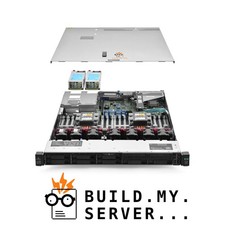
HPE ProLiant DL360 G10 Media Server 3.50Ghz 16-Core 384GB RAM 14TB Storage
$4423.95

Dell EMC PowerEdge R740 8 Bay Server w/ 32GB RAM 2x GOLD 6132 2x 1600W PSU H730p
$499.88

Dell Poweredge R730xd 12LFF 2*2660v4 4*1Gbe h730 2x 750W Server CTO
$308.00

Dell Poweredge R630 2x Xeon E5-2680 v3 2.5ghz 24-Core | HBA330 | No RAM or HDD
$149.99

Dell Poweredge R630 2x Xeon E5-2680 v3 2.5ghz 24-Cores / 64gb / Raid / 2x 1Tb
$374.99