-
a nice way to install Knoppix, but...
Hi guys, I was curious about Linux and found this site:
http://unit.aist.go.jp/it/knoppix/win/index-en.html
it lets me install Knoppix on Windows partition and access it with Grub.
Did anybod else try this?
I have a small problem: it automates everything at the beginni till end and don't give me boot prompt. I need boot prompt to access and restore my Persistent Home thingy saved in my usb flash drive. Can I fix this somehow? Much appreciated.
-
Senior Member
registered user
Yes, I tried it. It works well.
In order to restore your persistent home thingy off your flash drive thingy when you boot this custom Knoppix thingy, you just have to go into Windows and edit GRUB's configuration file thingy, which is C:\boot\menu.lst, with your favorite text editor thingy.
Look for the thingy...I mean the line in menu.lst that looks like this --
Code:
kernel /KNOPPIX/linux26 knoppix_dir=/KNOPPIX knoppix_name=KNOPPIX init=/etc/init lang=us hda=scsi hdb=scsi hdc=scsi hdd=scsi vga=791 ro
-- and put "home=/dev/sda1" (without the quotes) on that line anywhere after "init=/etc/init", save the file, boot into Knoppix with your USB thingy attached, and that should do it.
You can also put other cheatcode thingys in that line, like "noapm".
-
Senior Member
registered user
Is there anything like this for Win98?
-
Is their a 3.6 version for this?
-

Originally Posted by
Kowood
Is there anything like this for Win98?
Originally Posted by
Jameson
Is their a 3.6 version for this?
Yes. Look at this forum:
http://www.knoppix.net/forum/viewtop...r=asc&start=20
You can load and run GRUB from dos, using GRUB.EXE. You can run it from the config.sys (device=grub.exe) ot from the autoexec.bat (grub.exe). But do not load emm386.exe before starting grub. Then you should have a directory called boot in the root of c:/ and a file menu.lst within this directory with the parameters and cheatcodes required to start knoppix (kernel, ramdisk, home, ...) And obviously you need to have the kernel, ramdisk, and knoppix loop back file (700mb) within your fat16/fat32 partition. It works great for me and with 3.6 as well...
Enjoy, Gilles
Similar Threads
-
By pgluth1 in forum Knoppix DVD
Replies: 1
Last Post: 09-08-2005, 08:39 PM
-
By wilson001 in forum Hardware & Booting
Replies: 14
Last Post: 01-25-2005, 05:25 AM
-
By paradox_4 in forum MS Windows & New to Linux
Replies: 2
Last Post: 12-18-2004, 10:19 AM
-
By aay in forum Tips and Tricks
Replies: 5
Last Post: 10-30-2003, 06:05 PM
-
Replies: 11
Last Post: 02-24-2003, 04:52 AM
 Posting Permissions
- You may not post new threads
- You may not post replies
- You may not post attachments
- You may not edit your posts
-
Forum Rules


Seagate ST500DM009 BarraCuda 500 GB 3.5" SATA III Desktop Hard Drive
$14.99

Western Digital HUS726T4TAL5204 4TB 7.2K SAS 12Gb/s 3.5" 512e HDD NetApp X375A
$49.00

5x HGST Ultrastar 4TB SAS 12Gb/s 7200RPM 3.5" HDD HUS726040AL5214 4Kn
$199.00

HGST 10TB Ultrastar SATA 6Gb 256MB 3.5" Enterprise HDD 0f27452 HUH73101ALE600
$170.00

Toshiba 14TB MG07 MG07ACA14TEY 7.2K RPM SATA 6Gb/s 512e 3.5" Enterprise HDD
$299.00

Seagate ST1000VM002 1TB 5900RPM 3.5" SATA 6GB/s HDD Video Hard Drive PC DVR
$24.99
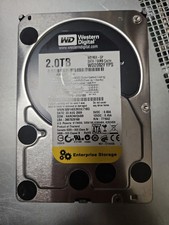
Western Digital 2TB 7200RPM 3.5" (WD2002FYPS) SATA tested 98%-99% health
$29.99

WD Ultrastar DC HC530 14TB SATA 6G 3.5" 7200RPM Enterprise HDD - WUH721414ALE604
$329.99

Dell EMC WD-HITACHI H5H72101CLAR10T0 10TB 7.2K SAS 12Gb/s SED 3.5in A POH 0-50k
$189.99

Dell Constellation ES.3 3TB Enterprise-class Hard Drive (Wiped & Tested)
$39.00



 Reply With Quote