-
Senior Member
registered user
using ssh
I am trying to backup my laptop (small HD) onto my desktop (lotsa room). I also want to see if I can make a remaster based on the system on may laptop but there is no room on the HD to do it so I want to see if I can create_compressed_fs over a ssh connection.
With the laptop running from Knoppix-on-CD, I have established a ssh connection. I am now running the laptop from a shell on the desktop, but of course I can no longer access the desktop from this shell.
So, how do I copy from the laptop to the desktop since I can not see them both in the same shell console?
Yes I can copy the files in Konqueror using fish but I also want to try to create_compressed_fs which needs to be done from a cli.
Something like create_compressed_fs <source=ssh xx/mnt/hda5> <target=my new compressed fs>. (This is not the proper format for the compessed fs command but the question is how do I specify the source address.)
-
Senior Member
registered user
OK, after several hours trying, it appears this is not possible, at least with ssh. Therefore I am resorting to simply trying to copy everything from <laptop>:hda5 to <desktop>:bakup file.
Uh-Oh. It appears this is not possible either. After several more hours, I have come to the conclusion that
1. the only way to transfer files with ssh connection is scp or sftp.
2. scp upchucks somewhere in the middle of trying to copy the /dev directory complaining of too many nested levels of links: it actually seems to be trying to create it's own links & had a level of about 60 accumulated in a few minutes.
3. sftp refuses to copy directories recursively. There are about 4500 directories, copying the files in each one as an individual operation is out of the question. In the end, sftp [email protected]:./hda5/* copies only one file (vmlinuz). (hda5 is mounted on knoppix/hda5).
4. fish doesn't work either, copies all the directories but leaves many of them empty.
So: How do I copy the entire HDinstalled operating system laptop/hda5 to a bakup file on my desktop? I'm going to fiddle with the partition sizes on the laptop, fair chance it will trash the system.
Fis
-
Senior Member
registered user
Have you try a combination of SSH, SHFS and RESYNC?
SHFS : http://shfs.sourceforge.net/
RESYNC : http://samba.anu.edu.au/rsync/
Please don't ask me how 
-
Senior Member
registered user

Originally Posted by
shah
Have you try a combination of SSH, SHFS and RESYNC?
....
Please don't ask me how
How? Oh please tell me how!
Seriously, it looks like that might work. I had never heard of shfs, I might be able to use it to 'remote remaster'.
I went ahead & resized the partitions anyway figuring that if it trashed I could rebuild it in less time than it takes to figure out how to make a backup. So far everything seems OK.
Thanks
-
Senior Member
registered user
There is a reason why
Please don't ask me how
.
Because I haven't try it and I don't need to.
From what I know, you need to run SSH server and use SHFS to mount the remote filesystem to a directory. Then use rsync to copy it.
Something to read:
http://hacks.oreilly.com/pub/h/38
http://unit.aist.go.jp/it/knoppix/shfs/index-en.html
I can't find a good manual how to use shfs, but there is information on its site (installation guide).
Post your how to's here when you successful.
Good luck.
-
Would this be what you were looking for: http://www.knoppix.net/docs/index.ph...veUsingKnoppix
In short: dd if=/dev/hda | gzip --fast -c | ssh user@remotehost /bin/dd of=/tmp/mypc_hda.img.gz
 Posting Permissions
- You may not post new threads
- You may not post replies
- You may not post attachments
- You may not edit your posts
-
Forum Rules


DDR4 Laptop RAM 4GB 8GB 16GB 32GB 2400 2666 3200 Samsung Hynix
$66.00

RAMAXEL Lenovo 32GB LPDDR5X CAMM2 7500MHz Laptop RAM | UNTESTED
$445.00

A-Tech 8GB DDR3 1600 PC3-12800 Laptop SODIMM 204-Pin Memory RAM PC3L DDR3L 1x 8G
$21.68

Crucial DDR3L 16GB 2 x 8GB 1600 MHz PC3L-12800 Laptop RAM Sodimm Memory 1.35V
$41.00

Intel Optane NMA1XXD128GPS DDR4 2666 4Rx4 ECC 128GB Server Ram
$80.00

Corsair Vengeance RGB Pro 32GB (2x16GB) RAM DDR4 3200MHz CMW32GX4M2C3200C16
$169.99

Major Brand 16GB (2x8GB) PC3-12800U DDR3-1600MHz DDR3-12800 DESKTOP RAM NON-ECC
$29.99

Major Brand 8GB PC3L-12800 (DDR3-1600) 2Rx8 DDR3L SDRAM Desktop Memory
$12.99
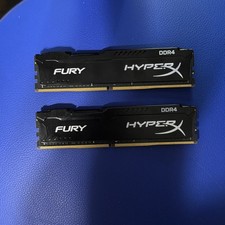
Kingston HyperX Fury 32GB 16GBx2 DDR4 2666MHz RAM HX426C16FBK2/32
$130.00
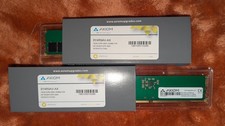
Axiom 32GB (2x16GB) RAM DDR5-5600/PC5-38400 Non-ECC UDIMMs *NEW*
$349.95



 Reply With Quote