-
Sound Card Problems - SoundMax Cadenza (Intel 810)
Hello everyone,
I'm a newbie when it comes to Linux. I've fiddled around with Red Hat a few times, but I've barely scratched the surface. My knowledge of the command line is pretty weak. So...
I'm running knoppix 3.6 (kernel v. 2.4.xx) from a cd on the following system:
P4 2.53GHz
Intel D845PEBT2 MOBO
512MB DDR333
SoundMax Cadenza Audio Chipset (Intel810)
On initial boot, I could run xmms and play an mp3. The file would play, but there would be no sound. So I rebooted and entered the following arguments at the command-line:
"knoppix alsa" to boot with alsa drivers.
post msg's indicate the card is an Intel810 AC97 (which is correct, I believe)
I then opened up the KDE Control Center to change the drivers to ALSA.
After hitting "Apply" I recieved the following error:
"Sound server informational message:
Error while initializing the sound driver:
device: default can't be opened for playback (No such file or directory)
The sound server will continue, using the null output device."
A friend attempted to help me today, and we got close, the modules were installed, but we needed to reboot, and thats where things get even more complicated.
The system hosting my knoppix install is a Windows XP Pro system with three hard-disks, all containing NTFS partitions. I realize knoppix cannot write to NTFS Partitions, and that Capture NTFS will allow knoppix to utilize the .ntfs drivers residing in my XPPro install. So I ran Capture NTFS to try and create a Persistent KNOPPIX Home Directory on my harddrive. A minute or two into the scan, Capture NTFS closes with no message.
So I save my KNOPPIX config file to a floppy, hoping it'll read the configuration at the next boot, and log out anyway. I log back in, only to find the log file for that GAIM session is now gone (there goes my free advice) and that the soundcard still won't make a noise. Also, xmms no longer will play the mp3, it now throws an error up immediately.
So I reboot with the floppy containing my config file, and it launches with the default config.
I reboot again, trying the cmd-line arguments knoppix myconfig... and point it towards the floppy drive (i think), and that didn't work.
I'm at a loss here, and I really want to get above water with Linux.
Can someone help guide me through this??
It would be greatly appreciated.
Thanks in advance,
Jason
-
Still having trouble w/ SoundMax Cadenza... HELP!
Have tried evrything, am now interested in the possibilty of this:
edit rc.local
modprobe snd-intel8x0
insmod snd-intel8x0
then adding rc.local to myconfig before saving myconfig to a floppy
then reboot using this cmd:
knoppix floppyconf (or floppyconfig) home=scan
to load myconfig (including edited rc.local) from floppy and use Persistent Home Directory (2GIGS, vfat, formatted for linux filesystem) for boot.
This sounds great in theory, but I'm really not skilled enough to pull this off on my own.
HELP!
Similar Threads
-
By thummer in forum MS Windows & New to Linux
Replies: 0
Last Post: 04-11-2005, 12:46 PM
-
By vip3r in forum Hardware & Booting
Replies: 7
Last Post: 03-03-2005, 06:15 PM
-
By jaredhanks in forum Hardware & Booting
Replies: 10
Last Post: 08-15-2004, 01:48 PM
-
By knewbex in forum Hardware & Booting
Replies: 0
Last Post: 06-07-2004, 02:49 PM
-
By chad5118 in forum Hardware & Booting
Replies: 4
Last Post: 04-01-2003, 03:54 AM
 Posting Permissions
- You may not post new threads
- You may not post replies
- You may not post attachments
- You may not edit your posts
-
Forum Rules


AMD Ryzen 5 5500 Processor ( read Description)
$59.00

INTEL CORE I7-870 SLBJG 2.93GHZ LGA1156 4 CORE CPU PROCESSOR
$23.00

(LOT OF 20) Intel Core i5-8400 CPU 2.80GHz Desktop Processor (SR3QT)
$700.00

INTEL CORE I9-10940X X-SERIES PROCESSOR | 3.30GHZ | SRGSH
$179.99

Intel Core i7-3770K 3.5 GHz Processor
$39.00

Intel Core i7-9700 Octa-Core 3 GHz Desktop Processor LGA 1151
$79.99

Intel Core i5-12500T SRL5W 2GHz 18MB 6 Core Socket LGA1700 Desktop CPU Processor
$114.99

Intel i7-8700 Coffee Lake 3.2GHz 6-Core Max Turbo 4.6GHz Processor
$67.99

Intel Core i7-10700 8-Core 16-Thread 2.9GHz Desktop CPU LGA1200 SRH6Y Z490 Z590
$129.00
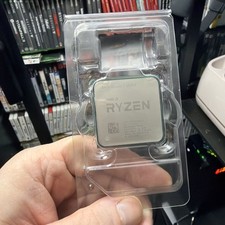
AMD Ryzen 7 5800X Desktop Processor (4.7GHz, 8 Cores, Socket AM4)
$150.00



 Reply With Quote