

 Reply With Quote
What you mean?
Change the res. you run in?
Say from 1024x768 to 800x600
or the size of the desktop ?
For start you can try shift+crtl+alt and plus / minus on the far right.
Look in cheatcode section for booting cd using any resolution you wish.


Does anyone know? Can you actually do that?
What you mean?
Change the res. you run in?
Say from 1024x768 to 800x600
or the size of the desktop ?
For start you can try shift+crtl+alt and plus / minus on the far right.
Look in cheatcode section for booting cd using any resolution you wish.
If you want something graphical, there's an icon near the clock and speaker in the toolbar that you can mess with.
jd
change the res.
Section "ServerLayout"
Identifier "XFree86 Configured"
Screen 0 "Screen" 0 0
^^
XF86Config-4
I am also having resolution problems and have never edited these config files before and is this at "screen" where I would add the default screen resolutions? if not then could you supply a generic config file with all typical screen modes listed where they should be?
thank you very much.
/edit/ I boot from harddrive and am a new knoppix user. /end edit/
 Posting Permissions


Vintage Apple USB Mouse M4848 Bondi Blue iMac G3 Hockey Puck - Tested Working
$22.99

Vintage Apple Color RGB Color Monitor A2M6014. Used.
$199.99
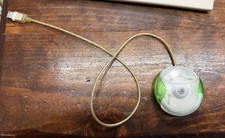
Vintage Apple USB Mouse M4848 Lime Green iMac G3 Hockey Puck - Tested Working
$59.99
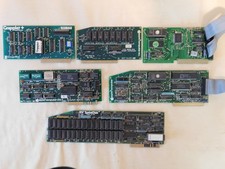
Apple Computer cards Super Serial SCSI AST -Orange Micro ++ Vintage 1980's
$169.00

Rare Vintage Macintosh Apple Wooden Disk Storage Box Dovetailed
$69.95

Lot of 3 VIntage Apple Computer Rainbow Logo Sticker Decal Macintosh 1980s NOS
$7.00
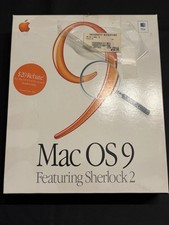
Vintage Apple Mac OS 9 Retail Box 1999 Sherlock 2 Original CD Manuals
$50.00
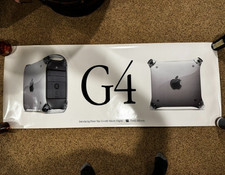
Vintage 1999 Macworld Apple PowerMac G4 Think Different Poster 27x70"
$39.99

Vintage Apple Multiple Scan 15av Display Monitor M4681
$299.99
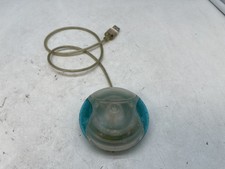
Vintage Apple USB Mouse M4848 Bondi Blue "Hockey Puck" Mac Mouse - Free S/H
$24.99