-
Here's how to use your Prism2 USB device with a WEP AP
I'd been looking for a way to use a typical USB Prism2 device with knoppix - esp. with WEP enabled (since most networks these days seem to have WEP).
From the steps listed in the README, I could get nowhere, esp. with WEP, and the documentation was, as much linux documentation is for me, completely over my head. Hunting around here wasn't helping much either -- seems a lot of other people had the same problem. (Which is why I am posting this).
All I wanted was a simple post-boot script that *just did it*, generically, with the minimum of special info needed. Obviously, I wanted no monkeying around with boot scripts. In a way, it was the missing piece for Knoppix, because to me USB is the only kind of networking that really fits the non-invasive, low-impact philosophy of the bootable CD approach.
Well, thanks to Rudolf Mittelmann's kind sharing on his webpage, I now have a script that gets me 99% of the way. His page is at:
http://artm-friends.at/rm/mylinux.php#atwm
Another useful page:
http://www.siliconvalleyccie.com/lin...mp11-linux.htm
His script, with just a couple characters changed to suit my understanding of the docs, is below. Note that to translate your WEP key to the 4 hex strings needed in the script, run
nwepgen <put plaintext WEP key here>
Incidentally, the last 1% I can't solve yet: I'm not automatically accessing a DNS server through the AP, like the device apparently does in Windows. Anybody know what I need to set to change that? I've tried netcardconfig, but don't really know what to set. Thanks if you have any info.
#!/bin/sh
# ws (wlan-start)
# this script should initialize the GemTek WL-388 mini-USB WLAN module
# [email protected] 2002-10-22
# using linux-wlan-ng-0.1.16-pre6
PATH=/sbin:$PATH
modprobe prism2_usb prism2_doreset=1
wlanctl-ng wlan0 lnxreq_ifstate ifstate=enable
wlanctl-ng wlan0 lnxreq_hostwep decrypt=true encrypt=true # for me this must be host-based encrypt.
wlanctl-ng wlan0 dot11req_mibset mibattribute=dot11WEPDefaultKeyID=0 # which WEP key to use
wlanctl-ng wlan0 dot11req_mibset mibattribute=dot11ExcludeUnencrypted=true
wlanctl-ng wlan0 dot11req_mibset mibattribute=dot11PrivacyInvoked=true
wlanctl-ng wlan0 dot11req_mibset mibattribute=dot11WEPDefaultKey0=<your:first:key:g oes:here>
wlanctl-ng wlan0 dot11req_mibset mibattribute=dot11WEPDefaultKey1=<your:second:key: goes:here>
wlanctl-ng wlan0 dot11req_mibset mibattribute=dot11WEPDefaultKey2=<your:third:key:g oes:here>
wlanctl-ng wlan0 dot11req_mibset mibattribute=dot11WEPDefaultKey3=<your:fourth:key: goes:here>
wlanctl-ng wlan0 lnxreq_autojoin ssid=<your-ESSID-goes-here> authtype=opensystem
#authtype should be "sharedkey" but that does not work for me
ifconfig wlan0 192.168.1.50 # your local WLAN IP address
route add default gw 192.168.1.1 # route to your router IP address
-
I am using a prism2_cs card (PCMCIA card) with knoppix 3.6 and the same procedure has worked for me with a few changes:
a.) If you boot linux with the 2.6.x kernel you will not have either prism2_cs or prism2_usb, so stick with the 2.4 kernel
b.) For me "authtype=sharedkey" works, so I used this instead of "opensystem"
c.) I only do the steps for the default key and do not worry about the others.
d.) I use DHCP so I replace the last two lines of the script with
Similar Threads
-
By aebp in forum Networking
Replies: 4
Last Post: 06-15-2005, 03:21 AM
-
By Splood in forum Hardware & Booting
Replies: 2
Last Post: 04-13-2005, 11:34 AM
-
By YuXeL in forum Hdd Install / Debian / Apt
Replies: 0
Last Post: 12-08-2003, 01:48 AM
-
By opel70 in forum Hardware & Booting
Replies: 12
Last Post: 06-29-2003, 05:13 AM
-
By nzou in forum Hardware & Booting
Replies: 6
Last Post: 02-24-2003, 07:45 AM
 Posting Permissions
- You may not post new threads
- You may not post replies
- You may not post attachments
- You may not edit your posts
-
Forum Rules


Intel i7-8700 Coffee Lake 3.2GHz 6-Core Max Turbo 4.6GHz Processor
$69.99
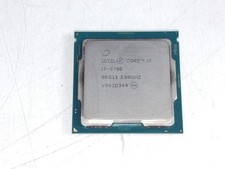
Intel Core i7-9700 3.00 GHz LGA 1151 Desktop CPU Processor SRG13
$79.99

Corsair RM750e 750W Fully Modular 80 Plus Gold ATX 3.1 PSU Certified Refurbished
$44.99
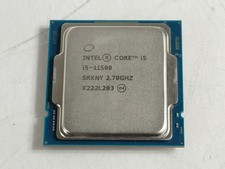
Intel Core i5-11500 2.70 GHz LGA 1200 Desktop CPU Processor SRKNY
$94.99
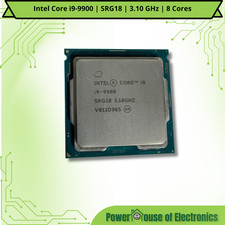
Intel Core i9-9900 | SRG18 | 3.10 GHz | 8 Cores | LOT OF 10
$1505.77

Intel Core i7-7700T 2.9GHz 8MB Socket LGA1151 Quad Core Processor SR339
$39.99

AMD Ryzen 9 5950X 16-Cores 8MB Up to 4.9GHz Desktop Processor 100-100000059WOF
$350.00

Intel SRG17 Core i7-9700T Desktop Processor CPU
$74.99
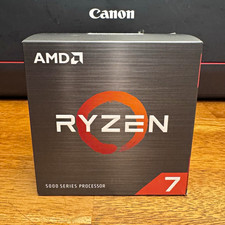
AMD Ryzen 7 5700X 8-Core 16-Thread 3.4GHz 36MB Cache AM4 926WOF
$177.00
COMBO: ASUS Prime H370M-PLUS MOTHERBOARD + i5-9400F CPU /w Heatsink + 16GB DDR4
$169.95



 Reply With Quote